
You want meeting notes that write themselves. You have narrowed it down to Otter.ai and Fireflies.ai, and both make the same promise: a notetaker joins your call, records it and hands you a summary. Both also made our list of the best AI meeting note takers.
The differences are in the limits. Otter.ai is the cheaper of the two at $8.33 per user a month on annual billing, and on 10 November 2026 it announced 27 new languages. Fireflies.ai says it is used across 1 million+ companies and connects to more than 240 apps.
We checked both pricing pages and help centers on 26 November 2026, so the prices and limits below are current.
Here’s how they compare, and which one to pick.
Quick answer
- Choose Otter.ai if: you want to read a live transcript during calls, record in-person meetings on your phone, or pay the lowest price for one person.
- Choose Fireflies.ai if: you run long or back-to-back calls, meet in many languages, or want notes pushed into your CRM and other apps.
- Our pick for most small businesses: Fireflies.ai, because its paid plans have no monthly transcription cap and it connects to far more tools.
- Cheapest option: Otter Pro at $8.33 per user a month (billed annually), versus $10 for Fireflies Pro.
Otter.ai vs Fireflies.ai at a Glance
| Tool | Best for | Free plan | Starting price |
|---|---|---|---|
| Otter.ai | Live transcripts and solo users | Yes (300 min/mo, 30 min per meeting) | $8.33/user/mo |
| Fireflies.ai | Teams, CRMs and many languages | Yes (400 min storage, 20 AI credits) | $10/seat/mo |
| Feature | Otter.ai | Fireflies.ai |
|---|---|---|
| Price for a solo owner | $8.33/mo (Pro) | $10/mo (Pro) |
| Price for a 5-person team | $41.65/mo (Pro) or $99.95/mo (Business) | $50/mo (Pro) or $95/mo (Business) |
| Transcription on Pro | 1,200 min/mo, 90 min per meeting | Unlimited, 2 hours per meeting, 8,000 min storage per seat |
| Live transcript during calls | Yes, a core feature | Yes (real-time notes) |
| Languages | 6 core plus 13 added Nov 2026 (14 more coming) | 100+ |
| AI features | AI Chat (50 queries/mo on Pro), meeting agents | AskFred, AI Skills (20 AI credits on Pro) |
| Integrations | Salesforce, HubSpot, Zapier, Asana and more | 240+ apps |
| Switching in | Audio and video file import | Official Otter importer (on request) |
| Support | Email; prioritized on Business | Email; priority support on Business |
Prices checked November 2026. Prices use annual billing unless noted. Team prices are 5 seats on each plan (Otter Pro allows up to 5 members). Otter was running a Black Friday code for 50% off annual Pro and Business plans on 26 November 2026; the prices here are list prices.
Otter.ai: Overview
Best for: Solo owners, consultants and small teams who want a live transcript and simple, searchable notes
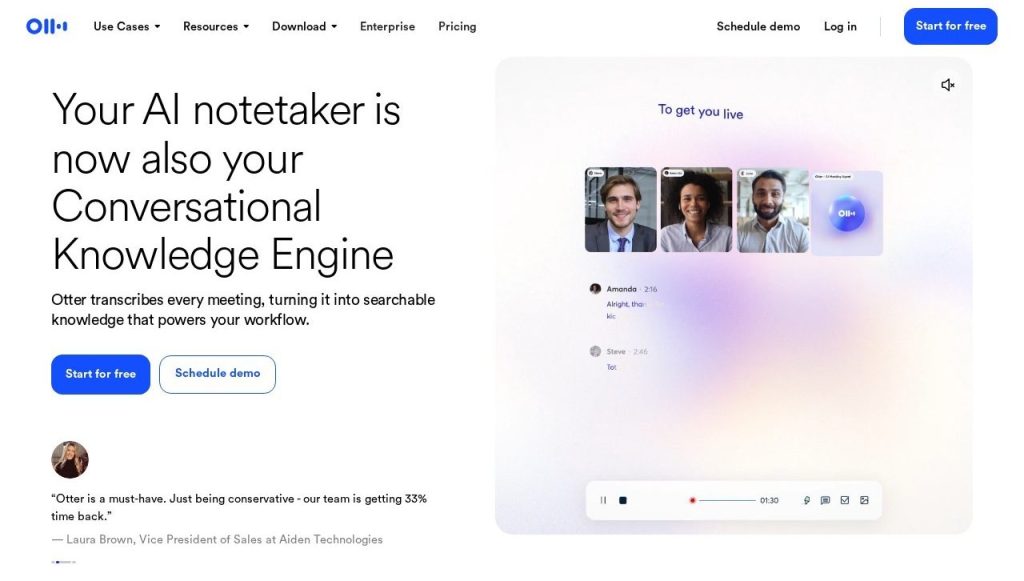
Otter.ai is an AI meeting assistant that joins Zoom, Google Meet and Microsoft Teams from your calendar. Its Mac and Windows apps can record with your headphones on and no bot in the meeting, and you can read the transcript live while people talk.
Otter announced 27 new languages on 10 November 2026, with 13 available right away and 14 coming soon. A 2-person bookkeeping firm could record every client call, then ask Otter AI Chat what each client agreed to before sending the follow-up (our bookkeeping software guide covers the rest of that workflow).
Key Capabilities
- Live transcript: Follow the conversation as text during the call and catch anything you missed.
- Bot-free desktop recording: The desktop apps capture meetings without a bot joining.
- Otter AI Chat: Ask questions within and across meetings; Pro includes 50 queries a month.
- Meeting agents: A voice-activated agent can answer questions and complete tasks during the call.
- MCP server: Connect your meeting notes to Claude, ChatGPT and other AI assistants.
Pros
- Lowest paid price of the two ($8.33/month billed annually)
- Excellent live transcript view
- Records in-person meetings from the phone or desktop app
- Unlimited storage on Pro
Cons
- Free plan caps meetings at 30 minutes and keeps only your 25 most recent conversations
- Pro caps you at 1,200 minutes a month and 90 minutes per meeting
- API and webhooks are Enterprise only
- SSO needs a 100-user minimum
Plans & Pricing
- Basic (Free): $0. 300 minutes a month, 30 minutes per meeting, 3 lifetime file imports, 20 AI Chat queries.
- Pro: $8.33/user/month (billed annually; $16.99 monthly). 1,200 minutes, 90 minutes per meeting, 10 imports a month, up to 5 members.
- Business: $19.99/user/month (billed annually; $30 monthly). Unlimited meetings, 4 hours per meeting, admin tools, up to 25 members.
- Enterprise: Custom pricing (contact sales). SSO, SCIM, API and webhooks, HIPAA add-on.
Fireflies.ai: Overview
Best for: Sales teams, agencies and growing businesses that want notes, tasks and call data sent to their other apps
Fireflies.ai sends a notetaker to Zoom, Google Meet, Microsoft Teams and 10+ other platforms, or records through a Chrome extension with no bot. It transcribes in 100+ languages, writes summaries and action items, and lets you search every call or ask its assistant, AskFred.
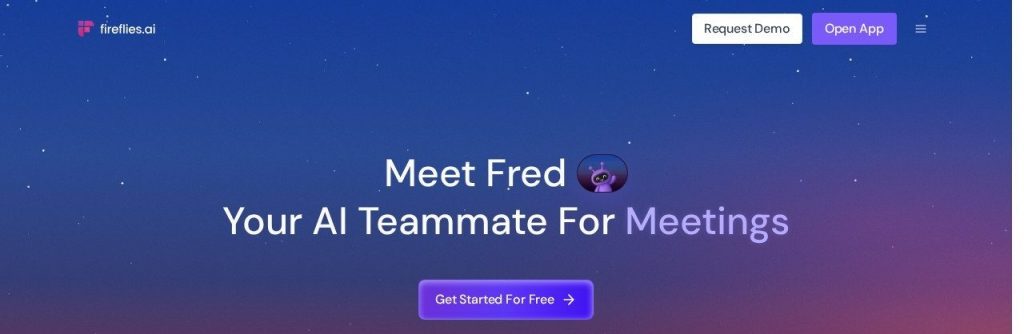
Fireflies recently introduced Fred, which it calls an AI teammate for meetings. A 4-person sales team could log every demo call straight into its CRM and review talk time and sentiment with conversation intelligence on the Business plan.
Key Capabilities
- Unlimited transcription on paid plans: Pro has no monthly minute cap, only a storage limit of 8,000 minutes per seat.
- 100+ languages: Business adds a multi-language mode for meetings that switch languages.
- AskFred and AI Skills: Ask questions, build soundbites or update other apps (some features use AI credits).
- Conversation intelligence: Talk time, sentiment and topic trackers on Business.
- 240+ integrations: Salesforce, HubSpot, Slack, Dropbox, Wrike, Todoist and more.
Pros
- Free plan includes transcription and 400 minutes of storage
- No monthly minute cap on Pro
- Far more languages and integrations
- Official importer for your Otter history
Cons
- Only 20 AI credits on Free and Pro (30 on Business)
- Recordings stop at 2 hours per meeting on Free and Pro
- More menus to learn, a common complaint in user reviews
- Enterprise is annual billing only
Plans & Pricing
- Free: $0. Transcription, limited AI summaries, 400 minutes of storage per team, 20 AI credits.
- Pro: $10/seat/month (billed annually; $18 monthly). Unlimited transcription and summaries, 8,000 minutes of storage per seat, video recording, downloads.
- Business: $19/seat/month (billed annually; $29 monthly). Unlimited storage, 30 AI credits, conversation intelligence, team analytics, priority support.
- Enterprise: $39/seat/month (billed annually only). SSO, SCIM, HIPAA-ready with a BAA, private storage.
Pricing: Otter.ai vs Fireflies.ai
On sticker price, Otter wins. Otter Pro costs $8.33 per user a month on annual billing as of November 2026, while Fireflies Pro costs $10 per seat.
- 5 seats on Pro: $41.65 a month for Otter and $50 a month for Fireflies.
- 5 seats on Business: the gap flips. Otter is $99.95 and Fireflies is $95.
- Monthly billing: Otter Pro jumps to $16.99 and Fireflies Pro to $18, so pay yearly if you can.
The real cost is in the limits. Otter Pro stops at 1,200 minutes a month and 90 minutes per meeting, so a busy team can hit the wall mid-month. Fireflies Pro has no monthly transcription cap, but its AI extras run on credits and Pro includes only 20.
If you are watching every subscription, see how either one fits into a lean AI tool stack for a one-person business.
Tie: Otter is cheaper per seat, but Fireflies gives more meeting time for the money.
Ease of Use
Both tools start the same way: connect your calendar and the notetaker joins your meetings. A transcript and summary land in your account a few minutes after the call ends.
Otter feels simpler day to day. The live transcript, highlights and clean layout make sense in minutes, and recording a face-to-face meeting is as easy as pressing record on your phone.
Fireflies has more buttons because it does more: channels, soundbites, AI apps and analytics. That power takes a little longer to learn. If you already book calls through a scheduling tool with video links, both notetakers pick up those meetings automatically.
Winner: Otter.ai, because its live view and simple layout are easier for non-technical users.
AI Features
Otter AI Chat answers questions within and across your meetings. Basic includes 20 queries a month, Pro 50 and Business 200, and they reset every month. Otter also offers voice-activated meeting agents and an MCP server that connects your notes to AI assistants.
Fireflies has a wider menu: AskFred, AI Skills, a Personal Assistant, an Email Assistant and Voice Agents. AI summaries are unlimited on Pro, but many extras draw on AI credits, and Free and Pro include just 20. If you already pay for an AI assistant, our ChatGPT vs Claude comparison shows which one pairs better with meeting notes.
Winner: Otter.ai, because its AI Chat queries come with every plan each month instead of a small credit pool.
Transcription, Languages and Recording
This is where Fireflies pulls ahead for most businesses. It transcribes in 100+ languages, and paid plans have no monthly transcription cap.
Otter is catching up. Its pricing page lists 6 core transcription languages, and the 10 November 2026 launch added 13 more, with 14 still to come.
- Meeting length: Otter stops at 30 minutes on Free, 90 on Pro and 4 hours on Business. Fireflies records up to 2 hours on Free and Pro and 3 hours on Business.
- File uploads: Otter Free allows 3 lifetime imports and Pro 10 a month. Fireflies lets every plan upload audio and video files.
- Accuracy: both get similar complaints about accents, background noise and crosstalk, so test with your real calls.
Coaches and consultants who run long sessions will feel Otter’s 90-minute Pro cap most. Our guide to AI tools for coaches covers other options built for client sessions.
Winner: Fireflies.ai, because it covers far more languages and has no monthly minute cap on Pro.
Integrations
Fireflies lists 240+ apps, including Salesforce, HubSpot, Slack, Dropbox, Google Sheets and project tools like Wrike and Todoist. Every plan can use integrations, and paid plans get higher API limits. You can also wire it into Zapier or Make for custom workflows.
Otter connects to Salesforce, HubSpot, Zapier, Asana, ClickUp, Dropbox and Claude, among others. Salesforce, HubSpot and Zapier start on Pro, with user limits, and the Otter API and webhooks are Enterprise only. If HubSpot is your CRM, our HubSpot vs Pipedrive breakdown explains what each CRM does with call notes.
Winner: Fireflies.ai, because it connects to far more apps and opens its API on every plan.
Free Plan, Trial and Support
Both have free plans, but they limit different things. Otter Basic gives you 300 minutes a month, stops each meeting at 30 minutes and keeps only your 25 most recent conversations.
Fireflies Free includes transcription, 400 minutes of storage per team and 20 AI credits, and it records meetings of up to 2 hours. For a week of normal-length calls, that goes further than Otter’s free plan.
- Trials: neither pricing page offers a paid-plan trial, so both rely on their free plans for testing.
- Support: Otter offers standard email support on Basic and Pro and prioritized support on Business. Fireflies adds priority support on Business and a dedicated account manager on Enterprise.
- Security: Fireflies lists SOC 2 Type II and GDPR compliance, with HIPAA on Enterprise. Otter sells HIPAA as an Enterprise add-on.
Winner: Fireflies.ai, because its free plan does not stop your meetings after 30 minutes.
Winner by Category
| Category | Winner | Why |
|---|---|---|
| Pricing | Tie | Otter is cheaper per seat; Fireflies gives more minutes |
| Ease of Use | Otter.ai | Live transcript and a simpler layout |
| AI Features | Otter.ai | Monthly AI Chat queries on every plan |
| Transcription, Languages and Recording | Fireflies.ai | 100+ languages and no Pro minute cap |
| Integrations | Fireflies.ai | 240+ apps and API access on every plan |
| Free Plan, Trial and Support | Fireflies.ai | Free plan records up to 2 hours |
| Overall for most small businesses | Fireflies.ai | More meeting time, languages and integrations per dollar |
Why Fireflies overall? Most small teams care about two things: every call gets captured, and the notes end up where work happens. Fireflies does both with fewer limits. If you mostly need a cheap live transcript for your own calls, Otter is the better buy.
Which Should You Choose?
- If you are a solo owner with a few short calls a week, pick Otter.ai Pro at $8.33 a month.
- If you want to read along live or record in-person meetings, pick Otter.ai.
- If your team runs many calls longer than 90 minutes, pick Fireflies.ai.
- If you sell in several languages or to global clients, pick Fireflies.ai.
- If you want call notes inside your CRM and other apps, pick Fireflies.ai. Agencies should also see our list of AI tools for marketing agencies.
- If you already have years of Otter recordings, you can still switch: Fireflies imports your Otter history on request.
Not Sold on Either?
Fathom has one of the most generous free plans, Granola takes notes without a bot joining your call, and Read AI adds meeting analytics. Compare them in our guide to the best AI meeting note takers, or see our full list of Otter.ai alternatives.
FAQs
Is Otter.ai cheaper than Fireflies.ai?
Yes, on Pro. Otter Pro costs $8.33 per user a month and Fireflies Pro costs $10 per seat, both billed annually as of November 2026. On Business, Fireflies is slightly cheaper at $19 versus $19.99.
Can I move from Otter.ai to Fireflies.ai?
Yes. Fireflies has an official Otter importer that copies your recordings, transcripts, timestamps and speakers, but support has to switch it on for your account. Moving the other way means exporting files and uploading the audio to Otter.
Which is better for beginners?
Otter.ai is easier to learn thanks to its live transcript and simpler layout. Fireflies has more settings, which pays off once you connect it to your other tools.
Do Otter.ai and Fireflies.ai have free plans?
Yes, both do. Otter Basic gives 300 minutes a month with a 30 minute limit per meeting, while Fireflies Free includes transcription, 400 minutes of storage and 20 AI credits.
Which works better with a CRM?
Fireflies.ai, for most teams. It connects to Salesforce, HubSpot and many other CRMs on every plan, while Otter’s CRM sync starts on Pro with user limits. If you are still choosing a CRM, start with our best CRM for small business guide.
Final Thoughts
Both tools will save you from typing meeting notes again. The best next step: sign up for both free plans this week, let them join the same three real calls, and compare the summaries side by side.
Then keep the one your team actually opens. For more ways to win back time, read our guides to the best AI automation tools and the best AI receptionists.