You did a 20-minute call, answered three client emails and fixed one small thing on their site. None of it made it onto the invoice.
Lost minutes like these add up fast. Ten unbilled minutes a day at $75 an hour is about $3,000 a year you worked for and never got paid.
Time tracking software fixes that. A timer (or an app that tracks your work automatically) records every task, turns it into a timesheet and, in most tools, into an invoice. You also see which clients and projects actually make money.
We checked every tool’s official website and pricing page in November 2026. Here are the 8 best picks, and who each one suits.
Quick answer
- Best free plan for a small team: Clockify (free for up to 5 users)
- Best for invoicing clients from tracked time: Harvest
- Best AI automatic time tracking: Timely
- Best for remote and field teams: Hubstaff
- Best budget pick with unlimited free users: TimeCamp
What’s the Best Time Tracking Software for Small Businesses?
| Tool | Best for | Free plan | Starting price |
|---|---|---|---|
| Clockify | Small teams that want a strong free plan | Yes (up to 5 users) | $3.99/user/mo |
| Toggl Track | Simple tracking with no employee monitoring | Yes (up to 3 users) | $9/user/mo |
| Harvest | Tracking time and invoicing clients | Yes (1 seat, 2 projects) | $9/seat/mo |
| Timely | AI automatic time tracking | No (free trial) | $9/user/mo |
| Hubstaff | Remote and field teams that need proof of work | No (14-day trial) | $4.99/user/mo |
| TimeCamp | Unlimited free users on a tight budget | Yes (unlimited users) | $3.99/user/mo |
| Everhour | Teams that live in Asana, ClickUp or Linear | Yes (up to 5 seats) | $8.50/seat/mo |
| Memtime | Lawyers, accountants and other billable pros | No (free trial) | $14/user/mo |
Prices checked November 2026. Starting prices use annual billing unless noted.
1. Clockify
Best for: Teams of up to 5 people who want proper time tracking without paying anything
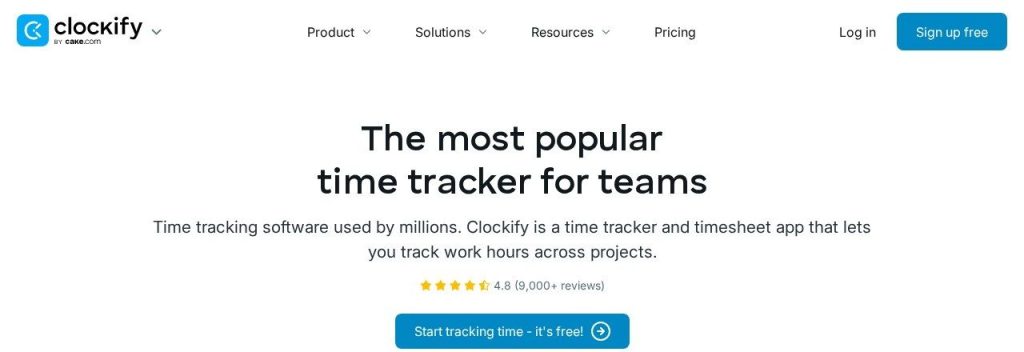
Clockify is the tool most small teams try first, and for good reason. The free plan covers unlimited tracking, a timer, weekly timesheets, a calendar view, reports and the mobile and desktop apps for up to 5 users.
Paid seats are cheap: Basic is $3.99 per user a month on annual billing, and Standard ($5.49) adds invoicing, time off and timesheet approvals. A 4-person design studio could track every project for free, then move to Standard only when it wants to bill clients from Clockify.
Key Capabilities
- Generous free plan: Unlimited time tracking, reports and apps for up to 5 users, with no time limit.
- Auto tracker: Records which apps and websites you used, visible only to you, so you can fill gaps in your timesheet later.
- Invoices from tracked time: Standard turns billable hours and expenses into PDF invoices, including recurring ones.
- Kiosk clock-in: A shared tablet works as a time clock from the Basic plan (QR code clock-in on Standard), handy for shops and job sites.
- Profit and GPS on Pro: Pro ($7.99) adds labor cost and profit reports, expenses, scheduling, GPS tracking and activity monitoring.
Integrations
100+ integrations, including QuickBooks (on Standard and up), Google and Outlook calendars.
Pros
- Free plan is enough for many small teams
- Paid plans start under $4 per user
- Web, desktop, mobile and kiosk apps
- Each paid plan adds clear, separate features
Cons
- Free plan now stops at 5 users
- Invoicing and approvals need Standard
- Every invited user takes a paid seat, even admins
- Many plan tiers can be confusing at first
Plans & Pricing
- Free: $0. Up to 5 users, unlimited tracking, timesheets, reports and apps.
- Basic: $3.99/user/month (billed annually; $4.99 monthly). Add time for others, billable rates, kiosk, import and bulk edit.
- Standard: $5.49/user/month (billed annually; $6.99 monthly). Invoicing, time off, approvals, QuickBooks integration.
- Pro: $7.99/user/month (billed annually; $9.99 monthly). Scheduling, expenses, profit reports, GPS, activity monitoring.
- Enterprise: $11.99/user/month (billed annually). SSO, audit log and more control features.
Bottom line: Pick Clockify if you want the best free start and cheap upgrades later. Skip it if you have more than 5 people and want everything free.
2. Toggl Track
Best for: Teams that want easy, one-click tracking and do not want screenshots or monitoring
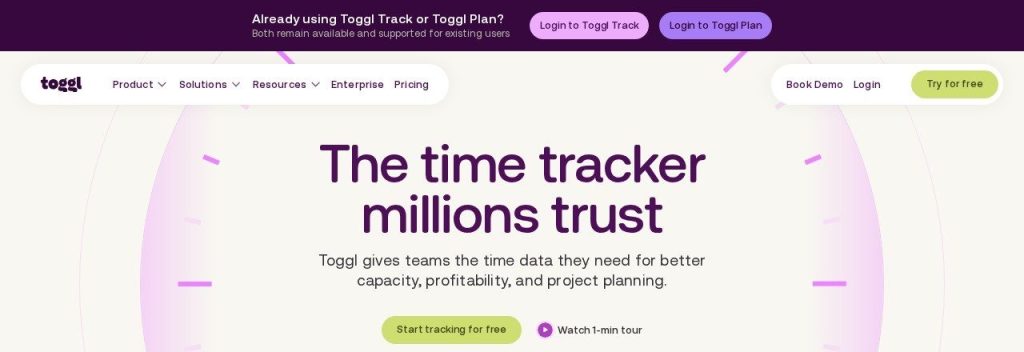
Toggl Track is known for being the easiest timer to start and stop. Toggl states clearly that it does not take screenshots or record keystrokes, browsing history or location, which makes it an easy sell to a team that dislikes being watched.
The free plan works for up to 3 users. Starter ($9 per user a month, billed annually) adds billable rates and team reports, and Premium ($16) adds profitability reports, fixed fee projects and timesheet approvals. A small consultancy could use Starter to see exactly which client eats the most unbilled hours.
Key Capabilities
- One-click timers: Start a timer from the web, Windows, Mac, iOS or Android apps, or log time with focus mode and calendar views.
- Toggl AI Assistant: Ask questions about your time data in plain language and get reports and answers back.
- Toggl MCP: Connect your Toggl data to an AI assistant you already use and query or manage it from there.
- Billable rates and revenue: Set rates per project or person and see earnings in team reports from Starter.
- Profit and approvals on Premium: Labor cost and profitability reports, project dashboards and timesheet approvals.
Integrations
Google and Outlook calendars on every plan, Jira and Asana on Premium.
Pros
- Very easy for a team to adopt
- No screenshots or surveillance by design
- 30-day free trial on paid plans
- Clear upgrade path from free to Premium
Cons
- Free plan stops at 3 users
- Starter costs more than Clockify or TimeCamp
- Approvals and profit reports need Premium
- Time off and capacity tools are paid add-ons
Plans & Pricing
- Free: $0. Up to 3 users, manual and live timers, calendar integrations, tasks and boards.
- Starter: $9/user/month (billed annually; $12 monthly). Billable rates, team reports, timeline and milestones. 30-day trial.
- Premium: $16/user/month (billed annually; $24 monthly). Profitability reports, fixed fee projects, approvals, Jira and Asana, SSO.
- Enterprise: Custom pricing (contact sales).
- Add-ons: Time Off Management $2/user/month; Capacity Management $5/user/month on annual billing ($6 monthly).
Bottom line: Pick Toggl Track if adoption matters most and you want a tool your team will not resent. Skip it if you need a free plan for more than 3 people.
3. Harvest
Best for: Agencies, consultants and freelancers who bill by the hour and want tracking and invoicing in one place
Harvest has been a favorite of agencies for years because it links time, expenses and invoices so tightly. You track hours against a project, then turn them into an invoice and get paid online through Stripe.
The free plan gives 1 seat and 2 projects. Teams costs $9 per seat a month billed annually ($108 per seat a year) or $11 monthly, with a 30-day trial and no card needed. A 3-person marketing agency could track retainers and send monthly invoices without a separate invoicing app.
Key Capabilities
- Invoices from timesheets: Pull billable hours and expenses into an invoice in a few clicks.
- Online payments: Clients can pay invoices by card through the Stripe integration.
- Team capacity reports: See who is overloaded and which projects run over budget.
- Expense tracking: Log receipts against projects so they end up on the right invoice.
- Profitability on Enterprise: Enterprise adds profitability reporting, custom reports and timesheet approvals.
Integrations
Stripe, QuickBooks Online, Xero, Deel and Gusto, plus Harvest Forecast for scheduling and many project tools.
Pros
- Tracking, expenses and invoicing in one tool
- No credit card needed for the 30-day trial
- 20% off when you pay yearly
- Mature accounting integrations
Cons
- Free plan is only 1 seat and 2 projects
- Extra invoices, projects and clients can be billed by usage on Teams
- Approvals need the Enterprise plan
- No AI features listed on the pricing page
Plans & Pricing
- Free: $0. 1 seat, 2 projects, time tracking, invoicing and expenses.
- Teams: From $9/seat/month (billed annually, $108 per seat a year; $11 monthly). Unlimited seats, team reporting, accounting and payment integrations. 30-day trial.
- Enterprise: From $14/seat/month (billed annually, $168 per seat a year; $17.50 monthly). Custom and profitability reports, approvals, SSO.
- Enterprise Plus: Custom pricing (contact sales).
Bottom line: Pick Harvest if most of your hours end up on a client invoice. Skip it if you mainly need attendance or payroll hours for staff.
Money saver
Before you choose, add up what you pay today for invoicing software. Harvest and Clockify Standard both include invoicing, so one tool can replace two subscriptions.
4. Timely
Best for: Busy teams that forget to start timers and want AI to build their timesheets
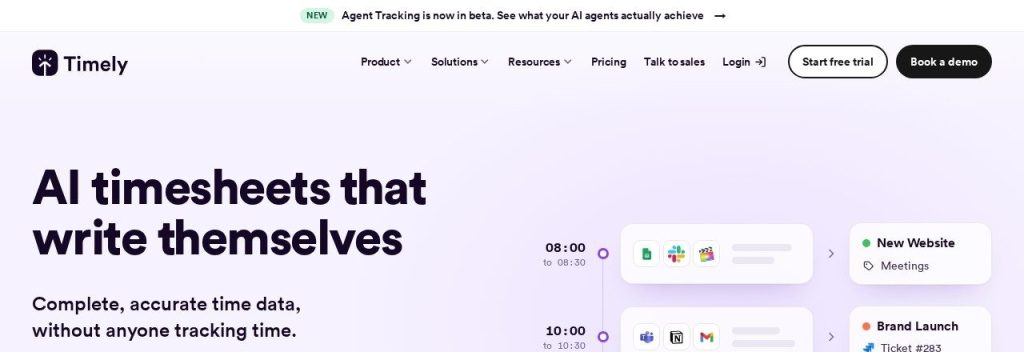
Timely works differently from a timer app. Its Memory tracker records the apps and websites you work in, in the background, and AI then turns that record into draft timesheet entries for you to review.
Timely says this lets teams finish timesheets in 10 minutes and bill for 20% more hours. Starter is $9 per user a month billed yearly, but it is capped at 5 users and 20 projects. A 4-person accounting firm that bills by the hour could stop rebuilding Friday timesheets from memory.
Key Capabilities
- Automatic Memory tracker: Tracks time on thousands of apps and websites without you pressing start.
- AI timesheets (AutoSheet): AI categorizes your tracked activity and drafts time entries, which you approve.
- Agent Tracking (beta): A newer feature that Timely lists as in beta in November 2026, worth watching if your team uses AI agents.
- Project health: Watch budgets and billable hours per project so you spot overruns early.
- Planning on Premium: Premium adds team management, budgets, costs and work planning.
Integrations
100+ integrations, including Linear, Jira, Asana, ClickUp and monday.com, plus accounting tools on Premium.
Pros
- Least manual work of any tool here
- Strong fit for billable professional services
- AI drafts entries but you stay in control
- API access from the Starter plan
Cons
- No free plan, only a trial (length not stated)
- Starter limited to 5 users and 20 projects
- Costs more than timer-based tools
- Background tracking needs a clear privacy talk with staff
Plans & Pricing
- Free trial: Available on all plans (length not stated on the pricing page).
- Starter: $9/user/month (billed yearly; $11 monthly). Up to 5 users, 20 projects, automatic tracking, AI categorization.
- Premium: $16/user/month (billed yearly; $20 monthly). Up to 50 users, unlimited projects, PM and accounting integrations.
- Unlimited: $22/user/month (billed yearly; $28 monthly). Unlimited users, capacity management, overtime tracking.
- Enterprise: Custom pricing (contact sales). Tasks add-on from $5 per person.
Bottom line: Pick Timely if your team hates timers and bills by the hour. Skip it if you want a free plan or just a simple clock-in.
5. Hubstaff
Best for: Owners managing remote staff, contractors or field crews who need activity data and payroll-ready hours
Hubstaff goes further than a timer. It can capture screenshots, app and URL usage and idle time, and its Team plan connects tracked hours to payments, scheduling and attendance.
Plans run from $4.99 per user a month (Starter, billed annually) to $10 (Team), with a 14-day trial and no free plan. A cleaning company with 12 field staff could use geofenced clock-ins (Locations add-on) and pay people from the hours they actually worked.
Key Capabilities
- Activity tracking: Optional screenshots, app and URL tracking and idle detection for remote teams.
- Hubstaff AI (beta): Brings your workforce data together and surfaces what needs your attention.
- Unusual activity detection: AI flags odd patterns in tracked work so you can check them.
- Payments and payroll: The Team plan turns tracked hours into pay, with scheduling and attendance.
- GPS and geofences: The Locations add-on ($3.33/user/month) adds job sites, geofences and work orders.
Integrations
35+ integrations, including Jira, Slack, Asana, Trello, ClickUp, GitHub, QuickBooks, Gusto, Deel, Wise and PayPal.
Pros
- Low starting price for monitoring features
- Strong for distributed and field teams
- Hours flow into payroll and payments
- Hubstaff MCP lets AI tools query work data
Cons
- No free plan
- Monitoring can feel invasive to some staff
- Many key features are paid add-ons
- Unlimited integrations only on Team
Plans & Pricing
- Free trial: 14 days with all features.
- Starter: $4.99/user/month (billed annually; $7 monthly). Time and activity tracking, automated timesheets.
- Grow: $7.50/user/month (billed annually; $9 monthly). Adds project visibility, cost tracking and 1 integration.
- Team: $10/user/month (billed annually; $12 monthly). Payments, scheduling, attendance and unlimited integrations.
- Enterprise: $25/user/month (billed annually). Add-ons such as Insights and Tasks start at $2.50/user/month.
Bottom line: Pick Hubstaff if you pay remote or field staff by the hour and need proof of work. Skip it if your team values privacy over monitoring.
6. TimeCamp
Best for: Growing teams on a tight budget that want a free plan with no user cap
TimeCamp has the most generous free plan on this list: unlimited users and unlimited projects, with web, desktop and mobile apps. You can invite the whole company without paying anything.
Starter costs $3.99 per user a month billed annually ($5.49 month to month) and adds invoicing, attendance and time off. A 15-person office could track everyone free, then pay only when it wants invoicing or approvals.
Key Capabilities
- Unlimited free users: The free plan has no user or project cap, which is rare.
- AI Time Tracker: AI fills your timesheet from your tracked time and activity, and you review and approve it.
- Invoicing and attendance: Starter adds invoices from billable time, attendance records and time off tracking.
- Optional computer activity: The desktop app can record computer activity to help rebuild your day.
- Self-hosted option: Larger firms with strict data rules can run TimeCamp on their own servers.
Integrations
Trello, Asana, ClickUp, Monday, Notion, Jira, GitHub, GitLab, QuickBooks, Xero, Google Calendar and Outlook Calendar.
Pros
- Free plan with unlimited users and projects
- One of the cheapest paid plans
- AI features available on all plans
- 14-day free trial of paid features
Cons
- AI Time Tracker is billed separately by token usage
- Invoicing and time off need a paid plan
- Interface packs in a lot of options
- Higher tiers needed for advanced reports
Plans & Pricing
- Free: $0. Unlimited users and projects, timesheets, web, desktop and mobile apps.
- Starter: $3.99/user/month (billed annually; $5.49 monthly). Invoicing, attendance, time off, Excel exports.
- Premium: $6.99/user/month (billed annually; $9.99 monthly). Profit and productivity features.
- Ultimate: $9.99/user/month (billed annually; $13.99 monthly). Analytics and collaboration features.
- Enterprise: Custom pricing (contact sales).
Bottom line: Pick TimeCamp if you want to track a whole team for free or very cheaply. Skip it if you want AI usage included in one flat price.
7. Everhour
Best for: Teams that run projects in Asana, ClickUp, Trello or Linear and want timers inside those tools
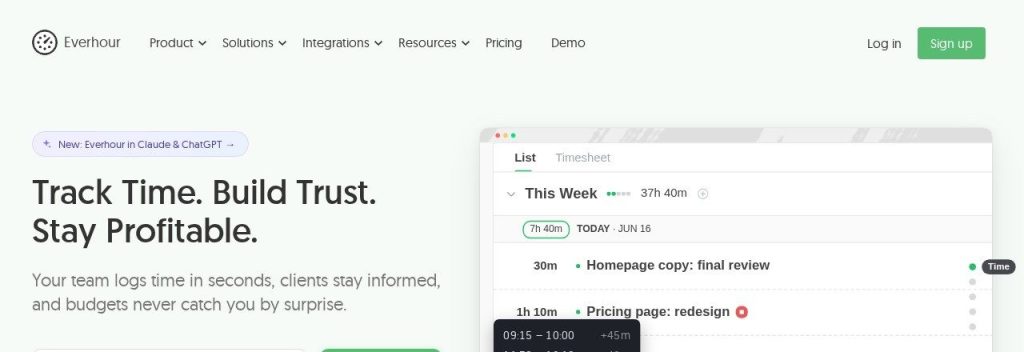
Everhour puts a timer button directly inside your project management tool, so people track time on the task they are already looking at. Everhour says it is the number 3 app on the Asana Marketplace.
There is one paid plan, Team, at $8.50 per seat a month billed yearly or $10 monthly, with every feature included. The catch is a 5-seat minimum, so the smallest bill is $510 a year. An agency already running client work in ClickUp could add budgets and invoicing without changing how anyone works.
Key Capabilities
- Native timers in your PM tool: Start tracking from a task in Asana, ClickUp, Trello, Linear, Jira and more.
- Budgets with alerts: Set project budgets in hours or money and get warned before you go over.
- Invoicing and expenses: Bill clients from tracked time and log project spending in the same place.
- Scheduling and time off: See team workload and holidays when you plan the week.
- AI work detection (coming): Everhour says it is building an AI feature that detects your work without a timer; it was in early access sign-up in November 2026.
Integrations
40+ integrations, including Asana, ClickUp, GitHub, Linear, Basecamp, Jira, Trello, Monday and Notion.
Pros
- Timers live inside the tools your team already uses
- One plan with every feature, no upsells
- Free plan for up to 5 seats
- 14-day trial with no card
Cons
- Paid plan needs at least 5 seats
- Free plan has no integrations, its main strength
- You cannot return to the free plan after paying
- No AI features live yet
Plans & Pricing
- Free: $0. Up to 5 seats, time tracking, projects, tasks and reports. No integrations.
- Team: $8.50/seat/month (billed yearly; $10 monthly). All features, unlimited seats, minimum 5 seats. 14-day trial.
- Custom: Custom pricing (contact sales). Minimum 50 seats.
Bottom line: Pick Everhour if your team already lives in a project tool and you have 5 or more people. Skip it if you are a solo owner, because you would pay for 5 seats.
8. Memtime
Best for: Lawyers, accountants and consultants who bill in short increments and want automatic, private tracking
Memtime records the time you spend in programs and shows your day as a timeline, so you can turn it into billable entries in a few minutes. Memtime markets itself as an automatic time tracker built for privacy.
It supports 5 and 6 minute billing increments, which matters for law and accounting firms. Basic is $14 per user a month on annual billing. A 2-partner law firm could stop losing short calls and emails that never made it into the billing system.
Key Capabilities
- Automatic timeline: Shows what you worked on, hour by hour, without starting a timer.
- 5 and 6 minute increments: Rounds entries the way many legal and accounting firms bill.
- Phone call tracking: Premium connects to call systems so client calls show up in your timeline.
- Offline tracking: Keeps recording when you are not connected.
- Sync with your software: Connect and above export entries to your practice or project software.
Integrations
Calendar integrations on every plan, 100+ software integrations from Connect, and call system integrations on Premium.
Pros
- Strong privacy focus
- Built for short billing increments
- Free trial with no credit card
- Prices shown in 10 currencies
Cons
- No free plan
- No monthly billing (quarterly is the shortest term)
- Integrations need Connect ($21) or higher
- More than most teams need if they do not bill by the hour
Plans & Pricing
- Free trial: Available with no credit card (length not stated on the pricing page).
- Basic: $14/user/month (billed annually; $18 quarterly; $12 on 2-year billing). Automatic tracking, calendar integrations, unlimited reports.
- Connect: $21/user/month (billed annually; $26 quarterly; $18 on 2-year billing). Adds 100+ software integrations.
- Premium: $29/user/month (billed annually; $35 quarterly; $23 on 2-year billing). Call integrations, SSO, priority support.
- Enterprise: Custom pricing for 50+ seats (contact sales).
Bottom line: Pick Memtime if every 6 minutes of your day is billable. Skip it if you just need staff hours for payroll.
What to Look For in Time Tracking Software
Every tool here tracks hours. The differences show up in how much effort tracking takes and what happens to the hours afterwards.
- Manual or automatic tracking: Timer apps like Toggl Track are simple, while Timely, Memtime and TimeCamp’s AI Time Tracker record activity for you, which helps teams that forget timers.
- Free plan limits: Free plans range from 1 seat (Harvest) and 3 users (Toggl Track) to 5 users (Clockify, Everhour) and unlimited users (TimeCamp).
- Invoicing: If you bill clients, check that invoices come straight from tracked time, as in Harvest, Clockify Standard and TimeCamp Starter.
- Monitoring and privacy: Hubstaff offers screenshots and activity tracking, while Toggl Track says it never monitors. Pick the style your team will accept.
- Payroll and attendance: For hourly staff, look for clock-ins, overtime and payroll links, such as Hubstaff Team or Clockify’s kiosk.
- Minimum seats: Everhour’s paid plan bills at least 5 seats, so a solo owner pays $510 a year.
- Integrations: Timers inside Asana, ClickUp or Jira (Everhour, Timely, Toggl Premium) get far better adoption than a separate app.
Which Time Tracking Software Should You Choose?
- If you have up to 5 people and want to pay nothing, start with Clockify’s free plan.
- If you want to track a bigger team for free, pick TimeCamp.
- If you bill clients by the hour and want invoices from your timesheets, pick Harvest.
- If your team never remembers to start a timer, pick Timely.
- If you manage remote or field staff paid by the hour, pick Hubstaff.
- If your work already runs in Asana or ClickUp, pick Everhour.
- If you are a lawyer, accountant or consultant billing in 6-minute blocks, pick Memtime.
Time saver
Set up your clients and projects with billable rates on day one. After that, every timer you start is already priced, and your end-of-month invoice takes minutes instead of an afternoon.
Which time tracking software are you going to use?
Pick one and see what other small business owners chose.
FAQs
What is the best free time tracking software for a small business?
Clockify’s free plan covers up to 5 users with unlimited tracking, and TimeCamp’s free plan has no user limit at all as of November 2026. Toggl Track is free for up to 3 users, and Everhour for up to 5 seats without integrations.
How much does time tracking software cost?
As of November 2026, paid plans in this list start at $3.99 per user a month on annual billing (Clockify and TimeCamp). Most small teams pay $5 to $16 per user a month, and AI automatic tracking tools like Timely start at $9.
Can time tracking software track time automatically?
Yes. Timely and Memtime record the apps, documents and calls you work on in the background, and TimeCamp’s AI Time Tracker fills timesheets for you to approve. Clockify’s free auto tracker records apps and websites that only you can see.
Is it legal to track employee time and activity?
Tracking work hours is normal and often required for payroll. Screenshot and activity monitoring rules vary by country and state, so tell staff what you track and check local law before turning those features on.
Can I invoice clients from tracked time?
Yes. Harvest, Clockify (Standard and up), TimeCamp (Starter and up) and Everhour turn billable hours into invoices. Harvest also lets clients pay online through Stripe.
Do I need time tracking if I charge fixed prices?
It still helps. Tracking hours on fixed-price jobs shows which projects actually make money, so you can price the next quote better.
Final Thoughts
You do not need an expensive tool to stop losing billable hours. Start with Clockify or TimeCamp for free this week, track every task for 30 days, and look at which clients and projects really pay.
If you track time to book and bill clients, see our picks for the best appointment scheduling software and the best AI bookkeeping software.