
You need accounting software, and the shortlist is down to two names: QuickBooks Online and FreshBooks. Both send invoices, track expenses and connect to your bank, and both appear in our guide to the best AI bookkeeping software.
They were built for different people, though. QuickBooks Online is full double-entry accounting that scales to 25 users on its Advanced plan. FreshBooks started as invoicing software for freelancers and service businesses, and every plan includes unlimited invoices and time tracking.
We checked both pricing pages, plan limits and help centers on 28 November 2026. Both were running Black Friday discounts that day, so the prices below are the regular prices you pay once a promo ends.
Here’s how they compare, and which one to pick.
Quick answer
- Choose QuickBooks Online if: you sell products, track inventory, run payroll for a few employees, or your accountant already works in QuickBooks.
- Choose FreshBooks if: you bill clients for your time or projects, want the simplest invoicing, and do not need inventory or deep reports.
- Our pick for most small businesses: QuickBooks Online, because it covers more of your finances in one place and grows with you from 1 to 25 users.
- Best value for freelancers and agencies: FreshBooks. Lite starts at $20.70 a month on annual billing, and its 30-day trial needs no card.
QuickBooks Online vs FreshBooks at a Glance
| Tool | Best for | Free plan | Starting price |
|---|---|---|---|
| QuickBooks Online | Growing businesses that want full accounting | Yes (1 user, 2 invoices a month) | $20/mo (Lite) |
| FreshBooks | Freelancers and service businesses billing clients | No (30-day free trial) | $20.70/mo ($23 monthly) |
| Feature | QuickBooks Online | FreshBooks |
|---|---|---|
| Price for a 5-person team | $140/mo (Plus, 5 users) | $82.70/mo (Plus + 4 team members) |
| Client limits | None | 5 on Lite, 50 on Plus, unlimited on Premium |
| Double-entry reports | Every paid plan | Plus and above |
| Inventory tracking | Plus and Advanced | Not offered |
| AI features | Intuit AI agents included, more on higher plans | Claude and ChatGPT connectors, FreshBot help |
| Apps | 750+ integrations | 100+ partner apps |
| Free trial | 30 days on paid plans | 30 days, no card needed |
| Switching in | Guided setup help | Easy Switch imports QuickBooks data |
| Payroll add-on | From $50/mo + $7 per employee | $40/mo + $6 per person |
Prices checked November 2026. Prices use annual billing unless noted. QuickBooks shows monthly prices only on its pricing page, so QuickBooks figures are monthly. FreshBooks annual prices include its 10% yearly discount. The 5-person team uses QuickBooks Plus and FreshBooks Plus ($38.70) plus 4 extra team members at $11 each.
QuickBooks Online: Overview
Best for: Small businesses with products, employees or an outside accountant that want one full accounting system they will not outgrow
QuickBooks Online is Intuit’s cloud accounting software. Paid plans run from Lite at $20 a month to Advanced at $340 a month as of November 2026, and every paid plan includes bank feeds, invoicing with card and bank payments, and free seats for accountants.
A 4-person retail shop could start on Plus ($140 a month), track stock and project profit, run payroll as an add-on and give its bookkeeper access at no extra cost. If you are also weighing Xero, our QuickBooks vs Xero comparison covers that matchup.
Key Capabilities
- Full double-entry accounting: Bank feeds, reconciliation, bills and a full set of reports on paid plans.
- AI agents included: Intuit lists AI expense categorization, reconciliation help and anomaly detection, with more on higher plans.
- Inventory and projects: Plus adds inventory tracking, project profitability, budgets, classes and locations.
- Room to grow: From 1 user on Simple Start to 25 users plus 3 accountants on Advanced.
- 750+ app integrations: Connect payment, ecommerce, CRM and payroll tools.
Pros
- Complete accounting, from invoices to inventory
- Most accountants already know it
- Free plan for very small needs
- Scales to 25 users
Cons
- Much pricier once you need 3+ users
- Regular price increases and add-on upsells
- More to learn than FreshBooks
- Annual billing prices are not published
Plans & Pricing
- Free: $0. 1 user, 2 invoices a month, top 3 reports, 1 connected bank, chat support only.
- Lite: $20/month (monthly billing). 1 user, unlimited invoices, receipt capture and mileage, no accountant access.
- Simple Start: $38/month (monthly billing). 1 user plus 2 accountants, general reports, bill pay.
- Essentials: $85/month (monthly billing). 3 users plus 2 accountants, enhanced reports, employee time on invoices.
- Plus: $140/month (monthly billing). 5 users plus 2 accountants, inventory, project profitability, budgets.
- Advanced: $340/month (monthly billing). 25 users plus 3 accountants, custom roles, workflow automation, priority support.
FreshBooks: Overview
Best for: Freelancers, consultants, agencies and trades that bill clients for time or projects and want invoicing that takes minutes
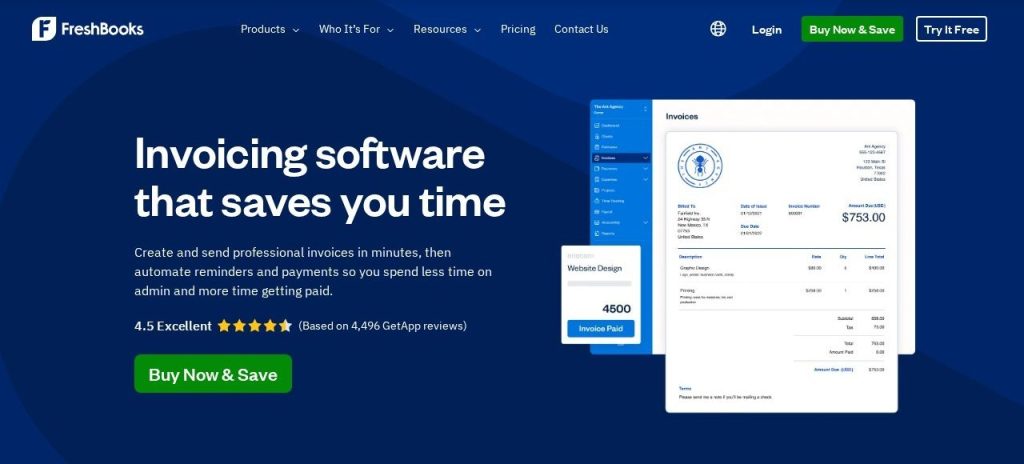
FreshBooks is cloud accounting and invoicing software built around clients. Every plan includes unlimited invoices and estimates, recurring invoices, payment reminders, unlimited time tracking, expense tracking and a client portal.
FreshBooks Plus costs $38.70 a month on annual billing ($43 monthly) as of November 2026 and allows up to 50 billable clients. A 3-person design agency could send proposals, collect deposits through retainers and bill tracked hours from one screen. Our FreshBooks vs Xero guide shows how it stacks up against another full accounting tool.
Key Capabilities
- Fast invoicing: Branded invoices, recurring billing, late fees and automatic reminders on every plan.
- Time tracking built in: Log hours and add them straight to invoices (see more time tracking software).
- Proposals and e-signatures: Plus adds proposals, e-signatures, retainers and double-entry reports.
- Project profitability: Premium adds project profit, bills and automatic bill capture.
- Easy Switch: A conversion service moves clients, invoices and expenses from QuickBooks, Xero and Wave.
Pros
- Very easy to set up and use
- Strong invoicing and time tracking on every plan
- Highly rated customer support
- Low entry price with 10% off yearly
Cons
- Billable-client caps on Lite (5) and Plus (50)
- $11 a month for each extra team member
- No inventory tracking
- Bills and accounts payable only on Premium
Plans & Pricing
- Free trial: 30 days, no credit card needed.
- Lite: $20.70/month (billed annually; $23 monthly). 5 billable clients, unlimited invoices, time and expense tracking.
- Plus: $38.70/month (billed annually; $43 monthly). 50 billable clients, proposals, e-signatures, double-entry reports, accountant access.
- Premium: $63/month (billed annually; $70 monthly). Unlimited clients, project profitability, bills and bill capture.
- Select: Custom pricing (contact sales). 2 team members included, lower card fees, dedicated phone support.
- Extra team members: $11/month each on every plan.
Pricing: QuickBooks Online vs FreshBooks
For one person, the two start close together. QuickBooks Lite is $20 a month and FreshBooks Lite is $20.70 a month on annual billing as of November 2026.
- Solo with a few clients: FreshBooks Lite covers 5 billable clients. QuickBooks Simple Start ($38) adds accountant seats and full reports.
- A team of 5: QuickBooks Plus costs $140 a month. FreshBooks Plus with 4 extra team members comes to $82.70 a month on annual billing.
- Card fees: QuickBooks Payments charges 2.99% on invoiced card payments. FreshBooks Payments charges 2.9% + 30¢, so a $1,000 invoice costs about $30 to collect on either.
- Payroll: QuickBooks Workforce Payroll starts at $50 a month plus $7 per employee. FreshBooks Payroll is $40 a month plus $6 per person.
The catch with FreshBooks is the client cap: a business with 60 clients must move to Premium at $63 a month. QuickBooks has no client limit, but its user caps push you up a tier fast. For a lean setup, our AI tool stack for a one-person business shows where accounting fits in.
Winner: FreshBooks, because it costs much less for small teams and offers 10% off on yearly billing.
Ease of Use
FreshBooks is the easier tool for non-accountants. Its menus are built around clients, invoices and hours, and you can send a first invoice within minutes of signing up.
QuickBooks asks more of you. Chart of accounts, classes, bank rules and reconciliation are powerful, but owners with no bookkeeping background often need a few weeks or an accountant to set it up well.
Review scores reflect this. On G2 in November 2026, FreshBooks scored 9.1 for ease of use and QuickBooks Online scored 8.2.
Winner: FreshBooks, because owners can learn it in an afternoon without accounting knowledge.
AI Features
QuickBooks has the deeper built-in AI. Intuit’s pricing page lists AI expense categorization on Simple Start, AI books cleanup and Payments AI on Essentials, AI reconciliation and anomaly detection on Plus, and Finance AI on Advanced, all included in the plan price.
FreshBooks takes a lighter approach. It offers FreshBot for help questions, a ChatGPT app and, since September 2026, a connector for Claude, so you can ask about invoices, clients and cash flow in plain English. QuickBooks also connects to both assistants. If you are choosing between them, read our ChatGPT vs Claude comparison.
Winner: QuickBooks Online, because its AI agents do real bookkeeping work inside the product on every paid plan.
Accounting, Invoicing and Reports
QuickBooks is the more complete accounting system. Every paid plan is double-entry with bank reconciliation, and Plus adds inventory, budgets and project profitability. Advanced adds custom roles, approval workflows and batch invoicing.
FreshBooks wins on client billing. Every plan includes recurring invoices, late fees and time tracking, and Plus adds proposals, e-signatures and retainers. If you send many quotes, compare it with dedicated proposal software and e-signature tools first.
- Inventory: QuickBooks tracks stock on Plus and Advanced. FreshBooks has no inventory tracking.
- Bills and payables: QuickBooks includes bill pay from Simple Start. FreshBooks adds bills on Premium.
- Accountant access: QuickBooks includes 2 accountant seats from Simple Start. FreshBooks adds it on Plus.
Winner: QuickBooks Online, because it handles inventory, payables and reports that FreshBooks lacks or limits.
Integrations
Intuit says QuickBooks Online connects with 750+ business apps, from payment processors and ecommerce stores to payroll, CRM and time tracking tools. FreshBooks lists 100+ partner apps and connects to thousands more through Zapier.
Both cover the basics, such as Stripe, PayPal, Gusto and Shopify. If you sell online, our Shopify vs Wix guide explains which store builder to pair with your books. For sales data, check our best CRM for small business list, and use Zapier or Make to fill any gaps.
Winner: QuickBooks Online, because its app marketplace is several times larger.
Free Plan, Trial and Support
QuickBooks now has a Free plan for 1 user, but it allows only 2 invoices a month, 1 bank connection and chat support. Paid plans come with a 30-day free trial.
FreshBooks has no free plan. Its 30-day free trial needs no credit card, and it also offers a 30-day money-back guarantee.
- QuickBooks support: Phone and chat on paid plans, Monday to Friday 6am to 6pm PT and Saturday 6am to 3pm PT. Advanced adds Priority Circle with a dedicated care team.
- FreshBooks support: Phone and email during office hours, plus the FreshBot assistant at any time. It scored 9.2 for support on G2, against 7.5 for QuickBooks.
Tie: QuickBooks has the only free plan, while FreshBooks has the friendlier trial and better rated support.
Winner by Category
| Category | Winner | Why |
|---|---|---|
| Pricing | FreshBooks | $82.70 vs $140 for a 5-person team |
| Ease of Use | FreshBooks | Learnable in an afternoon, no accounting background needed |
| AI Features | QuickBooks Online | AI agents included on every paid plan |
| Accounting, Invoicing and Reports | QuickBooks Online | Inventory, payables and deeper reports |
| Integrations | QuickBooks Online | 750+ apps vs 100+ |
| Free Plan, Trial and Support | Tie | QuickBooks free plan; FreshBooks better support |
| Overall for most small businesses | QuickBooks Online | Full accounting that grows with you |
Why QuickBooks overall? It covers more of your money in one place, and most accountants already use it. If your business is mainly billing clients for your time, FreshBooks is the better and cheaper buy.
Which Should You Choose?
- If you are a freelancer or consultant with a handful of clients, pick FreshBooks Lite.
- If you run a service business that bills by the hour or job, pick FreshBooks Plus. Our AI tools for home service businesses list covers the rest of that toolkit.
- If you sell physical products and need stock counts, pick QuickBooks Plus.
- If your accountant or bookkeeper works in QuickBooks, pick QuickBooks Online.
- If you have 5+ people and a tight budget, pick FreshBooks, as long as you stay under the client cap.
- If you expect to grow past 10 staff, pick QuickBooks for its 25-user Advanced plan.
Not Sold on Either?
Xero offers unlimited users on every plan, Zoho Books is a strong low-cost option, and Wave is free for basic invoicing. Compare them in our guides to the best QuickBooks alternatives and the best AI bookkeeping software.
FAQs
Is FreshBooks cheaper than QuickBooks?
Usually, yes. FreshBooks Plus costs $38.70 a month on annual billing as of November 2026, while QuickBooks Plus costs $140 a month. QuickBooks Lite ($20) and FreshBooks Lite ($20.70 yearly) are close for one person.
Can I move from QuickBooks to FreshBooks?
Yes. FreshBooks Easy Switch moves clients, invoices and expenses from QuickBooks, and it is included on some Select plans and discounted on Plus and Premium. You can also import clients and expenses by CSV.
Which is better for beginners?
FreshBooks. Its screens are built around clients and invoices, and it scores higher than QuickBooks for ease of use and setup on G2.
Does QuickBooks have a free plan?
Yes. QuickBooks Free covers 1 user and 2 invoices a month with chat support. FreshBooks has no free plan, only a 30-day free trial.
Do accountants prefer QuickBooks or FreshBooks?
Most accountants know QuickBooks best, and every QuickBooks plan from Simple Start includes free accountant seats. FreshBooks adds accountant access on Plus and above.
Final Thoughts
Both will get your invoices out and your books in order this month. The best next step: start the FreshBooks trial and a QuickBooks trial on the same day, connect your real bank account to each, and send one real invoice from both.
Then keep the one your week runs smoother on. For more ways to save time on admin, read our guides to the best AI automation tools and time tracking software.