

Your invoices live in one place, your receipts in another, and tax time is a scramble. You want proper accounting software, and you’ve narrowed it down to two names from our best AI bookkeeping software list: FreshBooks and Xero.
FreshBooks started as invoicing software for freelancers, and it still shows: every plan includes unlimited time tracking and recurring invoices. Xero is full double-entry accounting with unlimited users on every plan, which is rare at this price.
We read both official pricing pages, feature lists and help pages in November 2026, then picked a winner in each area that matters to a small business.
Here’s how they compare, and which one to pick.
Quick answer
- Choose FreshBooks if: you’re a freelancer, consultant or agency that bills clients for time and projects, and you want the simplest invoicing plus phone support.
- Choose Xero if: you have staff or an accountant who needs access, you want bank reconciliation and bill tracking on every plan, or you rely on lots of connected apps.
- Our pick for most small businesses: Xero. Unlimited users, real bookkeeping from the first plan and a built-in AI assistant at no extra cost. Pick FreshBooks if billing clients is most of your bookkeeping.
- Cheapest option: FreshBooks Lite at $20.70 a month on annual billing, as long as you bill 5 clients or fewer.
FreshBooks vs Xero at a Glance
| Tool | Best for | Free plan | Starting price |
|---|---|---|---|
| FreshBooks | Freelancers, consultants and service businesses that invoice clients for time and projects | No (30-day free trial, no card) | $20.70/mo (Lite, billed annually) |
| Xero | Small businesses with staff, stock or bills that want full accounting and unlimited users | No (one month free) | $27/mo (Early, billed monthly) |
| Feature | FreshBooks | Xero |
|---|---|---|
| Price for a solo owner | $20.70/mo on Lite (up to 5 billable clients) | $27/mo on Early (20 invoices and 5 bills) |
| Price for a 5-person team | $82.70/mo (Plus plus 4 team members at $11 each) | $59/mo on Growing (unlimited users) |
| Invoicing limits | 5, 50 or unlimited billable clients by plan | 20 invoices on Early, unlimited from Growing |
| Time tracking and projects | Unlimited time tracking on every plan, project profitability on Premium | Project time and costs on Established only |
| AI features | Free read-only connections to ChatGPT and Claude | JAX AI assistant included on every plan |
| Apps | FreshBooks App Store | 1,000+ apps, including Shopify, Stripe and Gusto |
| Payroll | FreshBooks Payroll, $40/mo plus $6 per person | Xero Payroll by Gusto, $36/mo plus $6 per person |
| Free trial | 30 days, no credit card | One month free on any plan |
| Support | Phone and email, dedicated support on Select | Unlimited online support, Xero calls you back |
Prices checked November 2026. Prices use annual billing unless noted. FreshBooks (US): Lite $20.70, Plus $38.70 and Premium $63 per month on annual billing ($248.40, $464.40 and $756 a year), or $23, $43 and $70 on monthly billing; Select is custom priced; extra team members cost $11 a month each. Xero (US): Early $27, Growing $59 and Established $97 per month; Xero lists monthly billing only in the US, so its prices are monthly. The 5-person team math uses FreshBooks Plus for the owner plus 4 team members against one Xero Growing plan. Both were running Black Friday discounts for new customers when we checked; the figures above are regular prices. Prices exclude tax.
FreshBooks: Overview
Best for: Freelancers, consultants, agencies and trades that send a lot of invoices and track billable hours
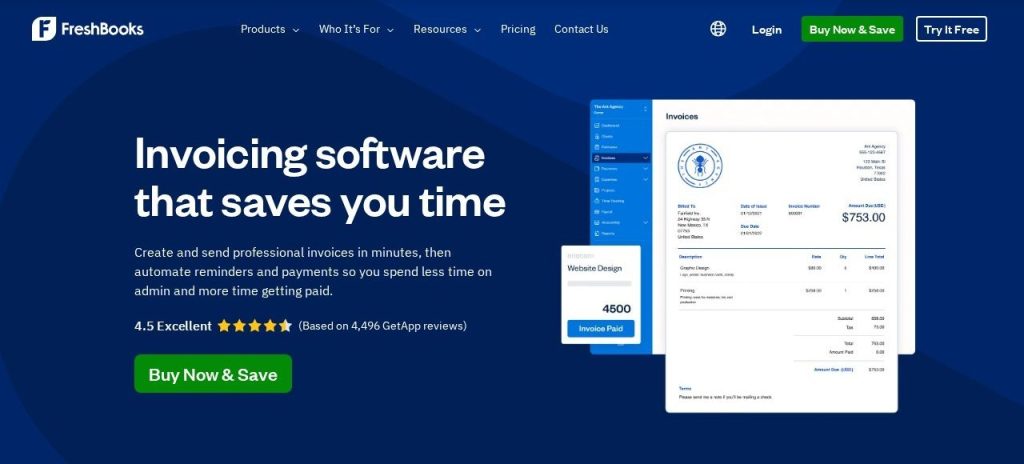
FreshBooks is accounting software built around getting paid. Every plan includes unlimited invoices, estimates, expense tracking, mileage tracking and time tracking, and clients can pay by card, ACH bank transfer, Apple Pay, Google Pay or Buy Now, Pay Later.
Plans are capped by billable clients, not invoices: 5 on Lite, 50 on Plus and unlimited on Premium. Plus adds proposals, client retainers, receipt scanning and accountant access, so it overlaps with some dedicated proposal tools. A 2-person design studio could track hours in FreshBooks, turn them into an invoice in one click, and let automatic late payment reminders chase the slow payers.
Key Capabilities
- Time to invoice: Tracked hours and expenses drop straight onto client invoices.
- Getting paid: Recurring invoices, deposits, scheduled late fees and automatic payment reminders.
- Proposals and retainers: Send proposals with e-signatures and bill retainers from Plus.
- Project profitability: Premium shows whether each project actually made money.
- AI connections: Free, read-only plugins let ChatGPT and Claude answer questions about your invoices and cash flow.
Pros
- Easiest invoicing of the two
- Unlimited time tracking on every plan
- Phone support from real people
- 30-day trial with no credit card
Cons
- Team members cost $11 a month each
- Lite caps you at 5 billable clients
- Bank reconciliation and accounting reports start on Plus
- No built-in AI assistant inside the app
Plans & Pricing
- Free trial: 30 days, no credit card needed.
- Lite: $20.70/month (billed annually; $23 monthly). 5 billable clients, unlimited invoices and estimates, expenses, time tracking.
- Plus: $38.70/month (billed annually; $43 monthly). 50 clients, proposals, retainers, receipt scanning, accounting reports, accountant access.
- Premium: $63/month (billed annually; $70 monthly). Unlimited clients, bill scanning, project profitability, custom email templates.
- Select: Custom pricing (contact sales). 2 team members included, lower card fees, Easy Switch data import, dedicated phone support.
- Add-ons: Team members $11/month each, Advanced Payments $20/month, Payroll $40/month plus $6 per person.
Xero: Overview
Best for: Small businesses with staff, stock, bills to pay or an accountant who wants to work in the same books
Xero is cloud accounting software used by 5.1 million customers, according to Xero. Every plan includes bank reconciliation, bills, sales tax, W-9 and 1099 management, cash flow forecasting and free expert setup help. You can invite as many users as you like on any plan, with no per-user fees.
If you’ve also looked at QuickBooks, our QuickBooks vs Xero comparison covers that matchup. A 4-person retail shop could give the owner, a part-time bookkeeper and the outside accountant their own logins on Growing for $59 a month, and connect the store’s Shopify account so sales post automatically.
Key Capabilities
- JAX AI assistant: Ask questions about your numbers in plain English, or ask it to create an invoice from a past quote.
- Bank reconciliation: On every plan, with auto-reconcile included from Growing ($5 a month on Early).
- Bills and payments: Track bills and pay vendors by free standard ACH from inside Xero.
- Cash flow forecasts: 30 days on Early, 60 on Growing and 180 on Established.
- Established extras: Multiple currencies, project time and costs, expense claims and industry benchmarks.
Pros
- Unlimited users on every plan
- Full double-entry accounting from the first plan
- JAX AI included at no extra cost
- 1,000+ connected apps
Cons
- Early allows only 20 invoices and 5 bills
- Project and time tracking needs Established ($97/month)
- No inbound phone support
- More accounting terms to learn at first
Plans & Pricing
- Free trial: One month free on any plan.
- Early: $27/month (billed monthly; no annual plan listed). 20 invoices and 5 bills, bank reconciliation, sales tax, 30-day cash flow forecast.
- Growing: $59/month (billed monthly). Unlimited invoices and bills, auto-reconcile, custom dashboards, 3 budgets, 60-day forecast.
- Established: $97/month (billed monthly). Multiple currencies, projects, expense and mileage claims, analytics, 180-day forecast.
- Add-ons: Xero Payroll by Gusto $36/month plus $6 per person, Inventory Plus on Growing and Established.
Pricing: FreshBooks vs Xero
For a solo owner who mainly sends invoices, FreshBooks is cheaper: Lite costs $20.70 a month on annual billing, while Xero Early costs $27 a month. If you’re keeping every subscription lean, our AI tool stack for a one-person business shows where accounting fits in the budget.
- Solo, just invoicing: FreshBooks Lite costs $248.40 a year. Xero Early costs $324 a year.
- Solo, with bank reconciliation and reports: FreshBooks Plus costs $464.40 a year. Xero Early includes both for $324 a year.
- 5-person team: FreshBooks Plus plus 4 team members comes to $82.70 a month ($992.40 a year). Xero Growing costs $59 a month ($708 a year).
- Paying month to month: FreshBooks Lite is $23. Xero Early is $27, and Xero lists only monthly billing in the US.
The gap comes from how each one counts. FreshBooks charges $11 a month for every extra team member, so the bill grows with your headcount. Xero includes unlimited users on every plan and charges by features instead.
Watch the limits on the cheapest plans. FreshBooks Lite covers only 5 billable clients, and Xero Early stops at 20 invoices and 5 bills, so many businesses end up on the middle plan of either tool. Payroll costs extra on both: $40 a month plus $6 per person on FreshBooks, or $36 a month plus $6 per person for Xero Payroll by Gusto.
Winner: Xero, because unlimited users and bank reconciliation on every plan make it cheaper once you need real bookkeeping.
Ease of Use
FreshBooks is the easier tool for someone who isn’t an accountant. The screens are built around clients, invoices and projects, and FreshBooks says you don’t need an accounting degree to use it. Most owners can send a first invoice within minutes of signing up.
Xero is still friendly for accounting software, but it uses real accounting terms from day one: chart of accounts, reconciliation, bills and journals. That structure pays off as you grow, and it’s what most accountants expect to see.
Xero softens the learning curve with free expert setup help on every plan, plus one-on-one onboarding with Xero coaches. Review sites commonly describe FreshBooks as simpler and Xero as more complete.
Winner: FreshBooks, because a freelancer can send a polished invoice without learning any accounting first.
AI Features
Xero has gone further with built-in AI. JAX, which stands for Just Ask Xero, sits in the navigation bar for every subscriber. You can ask “What was my total income in the last six months?”, get answers with charts, or ask it to create an invoice from a contact’s last quote.
FreshBooks takes a different route. It offers free, read-only connections that let ChatGPT and Claude answer questions about your invoices, expenses and cash flow. FreshBooks launched the Claude connector on September 25, 2026.
Read-only is a fair safety choice, since the AI can’t change your books. But it means the AI can explain your numbers, not do the work inside FreshBooks, and you need a separate ChatGPT or Claude account to use it.
Winner: Xero, because JAX is built in, included on every plan and can take actions like drafting invoices.
Invoicing, Time Tracking and Projects
This is where FreshBooks earns its fans. Every plan, even Lite, includes unlimited invoices, recurring invoices, automatic late payment reminders and unlimited time tracking. Clients can pay by card, ACH, Apple Pay, Google Pay, or Buy Now, Pay Later through Affirm, Afterpay or Klarna.
Plus adds proposals with e-signatures and client retainers, and Premium adds project profitability. FreshBooks also partners with Calendly for client scheduling, which we compared in Calendly vs Acuity.
Xero handles invoices and quotes well, with online payments on every plan. But Early caps you at 20 invoices, and time and cost tracking for projects only comes with Established at $97 a month.
Winner: FreshBooks, because time tracking, proposals and payment reminders are built for billing clients.
Bookkeeping, Reports and Integrations
Xero is the stronger accounting system. Every plan includes bank reconciliation, bill tracking, sales tax, W-9 and 1099 management, real-time reports and cash flow forecasting. Higher plans add multiple currencies, fixed assets, expense claims, and analytics powered by Syft.
Xero also connects to more than 1,000 apps, including Shopify, Stripe, Gusto and Zapier, so it slots into a bigger stack, including your CRM. That matters once you sell online or hold stock.
FreshBooks covers the basics most service businesses need: bank imports, expense categories, tax-time reports and accountant access. Double-entry reports and bank reconciliation start on Plus, and accounts payable for bills needs Premium. Its app store is smaller than Xero’s.
Winner: Xero, because it offers deeper bookkeeping on every plan and far more app connections.
Free Trial and Support
Neither tool has a free plan. FreshBooks offers a 30-day free trial with no credit card, and Xero offers one month free on any plan. Both are long enough to run a full month of real invoices and bank transactions.
Support is the bigger difference. FreshBooks makes a point of phone support, saying real humans pick up when you call, and Select adds a dedicated support team.
Xero offers free, unlimited online support through Xero Central. If you can’t find an answer, Xero can call you back, but it doesn’t take inbound phone calls. Xero does include free expert setup help, which FreshBooks reserves for Select.
Winner: FreshBooks, because you can pick up the phone and talk to someone when something goes wrong.
Winner by Category
| Category | Winner | Why |
|---|---|---|
| Pricing | Xero | Unlimited users and reconciliation on every plan |
| Ease of Use | FreshBooks | Send invoices without learning accounting terms |
| AI Features | Xero | JAX built in and able to take actions |
| Invoicing, Time Tracking and Projects | FreshBooks | Time tracking, proposals and reminders on every plan |
| Bookkeeping, Reports and Integrations | Xero | Deeper accounting and 1,000+ apps |
| Free Trial and Support | FreshBooks | No-card trial and phone support |
| Overall for most small businesses | Xero | Full accounting and unlimited users for less |
It’s 3 rows each, so why is Xero our overall pick? Most small businesses outgrow “just invoicing” once they add staff, bills or an accountant, and Xero handles that for $59 a month with no per-user fees. If you’re a solo freelancer who mostly bills for time, FreshBooks is the better fit.
Which Should You Choose?
- If you’re a freelancer billing 5 or fewer clients, pick FreshBooks Lite.
- If you’re a consultant or coach who bills by the hour or sells retainers, pick FreshBooks Plus.
- If you have 3 or more people who need access to the books, pick Xero Growing for unlimited users.
- If you sell products online or pay lots of supplier bills, pick Xero.
- If you want an AI assistant inside your accounting software, pick Xero for JAX.
- If phone support matters more than anything else, pick FreshBooks.
Not Sold on Either?
QuickBooks Online has the biggest accountant network, Zoho Books has a free plan for very small businesses, and Wave suits owners who want free invoicing. Compare them in our guides to the best AI bookkeeping software and the best QuickBooks alternatives.
FAQs
Is FreshBooks cheaper than Xero?
For a solo owner, yes. FreshBooks Lite costs $20.70 a month on annual billing, while Xero Early costs $27 a month as of November 2026. For a team of 5, Xero Growing at $59 a month is cheaper than FreshBooks Plus with 4 extra team members at $82.70 a month.
Does Xero have unlimited users?
Yes. Every Xero plan includes unlimited users with no per-user fees. FreshBooks charges $11 a month for each extra team member.
Can I move from FreshBooks to Xero, or the other way?
There’s no one-click transfer between them. Most businesses export contacts, open invoices and opening balances as CSV files and start fresh on a new month. Xero includes free expert setup help, and FreshBooks Easy Switch (on Select) mainly moves data from QuickBooks, which we cover in QuickBooks vs Xero.
Which is better for freelancers?
FreshBooks is usually the better fit for freelancers, because every plan includes unlimited time tracking, recurring invoices and automatic payment reminders. Xero makes more sense once you have staff, bills or stock.
Do FreshBooks or Xero have a free plan?
No. FreshBooks offers a 30-day free trial with no credit card, and Xero offers one month free on any plan.
Which is easier for beginners?
FreshBooks is easier for most beginners because it’s built around clients and invoices rather than accounting terms. Xero takes a little longer to learn but includes free expert setup help.
Final Thoughts
Start the FreshBooks trial and Xero’s free month this week, connect the same bank account to both, and send one real invoice from each. Keep the one that made your last month’s bookkeeping feel quicker, and that fits how many people need to log in.
Still comparing tools? See our picks for the best QuickBooks alternatives, or browse the best free AI tools to keep the rest of your stack costs down.