
Clients keep emailing “what time works for you?” and you’re ready to hand that job to a booking link. You’ve narrowed it down to the two tools that top most lists, including our best appointment scheduling software roundup: Calendly and Acuity Scheduling. Both put a booking page online in minutes, but they’re built for different kinds of appointments.
Calendly has a free plan, and its paid plans start at $10 per seat a month on annual billing. Acuity Scheduling, owned by Squarespace, has no free plan, but every plan, even the $16 Starter, lets clients pay when they book.
We read both official pricing pages, feature lists and help docs in November 2026, then picked a winner in each area that matters to a small business.
Here’s how they compare, and which one to pick.
Quick answer
- Choose Calendly if: most of your bookings are calls, demos or consultations, you want a free plan to start, or your team needs round-robin booking and CRM sync.
- Choose Acuity Scheduling if: you sell sessions to clients (coaching, training, beauty, wellness) and need intake forms, packages, memberships and payments at booking.
- Our pick for most small businesses: Calendly. It’s free to start, clients already know how it works, and its AI tools go further. Pick Acuity if your business runs on paid client appointments.
- Best value for a small team: Acuity Standard at $27 a month covers up to 6 staff calendars, while Calendly Teams costs $80 a month for 5 seats.
Calendly vs Acuity Scheduling at a Glance
| Tool | Best for | Free plan | Starting price |
|---|---|---|---|
| Calendly | Consultants, agencies and sales teams that book lots of calls and meetings | Yes (1 event type, 1 calendar) | $10/seat/mo (Standard, billed annually) |
| Acuity Scheduling | Coaches, trainers, salons and wellness pros who book paid client sessions | No (7-day free trial, no card) | $16/mo (Starter, billed annually) |
| Feature | Calendly | Acuity Scheduling |
|---|---|---|
| Price for a solo owner | $0 on Free, or $10/mo on Standard | $16/mo on Starter |
| Price for a 5-person team | $50/mo on Standard, or $80/mo on Teams with round-robin | $27/mo on Standard (up to 6 calendars) |
| Payments at booking | Stripe and PayPal, from Standard | Stripe, Square, PayPal and Venmo, on every plan |
| Packages and memberships | Prepaid meeting packages, from Standard | Packages, memberships, subscriptions and gift certificates, from Standard |
| Reminders | Automated reminders, from Standard | Email on every plan, text from Standard |
| AI features | Notetaker and Callie AI assistant (paid add-ons) | AI Booking Assistant (Premium only) |
| Team booking | Round-robin and routing forms on Teams | Separate calendars per staff member or location |
| Free trial or plan | Free plan forever | 7-day free trial, no credit card |
| Support | 24/7 email on all plans, 24/7 chat on paid plans | Customer service included on every plan |
Prices checked November 2026. Prices use annual billing unless noted. Calendly: Standard $10 and Teams $16 per seat per month on annual billing, or $12 and $20 on monthly billing; Enterprise starts at $15,000 a year for 50 seats. Acuity Scheduling: Starter $16, Standard $27 and Premium $55 per month on annual billing, or $20, $34 and $69 on monthly billing. The 5-person team math uses 5 Calendly seats against one Acuity Standard plan with 5 staff calendars. Prices exclude tax, and payment processor fees are extra on both.
Calendly: Overview
Best for: Consultants, agencies and sales teams that book a lot of calls and want the booking link clients already recognize
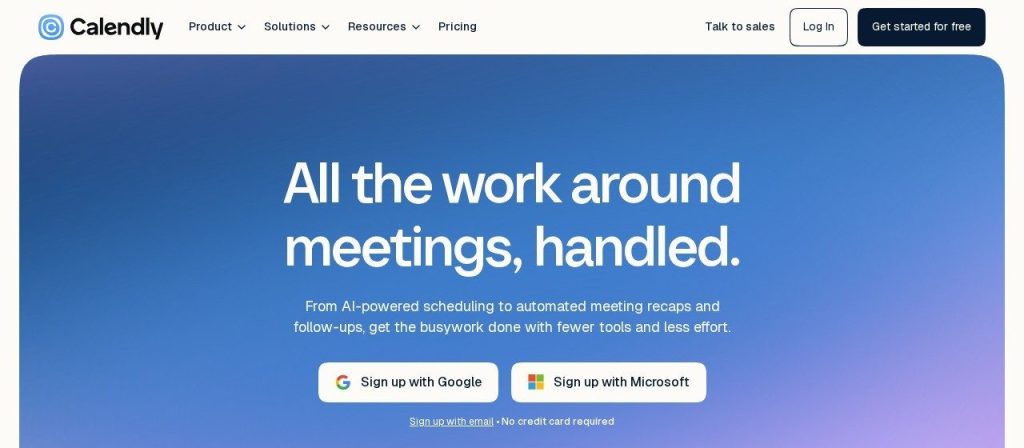
Calendly is the tool most people mean when they say “send me your booking link”. You connect your calendar, set your hours, and clients pick a time that’s actually free. The free plan covers one event type and one calendar connection, with unlimited meetings.
Paid plans add unlimited event types, reminders, Stripe and PayPal payments, and (on Teams) round-robin booking. A 3-person marketing agency could put one Teams link on its contact page and let Calendly spread new discovery calls evenly across the team.
Key Capabilities
- Callie AI assistant (beta): Copy callie@calendly.com into an email thread and it suggests times, handles replies and books the meeting.
- Notetaker: Joins Zoom, Google Meet and Microsoft Teams calls, then writes recaps and drafts follow-up emails.
- Routing forms: On Teams, a short form qualifies leads and books them with the right person.
- Payments and packages: From Standard, collect payment at booking, send invoices and sell prepaid meeting packages.
- Contacts: Contact profiles build themselves from your meetings, with notes, reminders and booking history in one place.
Pros
- Free plan with unlimited meetings
- Clients already know how it works
- Strong team tools: round-robin, routing, admin controls
- 24/7 email support on every plan
Cons
- Free plan allows just 1 event type
- Per-seat pricing grows with every team member
- Notetaker and Callie cost extra and work in English only
- No gift certificates, memberships or waitlist
Plans & Pricing
- Free: $0. One event type, one calendar connection, one-on-one scheduling, customizable booking page.
- Standard: $10/seat/month (billed annually; $12 monthly). Unlimited event types, up to 6 calendars, reminders, Stripe and PayPal, HubSpot and Mailchimp.
- Teams: $16/seat/month (billed annually; $20 monthly). Round-robin, routing forms, Salesforce and Marketo, admin controls.
- Enterprise: From $15,000/year (starts at 50 seats). SSO, audit logs, dedicated support.
- Add-ons: Notetaker and Callie can be added to Standard or Teams for an extra fee.
Acuity Scheduling: Overview
Best for: Coaches, personal trainers, salons, therapists and tutors who book paid sessions and need forms, packages and payments up front
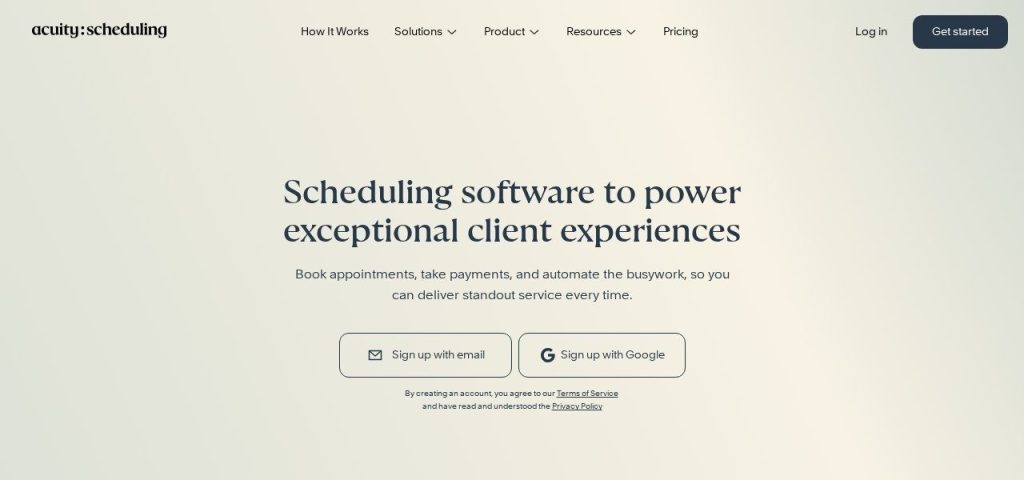
Acuity Scheduling is built for businesses that book clients rather than meetings. Every plan includes client self-scheduling, custom intake forms, automatic time zone conversion and payments through Stripe, Square, PayPal or Venmo. You can try any plan free for 7 days with no credit card.
Higher plans add the tools that bring repeat revenue: packages, memberships, subscriptions and gift certificates. A personal trainer could sell a 10-session package, let clients book each session themselves, and send text reminders so fewer sessions are missed.
Key Capabilities
- Custom intake forms: Collect client details, terms and waivers before the first session.
- Packages and memberships: Sell bundles, payment plans, subscriptions and gift certificates from Standard.
- Waitlist: Clients join a list for full slots and get notified when one opens (Standard and up).
- Book from Google and Instagram: Integrations with Reserve with Google and Facebook Business and Instagram let clients book where they find you.
- HIPAA option: Premium lets you sign a BAA, which matters for health and wellness businesses.
Pros
- Payments on every plan, including Starter
- Packages, memberships and gift cards built in
- One plan covers several staff calendars
- 7-day trial with no credit card
Cons
- No free plan
- Starter has 1 calendar and no text reminders
- AI Booking Assistant and logo removal need Premium ($55/month)
- Fewer tools for sales teams, like lead routing forms
Plans & Pricing
- Free trial: 7 days on any plan, no credit card needed.
- Starter: $16/month (billed annually; $20 monthly). 1 calendar, payments, email reminders, intake forms.
- Standard: $27/month (billed annually; $34 monthly). Up to 6 calendars, text reminders, waitlist, packages, memberships, gift certificates.
- Premium: $55/month (billed annually; $69 monthly). Up to 36 calendars, AI Booking Assistant, HIPAA BAA, hide Acuity branding, custom API and CSS.
- Enterprise: Custom pricing (contact sales). Unlimited calendars and VIP account management.
Pricing: Calendly vs Acuity Scheduling
For one person, Calendly is cheaper: the free plan costs nothing, and Standard costs $10 a month on annual billing. Acuity’s cheapest plan, Starter, costs $16 a month on annual billing. If you’re keeping costs low across the board, our AI tool stack for a one-person business shows where a booking tool fits.
- Solo, just a booking link: Calendly Free at $0. Acuity has no free option.
- Solo, with payments and reminders: Calendly Standard costs $120 a year. Acuity Starter costs $192 a year but includes intake forms.
- 5-person team: Calendly Teams costs $80 a month ($960 a year). Acuity Standard costs $27 a month ($324 a year) for up to 6 calendars.
- Paying month to month: Calendly Standard is $12 per seat. Acuity Starter is $20.
The big difference is how they charge. Calendly prices every seat, so the bill grows with each person who hosts meetings. Acuity prices by plan and counts calendars, so a small studio with several staff pays one flat fee.
Tie: Calendly is cheaper for a solo owner, but Acuity costs far less once several staff take bookings.
Ease of Use
Calendly is the simpler tool to set up. You connect Google or Outlook, pick your hours and share one link, and most people are done in a few minutes. Its clean booking page is also familiar to clients, which means fewer “how do I book?” emails.
Acuity has more settings because it does more: appointment types, intake forms, packages, staff calendars and payment rules. That depth is useful for a salon or studio, but the setup takes longer, and reviewers often say the admin area feels older than newer tools.
Winner: Calendly, because you can go from sign-up to a working booking link in minutes.
AI Features
Calendly has pushed further into AI. Callie, still in beta, schedules over email when you copy it into a thread. Notetaker joins Zoom, Google Meet and Microsoft Teams calls and writes recaps and follow-up drafts, much like the dedicated AI meeting note takers we’ve compared. Both are paid add-ons for Standard or Teams, and both work in English only for now.
Acuity’s AI is aimed at clients instead. Its AI Booking Assistant is a chat bot that helps clients find and book the right appointment, but it’s only on the Premium plan at $55 a month.
Winner: Calendly, because its AI handles email scheduling and meeting notes, not just booking.
Client Bookings, Payments and Packages
This is where Acuity pulls ahead. Every plan takes payments and deposits through Stripe, Square, PayPal or Venmo, and every plan includes custom intake forms. From Standard, you can sell packages with payment plans, memberships, subscriptions and gift certificates, and run a waitlist for full slots.
Calendly has added payments, invoices and prepaid meeting packages on Standard and up, which covers a consultant selling a block of calls. But it has no gift certificates, memberships or waitlist, and payments only run through Stripe or PayPal.
Winner: Acuity Scheduling, because it bundles forms, payments, packages and memberships for client businesses.
Integrations
Calendly connects to the tools sales and marketing teams use: HubSpot, Mailchimp, Zapier, Google Analytics and Meta Pixel from Standard, then Salesforce and Marketo on Teams. It also works with Zoom, Google Meet and Microsoft Teams, and offers webhooks for custom setups.
Acuity leans toward client businesses. It connects to Reserve with Google, Facebook and Instagram booking, FreshBooks, Mailchimp, ActiveCampaign, Squarespace, Zapier, and video tools like Zoom and Google Meet.
Tie: Calendly wins for CRM and sales tools, while Acuity wins for Google and Instagram bookings.
Free Plan, Trial and Support
Calendly is the only one with a free plan. It allows one event type and one calendar, with unlimited one-on-one meetings, and it doesn’t expire. Calendly offers 24/7 email support on every plan, with 24/7 live chat on paid plans.
Acuity has no free plan, but you can try any plan for 7 days without a credit card. Acuity says customer service is included in every plan, and it has no setup or cancellation fees.
Winner: Calendly, because you can use it free with no time limit and get 24/7 help.
Winner by Category
| Category | Winner | Why |
|---|---|---|
| Pricing | Tie | Calendly is cheaper solo; Acuity is cheaper for teams |
| Ease of Use | Calendly | Working booking link in minutes |
| AI Features | Calendly | Email scheduling assistant and meeting notes |
| Client Bookings, Payments and Packages | Acuity Scheduling | Forms, payments, packages and memberships built in |
| Integrations | Tie | Calendly for CRMs; Acuity for Google and Instagram |
| Free Plan, Trial and Support | Calendly | Free forever plan and 24/7 support |
| Overall for most small businesses | Calendly | Free to start, easiest setup, stronger AI |
Which Should You Choose?
- If you just need a free booking link for calls, pick Calendly Free.
- If you’re a coach, trainer or therapist selling session packages, pick Acuity Standard, then add a few of these AI tools for coaches.
- If you run a sales team that needs leads routed to the right rep, pick Calendly Teams and connect it to your CRM.
- If you have a studio or salon with several staff, pick Acuity for one flat price.
- If you want clients to book from Google or Instagram, pick Acuity.
- If you want AI to schedule over email and take meeting notes, pick Calendly with the add-ons.
Not Sold on Either?
Square Appointments has a free plan built for salons and barbers, Cal.com suits teams that want an open-source option, and Setmore is a low-cost choice for small service businesses. Compare them all in our guide to the best appointment scheduling software.
FAQs
Is Calendly cheaper than Acuity Scheduling?
For one person, yes. Calendly has a free plan and its Standard plan costs $10 a month on annual billing, while Acuity starts at $16. For a team of 5, Acuity Standard at $27 a month is cheaper than Calendly Teams at $80 a month as of November 2026.
Does Acuity Scheduling have a free plan?
No. Acuity offers a 7-day free trial with no credit card needed, then plans start at $16 a month on annual billing or $20 a month on monthly billing.
Can I move from Calendly to Acuity, or the other way?
There’s no one-click transfer between them. You recreate your event or appointment types, connect your calendar again and share the new booking link, which usually takes an afternoon for a small business. If missed calls are the bigger problem, an AI receptionist can book appointments over the phone too.
Which is better for coaches and personal trainers?
Acuity Scheduling is usually the better fit, because it includes intake forms and payments on every plan, plus packages and memberships from Standard. Calendly works well if most of your sessions are one-off video calls.
Which is easier for beginners?
Calendly is easier for most beginners because you connect your calendar, set your hours and share one link. Acuity takes longer to set up because it has more client features.
Is Acuity Scheduling owned by Squarespace?
Yes. Acuity Scheduling is part of Squarespace, and it also integrates directly with Squarespace websites.
Final Thoughts
Open a free Calendly account and start Acuity’s 7-day trial this week, then set up your most common appointment on both and book it from your phone as if you were a client. Pick the one that felt easier for your clients, and the one that charges the way your business earns.
Still comparing tools? See our picks for the best appointment scheduling software, or read about the best AI receptionists to stop missing calls while you’re with clients.