


Prices checked: November 2026
A customer lands on your site at 9:40 PM with one question: “Do you ship to Canada?” Nobody answers, so they buy from someone else.
That happens more than most owners realize. Your website is open all night, but you are not.
An AI chatbot fixes the gap. It learns from your website and FAQs, answers the same 20 questions you get every week, and only pings you when a human is truly needed. That means fewer lost sales and fewer evenings answering “What are your hours?”
We checked every official pricing page below in November 2026. Options run from free to a few hundred dollars a month, and most small businesses can start under $50.
Here are the 9 best picks, and who each one suits.
Quick answer
- Best overall: Tidio
- Best free option: tawk.to (or Freshchat for teams of up to 10)
- Best custom AI agent trained on your content: Chatbase
- Best if you only want to pay when the AI solves the problem: Intercom (Fin)
- Best for online stores: ChatBot.com
What’s the Best AI Chatbot for a Small Business Website?
| Tool | Best for | Free plan | Starting price |
|---|---|---|---|
| Tidio | Small sites and stores wanting chat plus AI | Yes | $24.17/mo |
| tawk.to | Free live chat with optional AI | Yes | AI Assist $29/mo |
| Chatbase | A custom AI agent trained on your content | No (7-day trial) | $32/mo |
| Intercom | Paying only for resolved chats | No (14-day trial) | $29/seat/mo + $0.99 per resolution |
| Crisp | Flat pricing for small teams | Yes | $45/mo |
| Freshchat | Free shared chat for up to 10 agents | Yes | $19/agent/mo |
| ChatBot.com | Online stores that want chat to sell | No (14-day trial) | $19/user/mo |
| SiteGPT | Multilingual, content-heavy sites | No (7-day trial) | $39/mo |
| Botpress | Custom AI agents that take actions | Yes | $150/mo |
Prices checked November 2026. Starting prices use annual billing unless noted. Some vendors charge extra for AI usage on top of the plan.
1. Tidio
Best for: Small business websites and Shopify or WordPress stores that want live chat and an AI agent in one simple tool
Tidio combines live chat, a shared inbox and an AI agent called Lyro. You feed Lyro your FAQs or let it scrape your website, and it answers customers using only that content. Tidio says over 300,000 businesses use it, and its pricing page states that customers average a 75% resolution rate with Lyro.
Lyro runs on Claude from Anthropic plus Tidio’s own models. A 3-person online boutique could let Lyro handle “Where is my order?” and sizing questions overnight, then pick up the tricky chats in the morning from the same inbox.
Key Capabilities
- Lyro AI agent: Answers common questions from your own help content and hands off to a human when it gets stuck.
- Website scraper and FAQ import: Builds the AI’s knowledge from your site in minutes, so you do not have to write answers from scratch.
- Flows: No-code automations that pop up at the right moment, like offering a discount to a visitor about to leave checkout.
- Shopify actions: Shows order details and lets agents act on Shopify orders without leaving the chat.
- Multichannel inbox: Live chat, email, Messenger, Instagram and WhatsApp messages land in one place.
Channels Supported
Website live chat, email, Facebook Messenger, Instagram and WhatsApp.
Pros
- Real free plan with 10 seats
- Very easy setup for Shopify, WordPress and Squarespace sites
- Lyro answers only from your content, which keeps replies on brand
- You can try Lyro free for 50 conversations
Cons
- Lyro is a separate paid quota after the first 50 free conversations (lifetime, not monthly)
- Every plan caps billable conversations, so busy shops outgrow Starter fast
- Big jump from Growth to Plus at $300/month
Plans & Pricing
- Free: $0. 50 billable conversations a month, 10 seats, live chat and ticketing, 50 free Lyro conversations (one time).
- Starter: $24.17/month (billed annually). 100 billable conversations, 100 Flows visitors, basic analytics. 7-day free trial.
- Growth: From $49.17/month (billed annually). From 250 billable conversations, advanced analytics, automatic chat assignment, macros.
- Plus: From $300/month plus usage. Custom conversation limits, departments, custom branding, dedicated success manager.
- Premium: Custom pricing (contact sales). Guaranteed 50% Lyro resolution rate and pay-per-resolution billing.
- Lyro AI Agent add-on: From $32.50/month for 50 Lyro conversations, scaling up to 1,000.
Bottom line: Pick Tidio if you want the easiest all-in-one chat and AI setup for a small site or store. Skip it if you expect thousands of chats a month, because conversation caps and the Lyro add-on add up.
2. tawk.to
Best for: Owners on a tight budget who want free live chat today and an AI bot only when they are ready
tawk.to is the free live chat app you see on a huge number of small business sites. The core chat widget, inbox and apps are free for life, as long as you keep the small “Powered by tawk.to” link. The company says 1.7 billion people interact with a tawk.to widget every month.
The AI part is called AI Assist. It reads your knowledge base and a set of shortcut FAQs, then answers chats 24/7 from $29 a month. A local plumber could run free chat during the day and switch on AI Assist to catch after-hours questions about prices and service areas.
Key Capabilities
- Free live chat forever: Chat widget, ticketing and mobile apps cost nothing, which is rare in this category.
- AI Assist: An AI chatbot that answers from your knowledge base around the clock, and can also be connected to email, SMS and messaging.
- Hired chat agents: If you would rather have people answer, tawk.to offers trained human agents for $1 per hour.
- Knowledge base: Build a help center that both visitors and the AI can use.
Channels Supported
Website chat, plus email, SMS and messaging through AI Assist.
Pros
- Free core product with no seat limits mentioned on the pricing page
- Cheap entry point for AI at $29/month
- Option to outsource chat to human agents at $1/hour
- Huge user base, so most website builders support it
Cons
- Branding removal costs another $29/month
- AI Assist is less advanced than dedicated AI agent builders like Chatbase
- Interface feels dated next to Crisp or Tidio
Plans & Pricing
- Free: $0 forever. Live chat, ticketing, knowledge base and apps, with tawk.to branding.
- AI Assist: From $29/month. AI chatbot trained on your knowledge base and shortcut FAQs. tawk.to also lists a forever-free AI plan for sites with limited chat volume.
- Remove branding: $29/month.
- Hired live agents: $1/hour.
Bottom line: Pick tawk.to if cost matters most and you want free live chat with AI as an optional extra. Skip it if you want the AI to take actions like checking orders or booking calls.
Money saver
Start with free tawk.to chat for two weeks and write down every question you get. Those answers become the knowledge base for whichever AI chatbot you pick, which makes any tool on this list work better from day one.
3. Chatbase
Best for: Businesses that want a smart AI agent trained on their own docs and site, without a full help desk
Chatbase is built around one thing: an AI agent that knows your business. You connect your website, files or help docs, set guardrails, and deploy the agent on your site, WhatsApp, Messenger, Instagram or Slack. It can use models from OpenAI, Anthropic, Google Gemini and others.
Agents can also take actions, such as pulling an invoice, checking open booking slots or recommending products. A small accounting firm could train it on its service pages and FAQ, then let it answer “Do you handle sales tax?” and book a call through Calendly.
Key Capabilities
- Train on your content: Upload files or connect your site, up to 40 MB of training content per agent.
- AI Actions: 5 actions per agent on Hobby (12 on Business), like fetching orders or booking meetings.
- Choice of AI models: Switch between OpenAI, Anthropic, Gemini and other models on any plan.
- Voice agents: Basic and Business add voice and phone calls with the same knowledge.
- Help desk inbox: From Basic, humans can take over conversations in Chatbase itself.
Channels Supported
Website widget, WhatsApp, Messenger, Instagram, Slack, Shopify, WordPress and Calendly on every plan. Voice, telephony and help desk integrations (Zendesk, HubSpot, Intercom, Freshdesk, Zapier and more) from Basic.
Pros
- Excellent answer quality from your own content
- Wide choice of AI models
- Works on WhatsApp and Instagram even on the cheapest plan
- Plugs into the help desk you already use (Basic and up)
Cons
- No free plan, only a 7-day trial
- Removing “Powered by Chatbase” costs $99/month extra
- Hobby includes just 700 message credits a month
- CRM and help desk integrations start at $120/month
Plans & Pricing
- Free trial: 7 days.
- Hobby: $32/month (billed annually; $40 monthly). 700 message credits, 1 agent, 2 members, basic analytics.
- Basic: $120/month (billed annually; $150 monthly). 4,000 message credits, 3 members, help desk inbox, API, voice and advanced integrations.
- Business: $400/month (billed annually; $500 monthly). 15,000 message credits, 5 members, advanced analytics, tickets as a source.
- Enterprise: Custom pricing (contact sales). SSO, HIPAA eligibility, white labeling, SLAs.
- Add-ons: Extra credits $40 per 1,000; branding removal $99/month; extra agents $25/month each.
Bottom line: Pick Chatbase if answer quality matters more than live chat features. Skip it if you mainly need a human chat inbox, since Crisp or Tidio do that for less.
4. Intercom
Best for: Growing support teams that want a top-tier AI agent and only want to pay when it actually solves a problem
Intercom is a full help desk with Fin, one of the best known AI support agents, built in. Pricing has two parts: a seat price for each teammate, and $0.99 for each conversation Fin resolves. If Fin cannot answer or the customer asks for a human, you pay nothing for that chat.
Fin also works on top of other help desks such as Salesforce, HubSpot or Freshdesk. Intercom’s pricing page quotes Anthropic seeing about 560,000 Fin resolutions a month at a 79% resolution rate. For a 2-person SaaS team, that means Fin could absorb the repeat “How do I reset my password?” questions while the humans handle bugs.
Key Capabilities
- Fin AI Agent: Answers questions and runs workflows across chat, email and other channels, charged only per outcome.
- Shared inbox and ticketing: Messenger live chat, inbox, public help center and basic automation on Essential.
- Copilot: An AI assistant for your agents that drafts replies, free for 10 conversations per agent per month.
- Spending limits: Set caps and alerts on Fin so the bill stays predictable.
- Startup discount: The Early Stage program offers 93% off for companies with under $10M raised and 15 or fewer employees.
Channels Supported
Website and in-app Messenger, email, plus WhatsApp, SMS and phone (charged by usage).
Pros
- You never pay for chats the AI fails to resolve
- 14-day trial with no credit card
- Fin can run on your existing help desk
- Very polished inbox and help center
Cons
- Seat costs add up: Advanced is $85 per seat each month
- Busy months can mean a large Fin bill at $0.99 per resolution
- WhatsApp, SMS and phone cost extra per message or minute
- More tool than a one-person shop needs
Plans & Pricing
- Free trial: 14 days, no credit card.
- Essential: $29 per seat/month (billed annually). New customers currently pay $19 per seat. Messenger, shared inbox, help center.
- Advanced: $85 per seat/month (billed annually). Workflow builder, multiple team inboxes, round robin, 20 free Lite seats.
- Expert: $132 per seat/month (billed annually). SSO, HIPAA support, SLAs, multibrand Messenger, 50 free Lite seats.
- Fin AI Agent: $0.99 per outcome on every plan. On another help desk, a minimum monthly commitment applies (for example 50 outcomes).
- Copilot add-on: $29 per teammate/month.
Bottom line: Pick Intercom if you have steady support volume and want the AI to earn its keep one resolution at a time. Skip it if you are a solo owner with a small site, because seat prices make it the priciest option here.
Money saver
Set a monthly spending limit on Fin before you go live. At $0.99 per resolution, 300 resolved chats cost about $297, so a cap keeps a busy month from turning into a surprise bill.
5. Crisp
Best for: Small teams that want predictable flat pricing per workspace instead of paying per seat or per chat
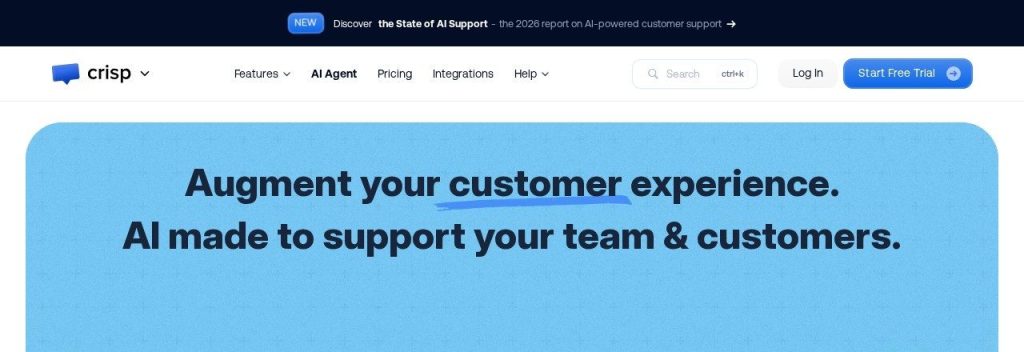
Crisp charges one flat price per workspace, with several seats included. That makes it easy to budget: Essentials costs $95 a month whether you get 50 or 5,000 chats. Its AI agent, Hugo, uses included AI credits to automate conversations.
Crisp’s MagicReply bot lets you set a confidence level, so the AI says it does not know instead of guessing. A small travel agency with 6 staff could run website chat, WhatsApp and Instagram DMs from one inbox on Essentials, with around 450 AI-handled conversations included.
Key Capabilities
- Hugo AI agent: Handles routine conversations using included AI credits, roughly 90 to 1,350 a month depending on the plan.
- Confidence control: Stops the AI from inventing answers and passes the chat to your team instead.
- Visual workflow builder: Build chatbot flows by drag and drop (Essentials and up).
- Knowledge base: A help center that customers and the AI both use (Essentials and up).
- Ecommerce sync: Connects to Shopify, WooCommerce, Adobe and PrestaShop.
Channels Supported
Website chat (all plans), email (Mini and up), and WhatsApp, Instagram, SMS, Line and Viber (Essentials and up).
Pros
- Flat pricing per workspace, not per chat
- Free plan with 2 seats
- Generous seat counts: 10 seats on Essentials
- Extra agents only $10/month each
Cons
- Free plan has no AI credits
- The AI chatbot builder and omnichannel inbox need Essentials at $95/month
- Mini includes only about 90 automated conversations
- White labeling only on Plus ($295/month)
Plans & Pricing
- Free: $0. 2 seats, website chat widget, shared inbox, mobile apps, no AI credits.
- Mini: $45/month per workspace. 4 seats, shared email inbox, $5 of AI credits (about 90 automated conversations).
- Essentials: $95/month per workspace. 10 seats, about 450 automated conversations, omnichannel inbox, AI chatbot, knowledge base.
- Plus: $295/month per workspace. 20+ seats, about 1,350 automated conversations, ticketing, 100+ integrations, white labeling.
- Extra seats: $10/month each.
Bottom line: Pick Crisp if you have a small team and hate surprise bills. Skip it if you only want an AI agent on your site, since you would be paying for inbox features you will not use.
6. Freshchat
Best for: Teams of up to 10 people who want free shared chat now and the option to add an AI agent later
Freshchat from Freshworks gives up to 10 agents a free chat widget for your website and mobile app, a shared inbox and email. Freshworks says more than 74,000 businesses use its products.
AI comes through Freddy AI Agent, sold in packs of sessions on top of the Growth plan and above. A 5-person home services company could start free, then add Freddy and WhatsApp on Growth once chat volume picks up.
Key Capabilities
- Freddy AI Agent: An AI bot that answers routine questions, priced at $49 per 100 sessions.
- Freddy AI Copilot: Helps agents write and summarize replies ($29 per agent/month on Pro and up).
- Multilingual chat: Translates conversations in over 45 languages on Pro and up.
- Intelligent routing: Sends chats to the right person automatically on Pro and up.
Channels Supported
Website and mobile app widget plus email (all plans); Facebook, Instagram, SMS, WhatsApp and Line (Growth and up).
Pros
- Free for up to 10 agents
- 14-day trial of the top plan
- Part of a larger suite with help desk, CRM and phone
- Strong multilingual support
Cons
- No AI on the free plan
- AI agent is billed per session on top of seat prices
- Per-agent pricing grows with your team
Plans & Pricing
- Free: $0 for up to 10 agents. Chat widget, shared inbox, email, roles and permissions.
- Growth: $19 per agent/month (billed annually). Social messengers, SMS, reports. Freddy AI Agent at $49 per 100 sessions.
- Pro: $49 per agent/month (billed annually). Multilingual chat, custom dashboards, intelligent routing. Copilot add-on $29 per agent/month.
- Enterprise: $79 per agent/month (billed annually). Skill-based routing, audit logs, IP allowlisting.
Bottom line: Pick Freshchat if you have a small team and want a free shared inbox with room to grow. Skip it if AI answers are the main reason you are shopping, since the AI is a paid extra.
7. ChatBot.com
Best for: Online stores that want an AI agent to recommend products and recover sales, not just answer support questions
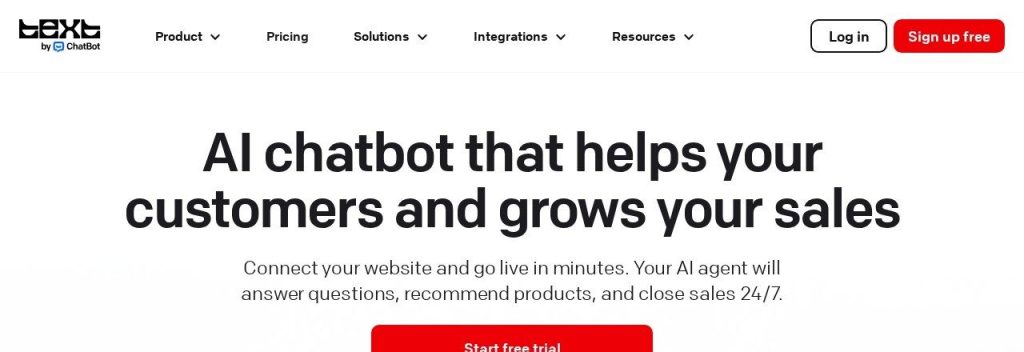
ChatBot.com is made by Text, the company behind LiveChat. You paste your website URL, and it builds a knowledge base automatically. Shopify and WordPress have direct integrations, so no developer is needed.
The AI agent is pitched as a sales tool as much as a support tool: it recommends products, offers discount codes at the right moment and tracks orders. A small skincare brand could use it to suggest the right moisturizer and drop a 10% code to shoppers who hesitate at checkout.
Key Capabilities
- AI shopping assistant: Recommends products and shares discount codes during the chat.
- Auto knowledge base: Builds the AI’s answers from your website URL in minutes.
- Order tracking: Answers “Where is my order?” without a human.
- Proactive campaigns: Starts chats with visitors based on behavior (3 campaigns on Essential, 30 on Growth).
- Human takeover: Jump into any AI conversation from the inbox.
Channels Supported
Website chat, Facebook Messenger, WhatsApp and SMS (via Twilio), with selling through Shopify.
Pros
- Built for selling, not only support
- 14-day trial, no credit card
- Fast setup from a URL
- MCP access for connecting AI tools
Cons
- Essential includes only 10 AI resolutions a month, which is a demo, not a real quota
- Priced per user, so teams pay more
- Growth jumps to $79 per user
Plans & Pricing
- Free trial: 14 days, no credit card.
- Essential: $19 per user/month (billed yearly). 1 AI agent, 10 AI resolutions, inbox and ticketing, 3 proactive campaigns.
- Growth: $79 per user/month (billed yearly). 10 AI agents, 200 AI resolutions, 30 proactive campaigns, team reports.
- Enterprise: Custom pricing (contact sales). Custom AI agents, SSO, white-label widget, dedicated team.
Bottom line: Pick ChatBot.com if you run an online store and want chat to drive sales. Skip the Essential plan if you expect real AI volume, because 10 resolutions a month runs out on day one.
8. SiteGPT
Best for: Content-heavy websites that want an AI chatbot answering from their pages in many languages
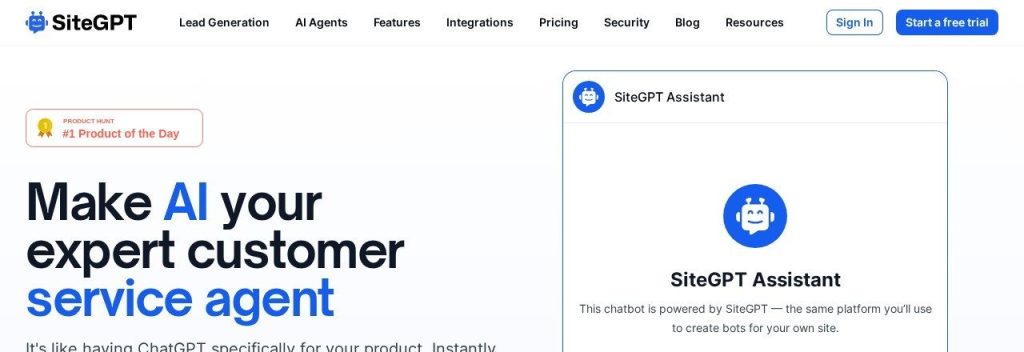
SiteGPT trains a chatbot on your website content and supports 95+ languages. Plans are based on messages and “pages” (2,500 characters each), so you know exactly how much content you can feed it. It is SOC 2 Type II compliant.
Training usually takes a few minutes. A language school with a big FAQ and course catalog could let SiteGPT answer visitors in Spanish, French and Arabic, then get a Monday email listing the questions the bot could not answer.
Key Capabilities
- Trained on your site: Up to 1,000 pages on Starter and 10,000 on Growth.
- 95+ languages: Visitors can ask in their own language without extra setup.
- Knowledge gap reports: Shows unanswered questions with one-click fixes (Growth and up).
- iOS app takeover: Get a push alert when a visitor asks for a human and reply from your phone (Growth and up).
- Weekly digest: A Monday email with top topics and missed questions.
Channels Supported
Website widget on all plans; Messenger, Slack, Google Chat, Crisp, Freshdesk Messaging and Zoho SalesIQ from Growth.
Pros
- Clear limits on messages and pages
- Strong multilingual support
- Good reporting on what the bot missed
- Saves up to 40% with yearly billing
Cons
- Trial needs a credit card
- Starter has 1 member and manual content refresh only
- Integrations and API start on Growth ($79/month)
- Not a full live chat inbox on Starter
Plans & Pricing
- Free trial: 7 days (credit card required).
- Starter: $39/month (billed annually; $59 monthly). 1 chatbot, up to 4,000 messages a month, 1,000 pages, 1 member.
- Growth: $79/month (billed annually; $129 monthly). 2 chatbots, 10,000 messages, 10,000 pages, 4 members, API, monthly auto refresh.
- Scale: $259/month (billed annually; $429 monthly). 3 chatbots, 40,000 messages, 50,000 pages, 10 members.
- Extra messages: $59/month per 5,000.
Bottom line: Pick SiteGPT if you have lots of web content and visitors who speak different languages. Skip it if you need a shared inbox for a team, where Crisp or Tidio fit better.
9. Botpress
Best for: Tech-comfortable owners or agencies who want to build a custom AI agent that takes real actions
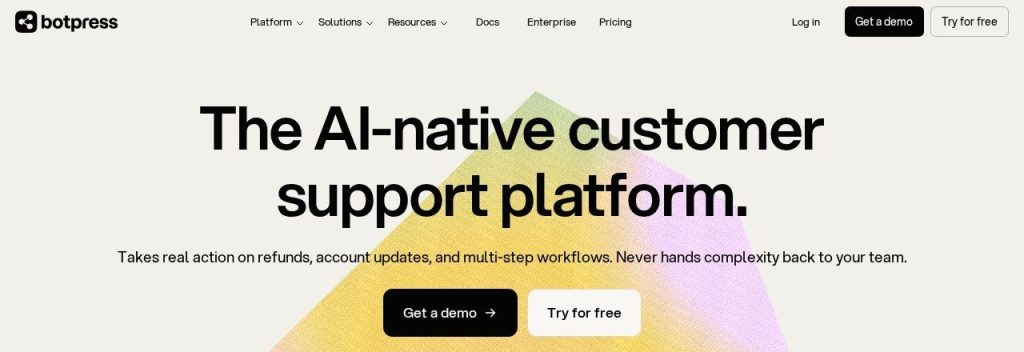
Botpress is an AI agent platform with a visual studio for building bots that do more than answer questions: they can process refunds, update accounts and run multi-step workflows. The free plan includes 100 conversations a month, 3 seats and 3 AI agents.
Paid plans include AI usage (every conversation includes $0.10 of model costs) and unlimited agents. An agency could build a booking bot for a client’s clinic on the free plan, test it on WhatsApp, and only upgrade when traffic grows.
Key Capabilities
- Visual agent studio: Design conversations and actions without writing much code.
- AI actions: Connect the agent to other tools to complete tasks, not just reply.
- Help Center: A public knowledge base included on every plan, with a custom domain from Plus.
- White-label webchat: Remove Botpress branding from Plus and up.
Channels Supported
Webchat and WhatsApp on every plan, plus Slack and other integrations; voice on Enterprise.
Pros
- Free plan good enough for testing and tiny sites
- Very flexible for custom workflows
- AI usage is bundled into paid plans
- Unlimited AI agents on paid plans
Cons
- Big jump from free to $150/month
- Steeper learning curve than plug-and-play tools
- Overage packs are added automatically and cannot be switched off
Plans & Pricing
- Free: $0. 100 conversations a month, 3 seats, 3 AI agents, Help Center, community support.
- Plus: $150/month (billed annually). 250 conversations, $25 AI usage, unlimited agents, white-label webchat. Extra packs of 100 for $65.
- Team: $750/month (billed annually). 1,500 conversations, $150 AI usage, unlimited seats, routing and team analytics. Extra packs of 100 for $50.
- Enterprise: Custom pricing (contact sales).
Bottom line: Pick Botpress if you want full control and are happy to build. Skip it if you want something live in 15 minutes with no setup work.
What to Look For in an AI Chatbot
Every vendor says its bot “resolves most questions”. These are the details that decide what you actually pay and how well it works.
- How you are charged: Per seat, per conversation, per resolution or flat per workspace. Intercom charges $0.99 per resolution, while Crisp charges one flat fee, so the cheapest tool depends on your chat volume.
- Answers from your own content: The bot should answer only from your site and docs and say “I don’t know” otherwise. Tidio’s Lyro and Crisp’s confidence setting both do this.
- Easy human handoff: When the AI gets stuck, a person should be able to jump in from a phone or inbox. SiteGPT’s iOS app and Tidio’s shared inbox make that simple.
- Channels beyond your website: Many customers message on WhatsApp or Instagram. Chatbase includes both even on its cheapest plan.
- Actions, not just answers: Checking an order or booking a call saves more time than a FAQ reply. Chatbase, ChatBot.com and Botpress support actions.
- Branding: Removing the vendor’s logo can cost extra, like $29/month on tawk.to and $99/month on Chatbase.
- Realistic AI limits: Check the included AI quota. ChatBot.com Essential includes only 10 AI resolutions a month, while Crisp Essentials includes about 450.
Which AI Chatbot Should You Choose?
- If you want one easy tool for chat and AI, pick Tidio.
- If you want to spend nothing right now, pick tawk.to, or Freshchat if several teammates will answer chats.
- If answer quality is the priority, pick Chatbase.
- If you already have steady support volume, pick Intercom and pay per resolution.
- If you have a small team and want a fixed monthly bill, pick Crisp.
- If you sell products online, pick ChatBot.com or Tidio.
- If you want to build something custom, pick Botpress.
FAQs
What is an AI chatbot for a small business website?
It is a chat widget that uses AI to answer visitor questions automatically, using your own website, FAQs and documents. Good ones hand the chat to a person when they cannot help.
Is there a free AI chatbot for small businesses?
Yes. As of November 2026, Botpress has a free plan with 100 conversations a month, Tidio lets you try its Lyro AI free for 50 conversations, and tawk.to lists a forever-free AI Assist plan for sites with low chat volume.
How much does an AI chatbot cost?
Most small businesses pay between $25 and $100 a month. Watch for usage charges: Intercom adds $0.99 per resolved conversation, and Freshchat charges $49 per 100 Freddy AI sessions.
Will an AI chatbot give customers wrong answers?
It can, which is why you should pick a tool that answers only from your content and lets you set fallbacks. Crisp lets you set a confidence level, and Tidio’s Lyro uses only your support content.
Can an AI chatbot work on WhatsApp and Instagram too?
Yes. Tidio, Chatbase, Crisp (Essentials and up), Freshchat (Growth and up) and ChatBot.com all connect to WhatsApp, and most also support Instagram or Messenger.
Final Thoughts
Start small. Put free tawk.to or Tidio on your site this week, load in your top 20 customer questions, and see how many chats the AI handles in a month before paying for a bigger plan.
Want more help with customer calls and sales? See our picks for the best AI receptionists, or read AI tools for ecommerce store owners.