

You add two people to Calendly so they can take discovery calls. The invoice goes up, and then you notice the fine print: Calendly charges for every seat on the account, whether anyone is using it or not.
Calendly is popular for good reasons. More than 20 million people use it, clients already know how the booking page works, and the free plan is fine for one simple link.
The pain starts when you grow. The free plan allows just one event type and one connected calendar, Teams costs $16 per seat a month on annual billing ($20 monthly), and the new AI notetaker and email assistant sit on the pricier Plus tiers. Paid plans are also non-refundable.
A good alternative fixes at least one of those: a bigger free plan, a flat price for the whole team, a one-time fee, or features built for salons, clinics and studios instead of sales calls.
We checked the official pricing page of every tool below in November 2026. Here are the 8 best Calendly alternatives, and who each one suits.
Quick answer
- Best overall: Cal.com (free forever plan with 1-click Calendly import)
- Cheapest for teams: Zoho Bookings (from $6 per user a month billed yearly)
- Best one-time price: TidyCal ($29 lifetime deal)
- Best for service businesses: Acuity Scheduling (flat price per account, from $16/month)
- Best free plan for a small team: Setmore (free for up to 4 users)
- Best for salons and spas: Square Appointments (free plan with unlimited staff calendars)
What’s the Best Calendly Alternative?
| Tool | Best for | Free plan | Starting price |
|---|---|---|---|
| Cal.com | Best overall, most generous free plan | Yes | $12/user/mo |
| Zoho Bookings | Cheapest paid plans for teams | Yes (1 user) | $6/user/mo |
| TidyCal | One-time payment instead of a subscription | Yes | $29 one-time |
| Acuity Scheduling | Service businesses with packages, intake forms and payments | 7-day free trial | $16/mo |
| Google Calendar | Teams already paying for Google Workspace | Yes (1 booking page) | $7/user/mo |
| SavvyCal | The friendliest booking experience for clients | No (30-day money-back) | $10/user/mo |
| Setmore | Free plan for small teams, cheap per-user upgrade | Yes (up to 4 users) | $5/user/mo |
| Square Appointments | Salons, spas and shops that take payments in person | Yes | $49/mo per location |
Prices checked November 2026. Starting prices use annual billing unless noted. Calendly itself starts at $10 per seat a month billed yearly.
1. Cal.com
Best for: Solo owners and small teams who want Calendly’s features without paying for them, and an easy move from Calendly
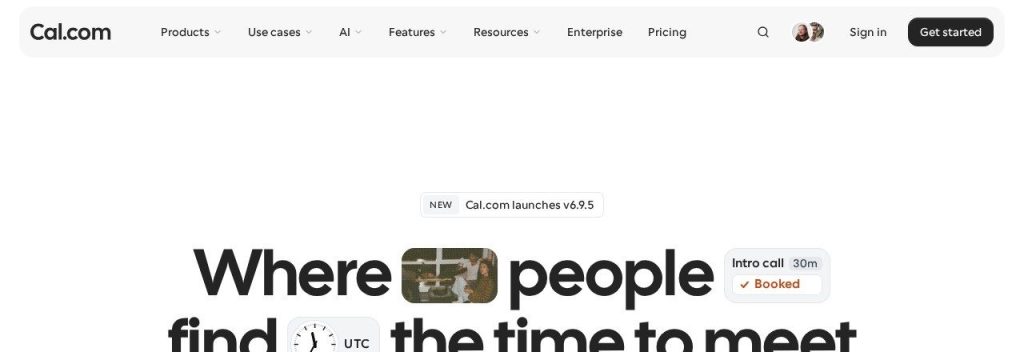
Cal.com is the closest thing to a like-for-like Calendly replacement, with a much bigger free plan. The free Individuals plan includes unlimited links and calendars, email and SMS notifications, Stripe and PayPal payments, and two-way HubSpot and Salesforce sync. On Calendly, most of that needs a paid seat.
Switching takes minutes because Cal.com offers a 1-click import of your Calendly event types, even on the free plan. A 4-person marketing agency could import its links on a Monday, move to Teams at $12 per user a month, and pay $48 a month instead of $64 on Calendly Teams.
Key Capabilities
- 1-click Calendly import: Pulls in your existing Calendly event types so you do not rebuild every link by hand.
- Cal.ai assistant: An AI agent that books and manages meetings from the web app, Slack, Telegram, SMS or email, plus optional AI phone calls at $0.29 a minute.
- Routing forms and round robin: On Teams, a short form sends each lead to the right person and spreads calls evenly.
- 100+ apps: Connects to Zoom, Google Meet, CRMs and payment tools, with a mobile app on every plan.
Payments and Reminders
Stripe and PayPal payments work even on the free plan. Email and SMS notifications are free too, and Teams adds fully customizable reminder workflows.
Pros
- Free plan covers what most solo owners pay Calendly for
- Calendly import makes switching painless
- Teams costs $4 less per user than Calendly Teams on annual billing
Cons
- Cal.com moved its main codebase to closed source in April 2026 (the self-hosted Cal.diy version lacks team features)
- Cal.ai phone calls use paid credits once your monthly allowance runs out
- More settings than Calendly, so setup takes a little longer
Plans & Pricing
- Individuals: $0 forever. 1 user, unlimited links and calendars, payments, email and SMS notifications, Calendly import.
- Teams: $12/user/month (billed annually; $16 monthly). Shared team availability, round robin, routing, custom notifications. 14-day free trial.
- Organizations: $28/user/month (billed annually; $37 monthly). Unlimited sub-teams, SOC 2, HIPAA and ISO 27001 compliance. 14-day free trial.
- Enterprise: Custom pricing (contact sales).
Money saver
Calendly Standard costs $10 per seat a month on annual billing. Cal.com’s free plan already includes unlimited event types and payment collection, so a solo consultant can often drop that bill to $0.
Bottom line: Switch to Cal.com if you want the same kind of booking links, more for free, and a one-click move. Skip it if you want the simplest possible setup and do not mind paying for Calendly’s polish.
2. Zoho Bookings
Best for: Budget-minded teams, especially businesses already using Zoho CRM, Zoho Books or Zoho One
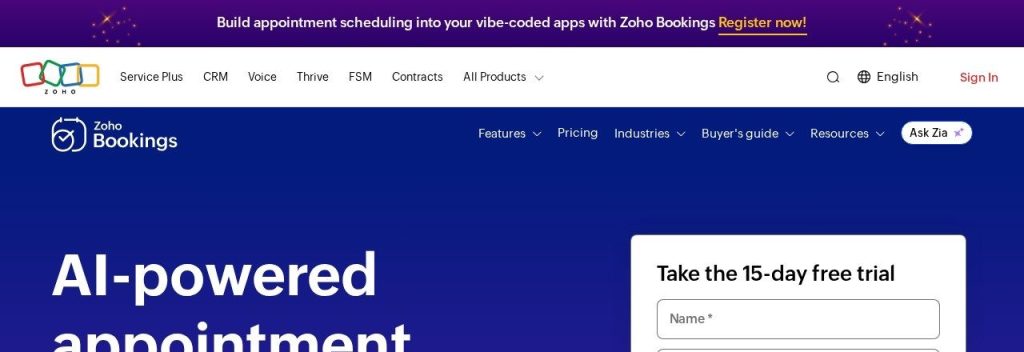
Zoho Bookings does the core Calendly job for a lot less money. Basic costs $6 per user a month on annual billing and Premium, which adds online payments, SMS and WhatsApp reminders and a custom domain, costs $9. Calendly’s comparable Teams plan is $16 per seat.
It also covers in-person services, not just calls, with resource booking for rooms and equipment as an add-on. A 6-person physio clinic could run every therapist’s calendar on Premium for $54 a month, compared with $96 on Calendly Teams.
Key Capabilities
- Zia AI setup: Paste your website address and Zia builds a booking page with your logo, colors and social links.
- Bring your own AI: Premium lets you plug in your own OpenAI, Claude or Google AI keys, and Zoho offers an MCP server for AI agents.
- Two-way calendar sync: Works with Zoho, Google and Microsoft 365 calendars, from the free plan up.
- Zoho app connections: Links to 75+ Zoho and third-party apps, so bookings flow into Zoho CRM or Zoho Books without extra tools.
Payments and Reminders
Online payments need Premium and support Stripe, PayPal, Authorize.Net, Razorpay and more (one active at a time). Every plan sends email reminders, and Premium adds SMS and WhatsApp reminders.
Pros
- Paid plans cost well under half of Calendly Teams per user
- Free plan with two-way calendar sync
- Built for appointments and services as well as meetings
Cons
- No Calendly import tool, so you rebuild your links by hand
- Payments and SMS are Premium only
- Free plan is limited to 1 user and 1 email reminder
Plans & Pricing
- Free: $0. 1 user, 1 calendar sync, 1 email reminder, booking links.
- Basic: $6/user/month (billed annually; $8 monthly). 3 email reminders, 2 calendar syncs per user, Zoho Gen AI for form fields.
- Premium: $9/user/month (billed annually; $12 monthly). Online payments, SMS and WhatsApp reminders, 3 workspaces, custom domain, no Zoho branding.
- Flex: Custom pricing (contact sales).
Bottom line: Switch to Zoho Bookings if price per user is the reason you are leaving Calendly, or if you already live in Zoho. Skip it if you want the cleanest, simplest interface.
3. TidyCal
Best for: Solo consultants, coaches and freelancers who hate subscriptions and want a simple paid booking page
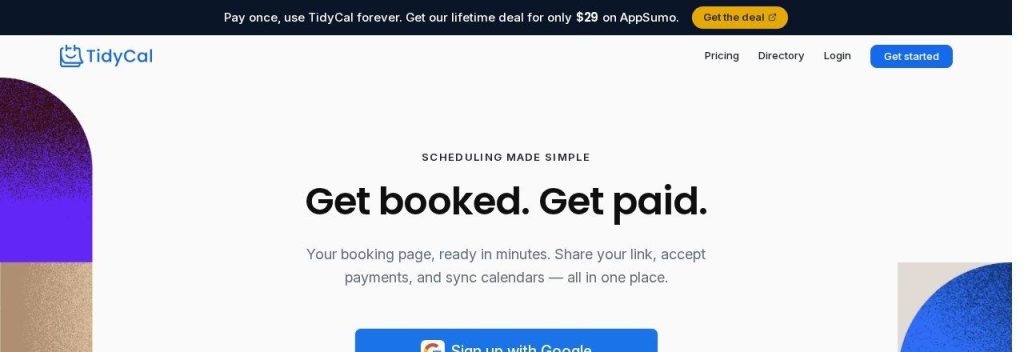
TidyCal is built by AppSumo and is famous for one thing: you can pay once and keep it. The Individual Lifetime deal costs $29 one time and adds 10 calendar connections, booking limits, custom reminder emails and an AI booking assistant. That is less than three months of Calendly Standard.
The free plan is surprisingly strong too: unlimited booking types, paid bookings, group and package bookings, all on one calendar connection. A life coach could sell a 4-session package on TidyCal’s free plan and pay only a 1% platform fee on top of Stripe’s normal fees.
Key Capabilities
- Built-in Calendly importer: Turns your Calendly event types into TidyCal booking types, available on every plan including Free.
- AI booking assistant: Included on the Lifetime and Pro plans to help set up and manage bookings.
- Packages and group bookings: Sell multi-session packages, recurring sessions and group events without extra tools.
- Date polls: Let a group vote on a time, similar to Doodle, on the free plan.
Payments and Reminders
Stripe and PayPal payments on every plan, with a 1% platform fee on Free and Lifetime plans that Pro removes. Custom reminder emails start on Individual Lifetime, and SMS reminders (US and Canada only) come with Agency Lifetime (10 a month) or Pro (unlimited).
Pros
- Pay once instead of every month
- Calendly importer on every plan
- Free plan includes paid bookings and packages
Cons
- 1% platform fee on payments unless you move to Pro
- SMS reminders only reach US and Canadian numbers
- Light on team features such as routing and admin controls
Plans & Pricing
- Free: $0 forever. 1 calendar connection, unlimited bookings and booking types, paid bookings, 1% platform fee.
- Individual Lifetime: $29 one time. 10 calendar connections, booking limits, custom reminder emails, AI booking assistant.
- Agency Lifetime: $79 one time. Adds 10 SMS reminders a month (US and Canada) and AI features.
- Pro: $99/year (about $8.25/month; $12 monthly). Unlimited calendar connections, unlimited SMS reminders (US and Canada), custom domains, no platform fee.
Money saver
TidyCal’s $29 Individual Lifetime deal costs less than three months of Calendly Standard on monthly billing ($12 a month). If you are a one-person business, that is the cheapest paid upgrade on this list.
Bottom line: Switch to TidyCal if you are solo and want to stop paying monthly for a booking link. Skip it if you manage a team that needs round robin or routing.
4. Acuity Scheduling
Best for: Therapists, trainers, tutors and studios that sell sessions, packages and memberships

Acuity Scheduling, a Squarespace company used by 250,000+ businesses, is priced per account rather than per seat. Standard costs $27 a month on annual billing for up to 6 calendars, so a team of six pays the same as a team of two. On Calendly Teams, six seats cost $96 a month.
Where Calendly is built around meetings, Acuity is built around paid services. A yoga studio could sell class packs and gift certificates, collect payment at booking and send intake forms, all from one booking page.
Key Capabilities
- Flat pricing by calendar: Plans include 1, 6 or 36 calendars instead of charging for each seat.
- Packages, memberships and gift certificates: Sell bundles and recurring memberships from Standard up.
- Intake forms: Collect client details, waivers or health questions before the session.
- AI Booking Assistant: An AI chatbot that helps clients book, available on Premium.
Payments and Reminders
Stripe, Square, PayPal and Venmo work on every plan. Email reminders are included on all plans, and SMS reminders start on Standard.
Pros
- Flat price per account, not per seat
- Strong features for selling sessions and packages
- Four payment processors, including Square and Venmo
Cons
- No free plan, only a 7-day trial
- No Calendly import (CSV import for clients and appointments only)
- SMS reminders and waitlists need Standard or higher
Plans & Pricing
- Free trial: 7 days on any plan, no card needed.
- Starter: $16/month (billed annually; $20 monthly). 1 calendar, unlimited services and appointments, email reminders.
- Standard: $27/month (billed annually; $34 monthly). Up to 6 calendars, SMS reminders, packages, memberships, waitlist.
- Premium: $55/month (billed annually; $69 monthly). Up to 36 calendars, AI Booking Assistant, HIPAA with BAA, custom API and CSS.
- Enterprise: Custom pricing (contact sales) for more than 36 calendars.
Bottom line: Switch to Acuity if you sell sessions and packages and want one price for the whole team. Skip it if you mostly book sales calls, where Calendly or Cal.com fit better.
5. Google Calendar
Best for: Small businesses already on Google Workspace that just need clean booking pages without another subscription
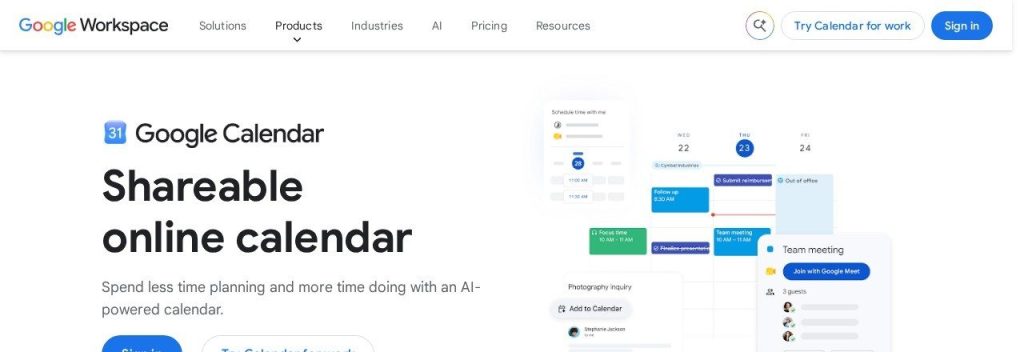
Google Calendar has built-in appointment schedules, and many owners already pay for them without knowing it. Free Gmail accounts and Business Starter ($7 per user a month on annual billing) get one booking page. Business Standard, at $14 per user a month on annual billing, adds multiple booking pages, email reminders, availability checks across several calendars and Stripe payments.
Because it lives inside the calendar you already use, there is nothing new to learn. A 3-person accounting firm on Business Standard could drop Calendly completely and save $48 a month while keeping one booking page per accountant.
Key Capabilities
- Booking pages inside Calendar: Create appointment schedules right where you manage your day.
- Buffers and daily limits: Add gaps between meetings and cap how many bookings you take per day.
- Stripe payments: Charge at booking on Business Standard and higher.
- Gemini in Workspace: Business Standard includes Gemini in Gmail, Docs and Meet, so you get AI help across your other work too.
Payments and Reminders
Payments run through Stripe only and need Business Standard, Business Plus, Enterprise or Workspace Individual. Automatic email reminders (12 or 24 hours before) come with the premium plans; SMS reminders are not offered.
Pros
- No extra subscription if you already pay for Business Standard
- Nothing new for your team to learn
- Clients book straight into your real calendar
Cons
- Free Gmail and Business Starter get only one booking page and no payments
- No routing forms, round robin or SMS reminders
- No Calendly import
Plans & Pricing
- Free (Gmail): $0. One booking page.
- Business Starter: $7/user/month (billed annually; $8.40 monthly). One booking page, business email, 14-day free trial.
- Business Standard: $14/user/month (billed annually; $16.80 monthly). Multiple booking pages, email reminders, multi-calendar availability, Stripe payments.
- Business Plus: $22/user/month (billed annually; $26.40 monthly). Same booking features plus extra security and storage.
- Enterprise: Custom pricing (contact sales).
Bottom line: Switch to Google Calendar if your team is on Business Standard and your needs are simple. Skip it if you need routing, SMS reminders or a polished client experience.
6. SavvyCal
Best for: Consultants, founders and agencies who book high-value calls and want clients to feel looked after
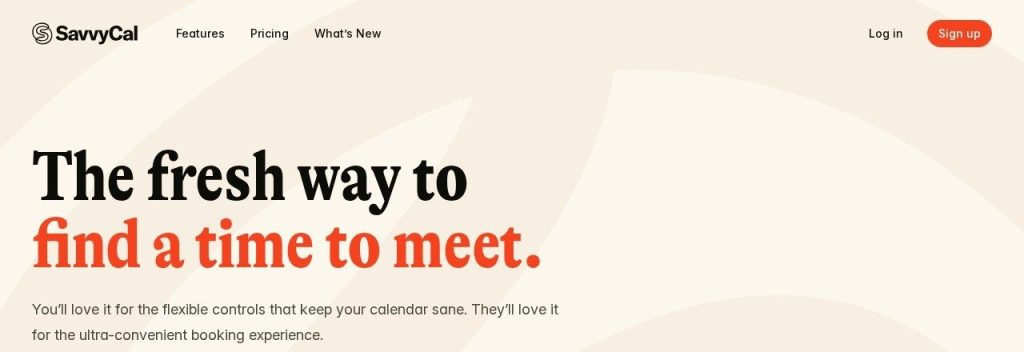
SavvyCal costs about the same as Calendly but fixes its biggest etiquette problem. Invitees can overlay their own calendar on your booking page and see where you are both free, so nobody feels like they are being sent a link and told to sort it out.
Basic costs $10 per user a month on annual billing, the same as Calendly Standard, with unlimited links, meeting polls and calendar connections. A founder booking investor and client calls could use “preferred times” to nudge people toward mornings while still offering afternoons as a backup.
Key Capabilities
- Calendar overlay: Invitees can view their own calendar on your booking page, which makes picking a time faster.
- AI assistants through MCP: Connect Claude, ChatGPT or another MCP assistant to check your calendar, find times and book or cancel meetings, on every plan.
- Preferred times: Highlight the slots you would like people to pick without hiding the rest.
- Meeting polls: Let a group vote on times, included on both plans.
Payments and Reminders
Stripe payments are available on Premium only. Reminders and workflows come with both plans, and Premium can send emails from your own address.
Pros
- The most considerate booking page for invitees
- AI assistant access through MCP at no extra cost
- 25% discount for nonprofits, educators and students
Cons
- No free plan for taking bookings (only a 30-day money-back guarantee)
- No automatic Calendly import
- Payments, custom domains and branding removal need Premium
Plans & Pricing
- Basic: $10/user/month (billed annually; $12 monthly). Unlimited scheduling links, meeting polls, calendar connections and teams, reminders.
- Premium: $17/user/month (billed annually; $20 monthly). Adds Stripe payments, delegated access, custom domains, custom sending domains, no SavvyCal branding.
Bottom line: Switch to SavvyCal if your clients are busy, important people and the booking experience matters. Skip it if your main goal is to spend less than you do on Calendly.
7. Setmore
Best for: Local service businesses with 2 to 4 staff who want a free team booking page
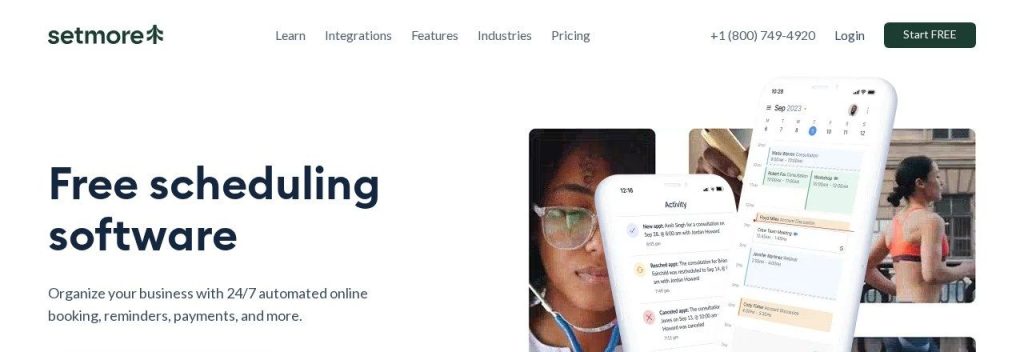
Setmore‘s free plan covers up to 4 users with unlimited appointments, which is rare. Calendly’s free plan is for one person with one event type, so a small team usually has to pay from day one.
Pro costs $5 per user a month on annual billing and adds SMS reminders with 500 credits a month, deposits, booking forms, two-way calendar sync and a signed HIPAA agreement. A 3-chair barbershop could start free, then upgrade to Pro for $15 a month to cut no-shows with text reminders.
Key Capabilities
- Free team plan: Up to 4 users with unlimited appointments and 24/7 support on the free plan.
- SMS reminders on Pro: 500 SMS credits a month for Pro team members, with more available in the app.
- Deposits and booking forms: Take a deposit and ask custom questions when clients book.
- HIPAA BAA: Pro includes a signed HIPAA business associate agreement for health practices.
Payments and Reminders
Square, Stripe, PayPal and LawPay payments work on both plans, and deposits need Pro. Free sends one email reminder; Pro sends two plus SMS reminders.
Pros
- Free for up to 4 users
- Pro is one of the cheapest per-user upgrades here
- Four payment options including Square
Cons
- No Calendly import
- Two-way calendar sync and branding removal need Pro
- Monthly billing jumps to $12 per user
Plans & Pricing
- Free: $0. Up to 4 users, unlimited appointments, 1 email reminder, online and in-person payments.
- Pro: $5/user/month (billed annually; $12 monthly). Unlimited users, SMS reminders (500 credits a month), deposits, booking forms, 2-way sync, HIPAA BAA. 30-day risk-free trial.
- Live Receptionist (add-on): $99/month, US only.
Bottom line: Switch to Setmore if you have a small team and want to pay $0 or very little. Skip it if you book mostly online sales calls and need routing.
8. Square Appointments
Best for: Salons, barbers, spas and studios that want bookings, payments and checkout in one system
Square Appointments is what Calendly is not: a full booking and point-of-sale system for walk-in style businesses. The free plan includes an online booking site, appointment reminders and unlimited staff calendars, and there is no employee limit on any plan.
Plus costs $49 a month per location and adds no-show fees, multi-staff booking and a waitlist. A 5-chair salon could take bookings from Instagram, Facebook and Google, charge a no-show fee to the card on file, and ring up products at the same counter.
Key Capabilities
- Unlimited staff calendars: Every plan, including Free, has no limit on staff.
- Book from social and Google: Clients can book through Instagram, Facebook and Google “Book Now” buttons.
- Square Assistant: Clients reply to text reminders to confirm, cancel or reschedule without calling you.
- Square AI insights: AI-powered reporting helps you spot busy times and top services.
Payments and Reminders
Payments run through Square’s own processing, with Apple Pay, Google Pay, deposits and card-on-file fees. US rates on the Free plan are 2.6% + 15 cents in person and 3.3% + 30 cents online. Automatic text and email reminders are included.
Pros
- Free plan with unlimited staff
- Bookings, payments and checkout in one place
- No-show fees and deposits protect your income
Cons
- You must process payments through Square
- Paid plans are priced per location, not per user
- No Calendly import, and it is overkill for simple call booking
Plans & Pricing
- Free: $0/month. Online booking site, appointment reminders, unlimited staff calendars, multiple locations.
- Plus: $49/month per location (billed monthly). Cancellation policy and no-show fees, multi-staff booking, waitlist. 30-day free trial.
- Premium: $149/month per location (billed monthly). Future bookings report, service cost tracking, resource management. 30-day free trial.
- Square Pro: Custom pricing (contact sales) for businesses processing over $250,000 a year.
Bottom line: Switch to Square Appointments if you run a salon, spa or studio and want bookings and payments together. Skip it if you mainly book Zoom calls.
What to Look For in a Calendly Alternative
Every tool here can share a booking link. These details decide whether switching actually saves you time and money:
- Pricing model: Per seat (Calendly, Cal.com, SavvyCal), per account (Acuity) or one time (TidyCal). Do the math for your team size, not just one user.
- Free plan limits: Cal.com and TidyCal include unlimited event types for free, and Setmore covers up to 4 users. Calendly’s free plan allows one event type.
- Switching cost and data migration: Cal.com and TidyCal can import your Calendly event types. With the others, plan an hour to rebuild your links and update the links on your website and email signature.
- Payments and no-show protection: Check the processor you already use. Acuity supports Stripe, Square, PayPal and Venmo, while Square Appointments adds no-show fees.
- Reminders by text: SMS reminders cut no-shows. Cal.com includes them free, while Setmore and Acuity include them on paid plans.
- Compliance: If you handle health information, Calendly’s terms do not allow it. Acuity Premium, Setmore Pro and Cal.com Organizations offer HIPAA options.
Which Calendly Alternative Should You Choose?
- If you want Calendly’s features for free, pick Cal.com.
- If you pay for several seats and want the lowest bill, pick Zoho Bookings, or Setmore if you have 4 people or fewer.
- If you are solo and hate subscriptions, pick TidyCal.
- If you sell sessions, packages or memberships, pick Acuity Scheduling.
- If you run a salon, spa or barbershop, pick Square Appointments.
- If you need routing forms, Salesforce sync and the booking page clients already know, staying on Calendly Teams can still make sense.
FAQs
What is the best free Calendly alternative?
Cal.com is the best free Calendly alternative in November 2026. Its free plan includes unlimited links and calendars, Stripe and PayPal payments, SMS notifications and a 1-click Calendly import. Setmore is the best free option for teams of up to 4 people.
Is there a cheaper alternative to Calendly?
Yes. Zoho Bookings starts at $6 per user a month and Setmore Pro at $5 per user a month on annual billing, compared with $10 for Calendly Standard and $16 for Calendly Teams. TidyCal offers a $29 one-time lifetime deal.
Can I move my event types from Calendly?
Cal.com and TidyCal both have built-in Calendly importers that bring over your event types. With other tools you recreate your links by hand, so keep Calendly running until the new links are live.
Which Calendly alternative works for salons and spas?
Square Appointments is built for salons and spas, with a free plan, unlimited staff calendars, no-show fees on Plus and checkout in the same system. Acuity Scheduling is a good choice for studios that sell packages and memberships.
Does Google Calendar replace Calendly?
For simple needs, yes. Google Workspace Business Standard ($14 per user a month on annual billing) includes multiple booking pages, email reminders and Stripe payments, but it has no routing, round robin or SMS reminders.
Final Thoughts
Most small businesses leave Calendly because of per-seat pricing or a free plan that is too tight. Both problems are easy to fix in an afternoon.
The easiest next step: open a free Cal.com account, import your Calendly event types, and send your new link to your next five clients. If you run a salon or studio, start on Square Appointments’ free plan instead.
For the full picture, see our guide to the best appointment scheduling software, compare Calendly vs Acuity, and pair your new booking tool with one of the best AI meeting note takers.