
You are on a job site, at the school gate or in the middle of a client meeting. Your personal cell rings with a number you do not know. Was that a new customer or a robocall? You will find out tomorrow, when they have already booked someone else.
Running a business from a personal number causes small problems every day: no way to share calls with a teammate, no business hours, no voicemail greeting that sounds like a company, and a number you cannot hand over if someone leaves.
A business phone system fixes that for about $10 to $35 per user a month. You get a proper business number on the phone you already own, calls that ring the right person, texting from that number, and more and more often AI that writes call summaries or answers when you cannot.
We checked every tool’s official website and pricing page in November 2026. Here are the 8 best picks, and who each one suits.
Quick answer
- Best overall for small teams: Quo, formerly OpenPhone (from $15/user/month)
- Best for solo owners who want one number on their cell: Grasshopper (from $14/month for the whole account)
- Best built-in AI on every plan: Dialpad (from $15/user/month)
- Best for businesses on Google Workspace: Google Voice (from $10/user/month plus Workspace)
- Best all-in-one for growing teams: RingCentral (from $20/user/month)
What’s the Best Business Phone System for Small Businesses?
| Tool | Best for | Free plan | Starting price |
|---|---|---|---|
| Quo | Small teams that call and text customers | No (7-day trial) | $15/user/mo |
| RingCentral | Growing teams that want phone, video and chat in one | No (14-day trial) | $20/user/mo |
| Dialpad | Built-in AI transcripts and summaries | No (14-day trial) | $15/user/mo |
| Grasshopper | Solo owners who want a business number on their cell | No (7-day trial) | $14/mo per account |
| Google Voice | Businesses already on Google Workspace | No (Workspace trial) | $10/user/mo + Workspace |
| Zoom Phone | Teams that already meet on Zoom | No | $16/user/mo |
| Nextiva | An AI receptionist built into every plan | No (free demo) | $10/user/mo |
| Aircall | Sales and support teams making lots of calls | No (7-day trial) | $30/user/mo (3-user min) |
Prices checked November 2026. Starting prices use annual billing unless noted. Most tools charge per user, per month.
1. Quo
Best for: Small service teams of 1 to 20 people who live on calls and texts and want shared numbers that just work
Quo is the business phone app that was called OpenPhone until September 2025, when it rebranded as Quo alongside a $105 million funding round. It runs on your cell and computer, and Quo says it powers conversations for more than 90,000 businesses.
The standout is the shared inbox: one business number can ring several people, and everyone sees the same call and text history. A 4-person cleaning company could put its main number on every phone, so whoever is free answers, and the next person can read exactly what was promised.
Key Capabilities
- Shared numbers and inbox: Several teammates answer and text from one number, with notes and the full history in one thread.
- Sona AI agent: Answers calls when nobody can, on every plan, with 1,000 free credits a month (about 10 calls) before you buy a credit pack.
- AI call summaries and transcripts: The Business plan writes up each call so you never have to remember what was said.
- Phone menus and ring orders: Business and up can route callers to sales, support or a specific person.
- CRM integrations: HubSpot and Salesforce on Business and up, plus Pipedrive, Jobber, Slack, Zapier and Make.
Calling and Texting Coverage
Unlimited calling and texting in the US and Canada on every plan (fair use applies). International calls and texts are billed per minute or message. US texting needs a one-time carrier registration ($19.50).
Pros
- Very easy to set up and use on any phone
- Shared numbers work well for small teams
- AI agent included on every plan, even Starter
- Good mix of CRM integrations
Cons
- AI call summaries are not on Starter
- Trial lasts only 7 days and needs a card
- Monthly billing costs up to 43% more
- Phone support only on the top Scale plan
Plans & Pricing
- Free trial: 7 days with full features (card required, not charged during the trial).
- Starter: $15/user/month billed annually ($19 monthly). 1 number per user, unlimited US and Canada calls and texts, voicemail transcripts, AI agent.
- Business: $23/user/month billed annually ($33 monthly). Adds AI call summaries, phone menus, group calling, HubSpot and Salesforce, auto call recording.
- Scale: $35/user/month billed annually ($47 monthly). Adds AI call tags, dedicated onboarding and phone support.
- Extras: additional numbers $5/month each; AI agent credit packs from $25/month.
Bottom line: Pick Quo if you have a small team that answers customers by phone and text and you want it running in an afternoon. Skip it if you need a big call center setup with queues and supervisors, where Aircall fits better.
2. RingCentral
Best for: Growing businesses with 10+ staff or several locations that want calls, video meetings and team chat from one vendor
RingCentral is one of the oldest names in cloud phone systems, with more than 20 years in the business. Its RingEX plans bundle calling, texting, video meetings and team messaging in one app, and RingCentral says 600,000 businesses use it.
Even the entry Core plan includes video meetings for up to 300 people and an AI assistant that takes live notes. A dental group with two offices could run both front desks, a shared main number and staff meetings on one bill instead of three tools.
Key Capabilities
- Calls, video and chat in one app: Replaces a separate phone line, meeting tool and team chat for many small businesses.
- AI Assistant included: Live transcription, meeting summaries and, on Advanced, real-time call notes at no extra cost.
- Multi-site routing: Advanced and up handle several offices, each with its own numbers and hours.
- Huge integration list: RingCentral lists more than 330 integrations, including Salesforce, Microsoft Teams, Google Workspace and Zendesk.
- AI Receptionist add-on: An AI that answers and routes calls, starting at $39 on top of your plan.
Calling and Texting Coverage
Unlimited calling in the US and Canada. Texting is capped per user (25 a month on Core, 100 on Advanced, 200 on Ultra) and works in the US only. Other countries are billed at international rates.
Pros
- Strong all-in-one bundle with video meetings included
- AI Assistant included on every plan
- Reliable, mature platform with lots of integrations
- 14-day free trial
Cons
- Only 25 texts per user per month on Core
- CRM integrations start on Advanced
- AI Receptionist costs extra
- Monthly billing costs up to 50% more
Plans & Pricing
- Free trial: 14 days for new customers (no texting during the trial).
- Core: $20/user/month billed annually ($30 monthly). Unlimited US and Canada calls, 25 texts per user, 100 toll-free minutes, video meetings for 300.
- Advanced: $25/user/month billed annually ($35 monthly). Adds CRM integrations, multi-site, reporting, 100 texts per user, 1,000 toll-free minutes.
- Ultra: $35/user/month billed annually ($45 monthly). Adds 200 texts per user, 10,000 toll-free minutes, webinars and unlimited storage.
- Promotion: in November 2026 RingCentral was advertising 6 months free for new customers (terms apply).
Bottom line: Pick RingCentral if you want one dependable system for phones, meetings and chat across a growing team. Skip it if you mostly text customers, because the text limits are tight compared with Quo or Grasshopper.
3. Dialpad
Best for: Teams that want every call transcribed and summarized automatically without paying for an AI add-on
Dialpad was founded in 2011 and built its phone system around AI from the start. Real-time call transcription and post-call AI Recaps with action items are included on every plan, even the $15 Standard plan.
That makes it a good fit for businesses where calls carry details people forget. A small insurance agency could open the recap after each call and see the quote amount, the follow-up date and what the client asked for, instead of scribbling notes mid-call.
Key Capabilities
- Live transcription on every call: Words appear on screen as you talk, so you can search old calls later.
- AI Recaps: A short summary with action items lands after each call, included on all plans.
- Live coaching and analytics: Spot common questions and coach new staff using real calls.
- Numbers in 50+ countries: Add local numbers abroad on Pro if you sell internationally.
- CRM and help desk integrations: Pro connects to Salesforce, HubSpot, Zendesk, Microsoft Teams, Slack and Zapier.
Calling and Texting Coverage
Unlimited calling within your country plus the US and Canada. Toll-free numbers are US and Canada only. Other international calls are billed at Dialpad’s rates.
Pros
- AI transcripts and summaries on every plan
- Standard plan works with a single user
- Local numbers available in 50+ countries
- Clean, modern apps
Cons
- Standard only integrates with Google Workspace (no CRM)
- Pro requires at least 3 users
- Monthly price on Standard nearly doubles ($27)
- AI agents that answer calls are a separate product with custom pricing
Plans & Pricing
- Free trial: 14 days.
- Standard: $15/user/month billed annually ($27 monthly). 1 office, AI transcription and recaps, Google Workspace integration.
- Pro: $25/user/month billed annually ($35 monthly). Minimum 3 users, up to 10 offices, CRM integrations, 24/7 phone support.
- Enterprise: Custom pricing (contact sales). Minimum 100 users, SSO, 99.9% uptime SLA.
Bottom line: Pick Dialpad if call notes matter to your business and you want AI included at the lowest price. Skip it if you need a CRM integration but have fewer than 3 users, since that requires Pro.
4. Grasshopper
Best for: Solo owners and tiny teams who want a second, professional number on their existing cell without changing anything else
Grasshopper has been around since 2003 (it started as GotVMail) and is now owned by GoTo. It adds a business number to the phone you already carry, and Grasshopper says more than 400,000 customers have used it.
Unlike most tools here, Grasshopper charges per account, not per user. A freelance photographer could pay $14 a month on True Solo, give clients a business number, and switch it off after hours so evenings stay quiet.
Key Capabilities
- Business number on your cell: Calls and texts come through the Grasshopper app, so your personal number stays private.
- Flat account pricing: Solo Plus and Small Business allow unlimited users for one monthly price.
- Phone menu and extensions: “Press 1 for sales” style menus that make a one-person business sound bigger.
- Voicemail transcription and virtual fax: Read voicemails as text and receive faxes as PDFs.
- AI call summaries: Grasshopper lists AI summaries, transcripts and AI-written greetings, though it does not say which plans include them.
Calling and Texting Coverage
Unlimited calling and texting in the US and Canada on all plans. Local texting needs a one-time $19 registration plus $1.50/month. International calls need a separate calling plan.
Pros
- Cheapest way for a solo owner to get a real business line
- Price is per account, not per user
- 7-day free trial with no card
- Very simple to set up
Cons
- Most plans include just 1 number; extra numbers cost $9/month
- No CRM integrations or API
- True Solo has no call recording or transfers
- International rates are not published
Plans & Pricing
- Free trial: 7 days, no credit card.
- True Solo: $14/month billed annually ($18 monthly). 1 user, 1 number, 1 extension.
- Solo Plus: $25/month billed annually ($32 monthly). Unlimited users, 1 number, 3 extensions.
- Small Business: $55/month billed annually. Unlimited users, 4 numbers, unlimited extensions.
- Extras: extra numbers $9/month, extra extensions $3/month.
Money saver
If several people share Grasshopper, compare it with per-user tools. Five people on Solo Plus cost $25 a month in total, while five users on most other systems here cost $75 or more.
Bottom line: Pick Grasshopper if you are a solo owner or a tiny team and want a professional number for the least effort. Skip it if you need CRM integrations or several numbers, where Quo gives you more for a similar price.
5. Google Voice
Best for: Small businesses already paying for Google Workspace that want simple business calling managed from the same admin console
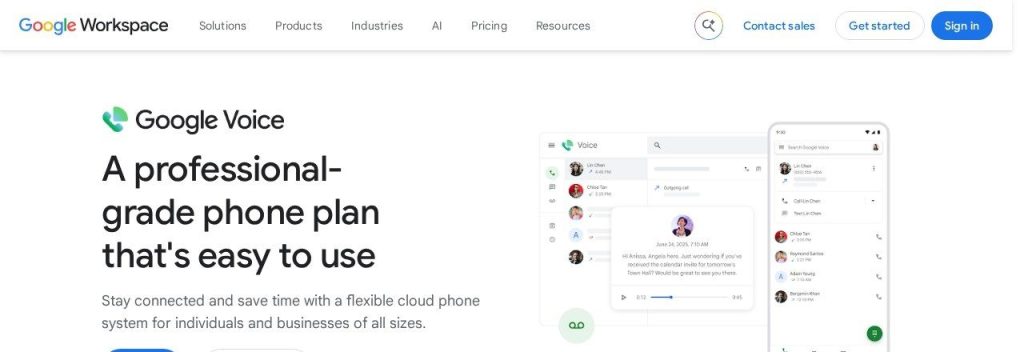
Google Voice is Google’s business phone service, sold as an add-on to Google Workspace. The Starter plan costs $10 per user per month for up to 10 users, and local numbers are available in 14 countries.
It feels familiar because it works inside Gmail, Calendar and Meet. A 6-person accounting firm already on Workspace could give each accountant a number, add voicemail transcription and manage everything from the admin console it already uses.
Key Capabilities
- Works inside Workspace: Calls and voicemails show up next to Gmail and Calendar, with the same logins.
- Voicemail transcription and spam filtering: Read voicemails in your inbox and skip suspected spam calls.
- Auto attendants and ring groups: Standard and Premier add phone menus, ring groups and call queues.
- AI note-taking: Google lists AI call notes in its plan comparison, though the exact plans covered are not fully clear.
- Automatic recording and reporting: Premier records calls automatically and exports activity to BigQuery.
Calling and Texting Coverage
Unlimited domestic calling on all plans. Unlimited texting works on US numbers only. Local numbers in 14 countries; international calls are billed per minute.
Pros
- Low price if you already pay for Workspace
- Very simple to manage
- Trusted Google reliability and spam filtering
- Desk phones supported
Cons
- Needs a paid Google Workspace plan on top
- Starter is capped at 10 users with no ring groups
- No CRM integrations listed
- Automatic call recording only on the $30 Premier plan
Plans & Pricing
- Trial: Google Workspace offers a 14-day free trial.
- Starter: $10/user/month. Up to 10 users, unlimited domestic calls, voicemail transcription.
- Standard: $20/user/month. Unlimited users, multi-level auto attendants, ring groups, call queues, on-demand recording.
- Premier: $30/user/month. Adds numbers outside your home country, automatic call recording, Google Vault and BigQuery reports.
- Required: a paid Google Workspace subscription, billed separately.
Bottom line: Pick Google Voice if your business already runs on Google Workspace and you want basic, reliable calling for little extra. Skip it if you are not on Workspace, because the combined cost beats its simplicity.
6. Zoom Phone
Best for: Businesses that already live in Zoom meetings and want phone calls in the same app
Zoom Phone is a cloud phone system that sits inside Zoom Workplace, the same app you use for meetings. Zoom says it has more than 10 million users, with phone service in 49+ countries.
The Unlimited plan includes texting, call recording and AI Companion call summaries. A small marketing agency that already runs every client meeting on Zoom could move its office line into the same app and stop juggling two tools.
Key Capabilities
- Phone inside Zoom: Take calls, text and jump from a call into a video meeting in one app.
- AI Companion summaries: Post-call summaries, voicemail prioritization and task extraction on the Unlimited plan.
- Bundles with Zoom Workplace: Pro Plus and Business Plus combine phone with full Zoom meetings at a lower total price.
- Online fax included: 50 pages a month of domestic fax on Unlimited, unlimited on Business Plus.
- Integrations: Salesforce, HubSpot, Microsoft Teams, Slack and Google.
Calling and Texting Coverage
The Unlimited plan covers unlimited calling and texting in the US and Canada. International calls cost extra on every plan, with an optional add-on for unlimited calling to about 18 countries.
Pros
- Great value if you already pay for Zoom
- AI summaries included on Unlimited
- Fax and SMS included
- Strong global phone coverage
Cons
- Unlimited plan meetings are capped at 40 minutes
- International calls always cost extra
- AI receptionist is a paid add-on
- Live phone support needs $200+/month spend
Plans & Pricing
- US and Canada Unlimited: $16/user/month billed annually ($18 monthly). Unlimited domestic calls and texts, 1 number, recording, AI summaries.
- Pro Plus: $20.50/user/month billed annually ($24 monthly). Phone plus Zoom Workplace Pro (30-hour meetings, 10 GB cloud storage), 1 to 99 users.
- Business Plus: $24.50/user/month billed annually ($29 monthly). Phone plus Zoom Workplace Business, 10 to 250 users, unlimited fax, SSO.
- Metered: Zoom says metered plans start at $10/user/month, with outbound calls billed per minute.
Bottom line: Pick Zoom Phone if your team already meets on Zoom and wants one app for everything. Skip it if you rarely use Zoom, because the bundles are where most of the value is.
7. Nextiva
Best for: Businesses that want an AI receptionist answering after-hours calls without buying a separate tool
Nextiva is a cloud phone and customer communication platform that says more than 100,000 businesses use it. Every plan includes XBert, its AI receptionist, with 10 free interactions to start.
After that, you pay $1.50 per interaction or $100 a month for 100. A plumbing company could let XBert answer after-hours calls, take the caller’s details and pass a full summary to the team in the morning.
Key Capabilities
- XBert AI receptionist: Answers calls, handles FAQs and covers after-hours, included with 10 free interactions.
- Calls, texts, video and email together: All customer conversations live in one place on every plan.
- Website live chat and WhatsApp: The Business plan adds both, plus a toll-free number with 2,000 minutes.
- 50+ integrations: Business and up connect to CRMs and business tools, with single sign-on.
- Contact center tools: The CX plan adds skills-based routing, campaigns and supervisor whisper and barge.
Calling and Texting Coverage
Unlimited calling in the US and Canada. Unlimited texting (US only) comes with the Messaging Super Pack add-on at $20/user/month. International calling needs a separate bundle.
Pros
- AI receptionist on every plan
- Low $10 entry price
- Live chat and WhatsApp on Business
- 24/7 support
Cons
- No free trial, only a demo
- AI transcripts and unlimited texting are paid add-ons
- XBert costs extra after 10 interactions
- Pricing pages show conflicting numbers, so confirm at checkout
Plans & Pricing
- Go: $10/user/month. Calls, texts, video, team chat, on-demand recording, 24/7 chat and email support.
- Business: $25/user/month. Adds a toll-free number with 2,000 minutes, website live chat, WhatsApp, 50+ integrations, 24/7 phone support.
- CX: $75/user/month (talk to sales). Adds 3 toll-free numbers, 10,000 minutes, skills-based routing and campaigns.
- Add-ons: AI Super Pack $10/user/month, Messaging Super Pack $20/user/month, XBert Premium $100/month for 100 interactions.
- Nextiva says annual billing saves up to 33%, and it was running a Black Friday offer of 3 months free in November 2026.
Bottom line: Pick Nextiva if after-hours calls are slipping through and you want an AI receptionist in the same system. Skip it if you want to try before you buy, since there is no free trial.
8. Aircall
Best for: Sales and support teams of 3+ people who spend most of the day on the phone and work from a CRM
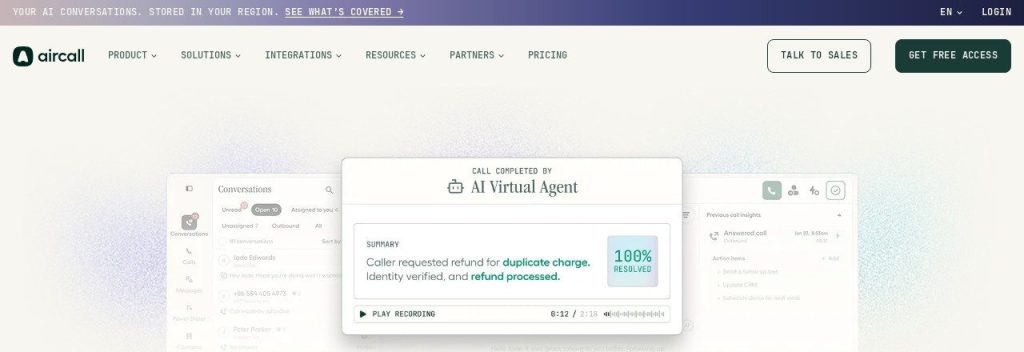
Aircall is a cloud phone system built for sales and support teams. It connects to more than 250 apps, and Aircall says over 24,000 businesses use it.
Every plan needs at least 3 licenses, so it is not for solo owners. A 5-person ecommerce support team could log every call in Shopify or Zendesk automatically, and the Professional plan adds a power dialer that works through up to 1,000 numbers.
Key Capabilities
- 250+ integrations: Calls log automatically in HubSpot, Salesforce, Pipedrive, Zendesk, Intercom, Shopify and more.
- AI Voice Agent minutes: Essentials includes 50 minutes a month of an AI agent that can answer calls.
- Power Dialer: Professional lets reps work through call lists without dialing by hand.
- AI call summaries: Professional adds summaries and conversation insights after each call.
- Live monitoring: Managers can listen in, whisper to a rep or join a call on Professional.
Calling and Texting Coverage
Unlimited inbound calls and unlimited outbound calls to the US and Canada (toll-free excluded). Texting works in 14 countries. Other international calls are quoted on request below Enterprise.
Pros
- Best-in-class CRM and help desk integrations
- Strong tools for managers and call teams
- 7-day trial with no card
- AI agent minutes included
Cons
- Minimum of 3 licenses, so at least $90/month
- Monthly prices are not published
- Routing and AI summaries need Professional
- Many AI features are paid add-ons
Plans & Pricing
- Free trial: 7 days, no credit card (100 call minutes, 100 texts).
- Essentials: $30/license/month billed annually. 1 number, unlimited US and Canada outbound, 50 AI Voice Agent minutes, 250+ integrations.
- Professional: $50/license/month billed annually. Adds AI call summaries, smart routing, Power Dialer, live monitoring and full API.
- Enterprise: Custom pricing (contact sales). 25+ licenses, unlimited global calls, SSO, HIPAA.
- All plans require at least 3 licenses. Aircall says annual billing saves 25%; extra numbers cost $6/month.
Bottom line: Pick Aircall if your team makes calls all day from a CRM and needs dialers and monitoring. Skip it if you are a team of one or two, because the 3-license minimum makes it expensive.
What to Look For in a Business Phone System
Most of these tools give you a business number and unlimited US calling. These details are what actually separate them.
- Per user or per account pricing: Five people on a per-user tool can cost 5 times more than one account. Grasshopper charges per account; Quo, RingCentral and Dialpad charge per user.
- Texting limits: Customers text more than they call. Quo and Grasshopper include unlimited US texting, while RingCentral Core caps you at 25 texts per user a month.
- AI that saves time: Call summaries and AI receptionists save real hours. Dialpad includes AI recaps on every plan; Nextiva and Quo include an AI receptionist with free starter credits.
- Shared numbers and call routing: If more than one person answers, you need ring groups or a shared inbox. Quo does this well for small teams, and Aircall for bigger call teams.
- Integrations: If you use a CRM, check which plan includes it. Aircall connects to 250+ apps on every plan, while Dialpad needs Pro and Grasshopper has none.
- Minimum users and contracts: Aircall needs 3 licenses and Dialpad Pro needs 3 users. Annual billing usually saves 20% to 45%.
- International needs: Calling abroad costs extra almost everywhere. Dialpad offers local numbers in 50+ countries if you sell overseas.
Which Business Phone System Should You Choose?
- If you are a solo owner who wants a business line on your cell, pick Grasshopper.
- If you have a small team that calls and texts customers all day, pick Quo.
- If you want AI call notes without paying for add-ons, pick Dialpad.
- If you already run on Google Workspace or Zoom, pick Google Voice or Zoom Phone.
- If you want an AI receptionist for after-hours calls, pick Nextiva.
- If you have a sales or support team that works from a CRM, pick Aircall, or RingCentral if you also want meetings and chat in one bill.
Time saver
Before you switch, ask your new provider to port your existing number. All the major systems here support number porting, so customers keep calling the same number they already know.
Which business phone system are you going to use?
Pick one and see what other small business owners chose.
FAQs
What is the best business phone system for a small business?
For most small teams, Quo is the best all-round pick in November 2026, starting at $15 per user per month billed annually. Solo owners often do better with Grasshopper at $14 a month for the whole account.
How much does a business phone system cost?
Most small business phone systems cost $10 to $35 per user per month as of November 2026. Google Voice and Nextiva start at $10 per user, Quo and Dialpad at $15, and RingCentral at $20, all on annual billing.
Can I use my cell phone as a business phone?
Yes. Every tool on this list has a mobile app that adds a separate business number to your existing cell, so business calls and texts stay apart from personal ones.
Can I keep my existing business number?
Usually yes. The tools here support number porting, which moves your current number to the new provider, though some trials (like Aircall’s) do not allow porting until you pay.
Is there a free business phone system?
Not really for business use. Most tools offer a 7 to 14 day free trial instead, and Google Workspace offers a 14-day trial if you want to test Google Voice.
Do business phone systems have AI features?
Most now do. Dialpad includes AI call summaries on every plan, Quo and Nextiva include AI receptionists with free starter credits, and RingCentral sells an AI Receptionist add-on from $39.
Final Thoughts
A business phone system is one of the cheapest upgrades that makes a small business look and feel more professional. Most teams should start with Quo’s 7-day trial; solo owners can try Grasshopper free for 7 days with no card.
Port your number, set business hours and a greeting, and you will stop missing customers on day one.
Want calls answered even when nobody is free? See our list of the best AI receptionists, and pair your phone system with one of the best CRM tools for small businesses.