


Prices checked: November 2026
You have 800 customer emails sitting in a spreadsheet. You know you should send them something, but writing a newsletter takes a whole evening, so it never happens.
That list is the cheapest marketing channel you own. No ad bill, no algorithm, and every email lands directly with people who already bought from you.
The newer AI email tools take most of the work away. They draft the email, suggest the subject line, pick the best time to send and run welcome or follow-up emails on autopilot.
We checked every official pricing page below in November 2026. Five of these tools have a free plan, and most small businesses can start for under $20 a month.
Here are the 8 best picks, and who each one suits.
Quick answer
- Best overall: MailerLite
- Best free plan: Brevo (300 emails a day, up to 100,000 contacts)
- Best for Shopify stores: Klaviyo
- Best for automation: ActiveCampaign
- Best for coaches and creators: Kit
What’s the Best AI Email Marketing Tool for a Small Business?
| Tool | Best for | Free plan | Starting price |
|---|---|---|---|
| MailerLite | Most small businesses | Yes (250 subscribers) | $12/mo (monthly) |
| Brevo | Big lists on a small budget | Yes (300 emails/day) | $9/mo (monthly) |
| Mailchimp | A familiar all-rounder | Yes (250 contacts) | $13/mo (monthly) |
| Klaviyo | Shopify and ecommerce stores | Yes (250 profiles) | $20/mo (monthly) |
| Omnisend | Budget ecommerce email and SMS | Yes (250 contacts) | $16/mo (monthly) |
| ActiveCampaign | Advanced automation | No (14-day trial) | $15/mo |
| Kit | Coaches, creators and course sellers | Yes (10,000 subscribers) | $33/mo |
| Constant Contact | Hands-on support and nonprofits | No (free trial) | $12/mo (monthly) |
Prices checked November 2026. Starting prices use annual billing unless noted. Most email tools charge by list size, so prices rise as you add contacts.
1. MailerLite
Best for: Most small businesses that want a simple, affordable email tool with AI writing help built in
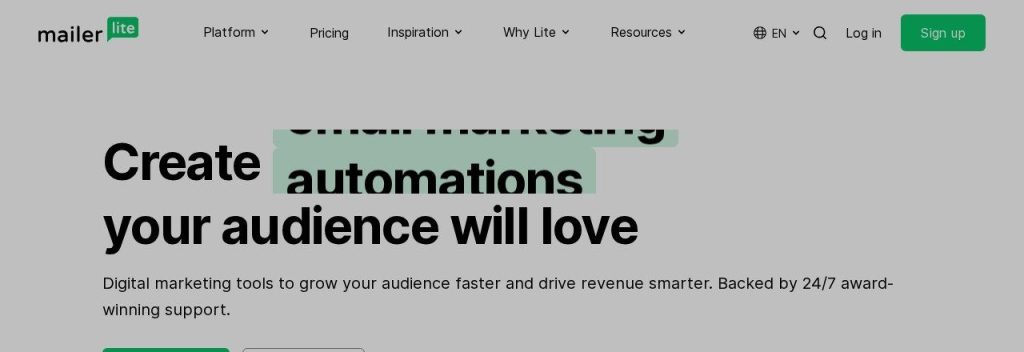
MailerLite is the easiest pick on this list for a typical small business. You get a drag and drop editor, signup forms, landing pages, a simple website builder and automations in one tidy dashboard, and the company says it has more than 1 million users.
MailerLite’s free plan covers 250 subscribers and 2,500 emails a month as of November 2026, with 3 active automations. A small bakery could build a signup form for its website, send a weekly “fresh this week” email, and set up an automatic welcome email for every new subscriber without paying anything at first.
Key Capabilities
- HeyLite AI writing assistant: Drafts subject lines and email copy for you on the paid plans, so a blank screen takes minutes instead of an hour.
- AI landing page builder: Describe your offer and MailerLite builds a first draft of the page (the free plan lets you use it once).
- Smart sending: Sends each email when a subscriber is most likely to open it.
- Built-in email verifier: Cleans bad addresses from your list, which protects your sender reputation and your bill.
- Sell from your emails: Digital products, paid newsletters and bookings are built in, so you do not need a separate checkout tool to start.
Works With
Shopify, WooCommerce, WordPress, Stripe, Wix, Squarespace, and Zapier for 130+ more integrations.
Pros
- Real free plan with 2,500 emails a month
- Clean, beginner-friendly editor
- AI writing included on Comfort and Power
- 30% nonprofit discount
Cons
- Free plan dropped to 250 subscribers in 2026 and keeps the MailerLite logo
- Comfort caps sending at 10 times your subscriber tier
- Prices rose in July 2026, so older reviews quote lower numbers
Plans & Pricing
- Free: $0. Up to 250 subscribers, 2,500 emails a month, 2 users, 3 automations.
- Comfort: From $12/month (monthly billing; yearly billing saves 10%). 3 users, 50 active automations, HeyLite AI assistant.
- Power: From $25/month (monthly billing; yearly saves 10%). Unlimited emails (fair use), unlimited users and automations.
- Enterprise: Custom pricing (contact sales). For lists of 200,000+ subscribers.
Bottom line: Pick MailerLite if you want the best mix of price, ease and AI help for a normal small business list. Skip it if you run a busy online store that needs deep ecommerce reports, where Klaviyo or Omnisend fit better.
2. Brevo
Best for: Businesses with a large contact list but a small budget, and teams that want email, SMS and WhatsApp in one place
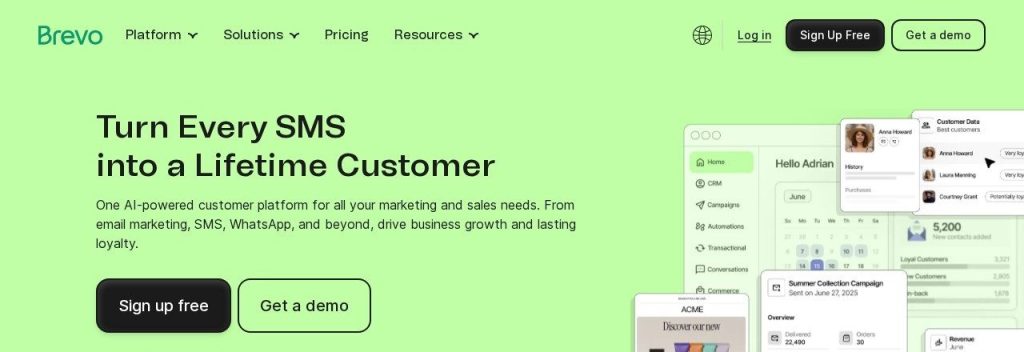
Brevo (formerly Sendinblue) prices by how many emails you send, not how many contacts you store. That is a big deal if you have collected thousands of customer emails over the years but only email them a few times a month.
Brevo’s free plan lets you send 300 emails a day and store up to 100,000 contacts as of November 2026. A local gym with 3,000 past members could send a monthly newsletter in batches for free, then upgrade to Starter when it wants to send everything in one go. Brevo says it has more than 600,000 customers.
Key Capabilities
- Aura AI agents: A Marketing Agent helps write copy, build segments and pick send times, and a Data Analyst agent answers questions about your results.
- Pay for sends, not contacts: Keep your whole customer list in one place without your bill climbing every month.
- Email, SMS and WhatsApp: Reach customers on the channel they actually read, from the same dashboard.
- Built-in CRM: Track deals and conversations next to your email campaigns.
- Send-time optimization: Included from the Standard plan.
Works With
Shopify, WooCommerce, Magento, BigCommerce, Wix, Square, Stripe and PayPal, with 150+ integrations in total.
Pros
- Very generous free contact storage
- Cheapest paid entry price on this list
- SMS and WhatsApp available as add-ons
- Unlimited automations from Standard
Cons
- Free plan is capped at 300 emails a day
- Starter keeps the Brevo logo unless you pay $12/month more
- Huge jump from Standard ($18) to Professional ($499)
- Extra seats, SMS and WhatsApp all cost extra
Plans & Pricing
- Free: $0. 300 emails a day, up to 100,000 contacts, 1 user, Brevo branding.
- Starter: $9/month on monthly billing, or $97 a year (about $8.08/month). 5,000 emails a month at entry, 1 user, AI content generator.
- Standard: $18/month on monthly billing, or $194 a year. Up to 3 users, unlimited automations, AI send-time optimization, no Brevo logo.
- Professional: $499/month. 150,000 emails a month, 10 users, AI segmentation and the Aura Data Analyst.
- Enterprise: Custom pricing (contact sales).
Money saver
Most email tools bill by list size. Delete contacts who have not opened an email in 12 months before you upgrade, and you may stay a whole price tier lower.
Bottom line: Pick Brevo if you have a big list and want to pay as little as possible to email it. Skip it if you need advanced features in the middle tier, because the jump to Professional is steep.
3. Mailchimp
Best for: Small businesses that want a well-known tool with lots of templates, integrations and help articles
Mailchimp, owned by Intuit, is the name most owners already know. It covers email, SMS add-ons, landing pages and automation flows, and it lists 300+ integrations including Shopify, WooCommerce, Square and Stripe.
Mailchimp’s free plan includes 250 contacts and 500 sends a month as of November 2026, but no automation flows. A 2-person consulting firm could use the Standard plan to send a monthly tips email, let generative AI draft the first version, and run a welcome series for new leads.
Key Capabilities
- Generative AI on Standard and Premium: Mailchimp’s AI tools (branded Intuit Assist, in beta) draft email copy and suggest content at no extra cost.
- Up to 200 automation flows: Standard and Premium handle welcome series, abandoned carts and follow-ups.
- Predictive segmentation: Premium groups customers by how likely they are to buy again.
- Huge template and help library: Easy to find answers, tutorials and freelancers who already know the tool.
Works With
Shopify, WooCommerce, Squarespace Commerce, Stripe, Square, Wix, Lightspeed and Canva, with 300+ integrations.
Pros
- Familiar tool with a big support ecosystem
- Generative AI included on Standard
- Strong reporting and templates
- 5 users on Standard
Cons
- Free plan has no automation flows and only 500 sends a month
- Essentials limits automations to 4 steps and has no generative AI
- Premium jumps to $350 a month
- Advertised prices are first-year rates, so check the renewal price before you commit
Plans & Pricing
- Free: $0. 250 contacts, 500 sends a month, 1 user, no automation flows.
- Essentials: $13/month for 500 contacts (monthly billing, shown as the price for the first 12 months). 3 users, 4-step automations, 14-day free trial.
- Standard: $20/month for 500 contacts (first 12 months). 6,000 emails a month, 5 users, 200 automation flows, generative AI.
- Premium: $350/month for 10,000 contacts. Unlimited users, predictive segmentation, phone support.
Bottom line: Pick Mailchimp if you value a familiar name, lots of templates and easy hiring help, and you will use Standard. Skip it if price is your main concern, since MailerLite and Brevo give you more for less.
4. Klaviyo
Best for: Online stores, especially on Shopify, that want emails triggered by what each shopper browses and buys
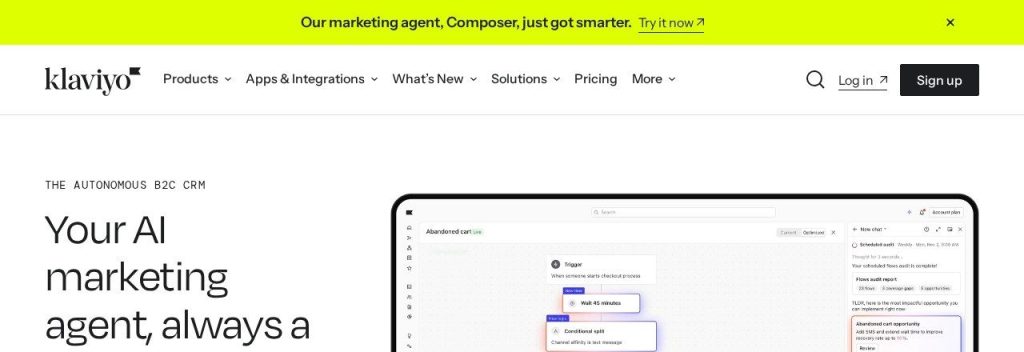
Klaviyo is built for ecommerce. It pulls in order and browsing data from your store, so you can send abandoned cart emails, back-in-stock alerts and “you might also like” recommendations automatically. Klaviyo says more than 200,000 brands use it.
Klaviyo’s free plan covers 250 active profiles and 500 emails a month as of November 2026. A small skincare shop on Shopify could set up an abandoned cart flow on day one and see exactly how much revenue each email brings in.
Key Capabilities
- K:AI across the product: AI helps write emails, build segments and suggest the best time to send.
- Composer AI marketing agent: Finds revenue opportunities, then plans and launches campaigns with your approval at each step (paid usage).
- Customer Agent: A 24/7 AI support agent that Klaviyo says resolves 65% of questions on its own.
- Revenue reporting per email: See which flows and campaigns actually make money.
- Email, SMS and reviews in one place: Product reviews are included and SMS can be added.
Works With
Shopify, WooCommerce, BigCommerce, Adobe Commerce, Wix, Stripe, Square and Gorgias, with 400+ integrations.
Pros
- Best-in-class ecommerce automations
- Clear revenue tracking
- Reviews included on paid plans
- 400+ integrations
Cons
- Free plan is tiny and has no A/B testing
- SMS and the headline AI agents are paid add-ons
- Cost climbs fast as your list grows
- Overkill for service businesses
Plans & Pricing
- Free: $0. 250 active profiles, 500 emails a month, $5 of SMS and $5 of AI usage each month.
- Email: $20/month for 500 profiles (monthly). 5,000 emails a month, reviews for 50 orders a month.
- Marketing: $25/month for 500 profiles (monthly). Adds social marketing, Customer Hub and unlimited reviews.
- Custom: Custom pricing (contact sales) for 150,000+ profiles.
Bottom line: Pick Klaviyo if you run a growing online store and want every email tied to sales. Skip it if you sell services or have a small list on a tight budget.
5. Omnisend
Best for: Small online stores that want Klaviyo-style automations for less, with SMS when they are ready
Omnisend focuses on email, SMS and web push for online stores on Shopify, WooCommerce, BigCommerce, Wix and others. It says more than 150,000 brands use it.
The free plan includes 250 contacts and 500 emails a month as of November 2026. A WooCommerce shop selling handmade candles could start free, then move to Standard for 6,000 emails a month and pre-built cart recovery workflows.
Key Capabilities
- Omnisend AI: Writes email copy, picks send times and helps segment your audience.
- Build forms with AI: Describe the popup you want and Omnisend creates it.
- AI insights: Ask questions about your data and get suggested next steps.
- Product recommender (Pro): Adds personalized products to each email automatically.
- Cheap SMS: US texts start at $0.007 each on the Pro plan at high volume.
Works With
Shopify, WooCommerce, WordPress, BigCommerce, Wix, Ecwid and PrestaShop, with 335+ integrations.
Pros
- Lower entry price than Klaviyo for stores
- Pre-built ecommerce workflows
- SMS built into Pro
- Easy to switch from other tools
Cons
- No annual discount, only a 3-month prepay deal
- SMS is only on Pro
- Big jump from Standard ($16) to Pro ($59)
- Not a fit for service or B2B businesses
Plans & Pricing
- Free: $0. 250 contacts, 500 emails a month, 500 web push notifications.
- Standard: $16/month for 500 contacts (monthly billing; 30% off if you prepay 3 months). 6,000 emails a month, AI forms.
- Pro: $59/month list price at the 2,500-contact tier shown on Omnisend’s pricing page. Unlimited emails (fair use), SMS credits, product recommender.
- Custom: Custom pricing (contact sales) for 150,000+ profiles.
Bottom line: Pick Omnisend if you run a small store and want strong ecommerce automations without Klaviyo prices. Skip it if you do not sell products online.
6. ActiveCampaign
Best for: Service businesses and B2B teams that want detailed automations, lead scoring and AI help running campaigns
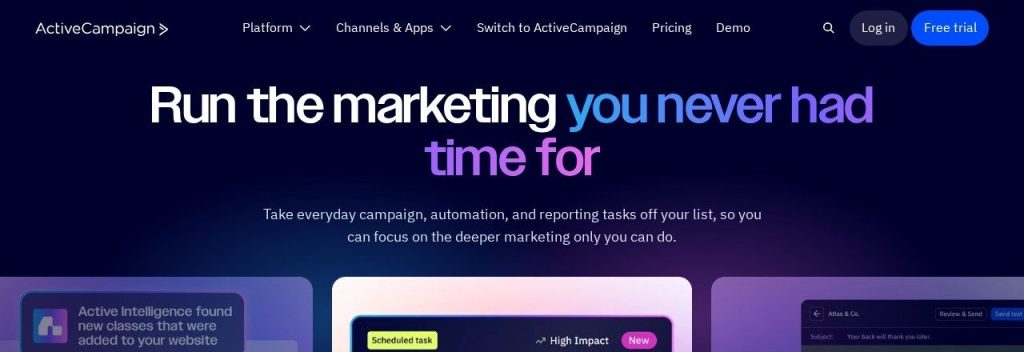
ActiveCampaign is the automation specialist here. Its visual builder lets you branch emails based on what people click, tag leads, score them and hand hot leads to sales. It connects to 1,000+ apps.
There is no free plan, but there is a 14-day free trial with no credit card. An accounting firm could build a 6-email nurture sequence for new leads, add a tag when someone opens the pricing email, and get a task to call them, all automatically.
Key Capabilities
- Active Intelligence: The AI layer audits your account, builds automations from a description and drafts reports (500 credits included per month).
- Weekly AI account audit: A Sunday check of list hygiene, tags, automations and deliverability.
- Generative AI content: Writes emails and creates images from the Plus plan.
- Predictive sending: Pro and Enterprise send at the time each contact usually opens.
- Connect AI tools: Link ActiveCampaign to ChatGPT or Claude to manage campaigns from there.
Works With
Stripe, Google Ads, ChatGPT and Claude, plus 1,000+ app integrations.
Pros
- Most flexible automation builder here
- AI credits included on every plan
- 250+ email templates
- 14-day trial with no card
Cons
- No free plan
- Starter is email-only, allows 5 actions per automation and has no generative AI
- Plus jumps to $49 and still has 1 user
- SMS costs extra
Plans & Pricing
- Free trial: 14 days, no credit card.
- Starter: $15/month billed annually for 1,000 contacts. 10,000 emails a month, 1 user, limited automations.
- Plus: $49/month billed annually. Unlimited automation actions, generative AI, 1 user.
- Pro: $79/month billed annually. 3 users, predictive sending, unlimited AI workspace.
- Enterprise: $145/month billed annually. 5 users, SSO, dedicated account team. Monthly billing costs more on every plan.
Time saver
Build one automation first: a 3-email welcome series for new subscribers. It runs every day without you and usually earns more than your one-off newsletters.
Bottom line: Pick ActiveCampaign if automation is the main reason you want email marketing. Skip it if you just want to send a simple newsletter, because you will pay for power you do not use.
7. Kit
Best for: Coaches, course sellers, consultants and newsletter writers who sell their own knowledge
Kit (formerly ConvertKit) is built for people who sell expertise. It combines landing pages, a newsletter, automated sequences and a store for digital products. Kit says more than 550,000 creator business owners use it.
Kit’s free Newsletter plan covers up to 10,000 subscribers with unlimited broadcasts as of November 2026, but no automated sequences. A business coach could give away a free checklist, then use the Creator plan to send a 5-day email course that ends with a paid coaching offer.
Key Capabilities
- AI subject lines and writing tools: Built into the editor to help you draft faster.
- Kit MCP: Connect Claude, ChatGPT or Gemini to your Kit account for free.
- Visual automations: Unlimited sequences on paid plans for courses, launches and onboarding.
- Sell digital products: Courses, ebooks and paid newsletters straight from Kit.
- No sending limits: Kit says none of its plans cap sends.
Works With
Shopify, WordPress, Canva, Zapier, Circle and Linktree, plus 60+ apps in the Kit App Store.
Pros
- Free plan for a large subscriber list
- Built for selling courses and coaching
- No sending limits
- Unlimited users on Pro
Cons
- Free plan has no automated sequences and 1 user
- 3.5% + 30 cents fee on product sales
- Pricier per subscriber than MailerLite or Brevo
- Pro first-year discount renews at the higher rate
Plans & Pricing
- Newsletter (free): $0. Up to 10,000 subscribers, unlimited broadcasts and landing pages, 1 user.
- Creator: $33/month billed yearly ($390 a year) for 1,000 subscribers. 2 users, unlimited automations, no Kit branding.
- Pro: $66/month billed yearly for 1,000 subscribers (Kit was offering $50/month for the first year in November 2026). Unlimited users, deliverability reporting, engagement scoring.
Bottom line: Pick Kit if you sell courses, coaching or a paid newsletter. Skip it if you run a shop or local service business, where other tools give you more for less.
8. Constant Contact
Best for: Local businesses, nonprofits and event organizers who want phone support and simple tools
Constant Contact has served small businesses for years and is known for friendly support and coaching. It covers email, SMS, social posting and event marketing, with 300+ integrations.
There is no free plan, but there is a free trial. A local nonprofit could use the Standard plan to send event invitations, let the AI copy generator write the first draft, and automatically resend the email to people who did not open it.
Key Capabilities
- AI content generator: Writes email copy on every plan.
- AI campaign builder: Builds a full campaign from a short description on Standard and Premium.
- Resend to non-openers: One click on Standard to get a second chance at people who missed the first email.
- Event and nonprofit tools: Registration and donation features, plus nonprofit discounts of up to 30%.
Works With
300+ integrations on all plans.
Pros
- Easy for non-technical owners
- Strong phone support and coaching
- Good nonprofit discounts
- Premium includes 500 SMS a month
Cons
- No free plan
- Lite allows 1 user and 1 automation template
- Real automation needs Premium at $80/month
- Overage fees if you go over send limits
Plans & Pricing
- Free trial: Constant Contact advertised a 30-day trial on its homepage and a 60-day Toolkit trial on its pricing page in November 2026.
- Lite: $12/month (monthly; prepay 12 months to save up to 15%). 1 user, AI copy generator.
- Standard: $35/month. 3 users, AI campaign builder, resend to non-openers.
- Premium: $80/month. Unlimited users, custom automations, 500 SMS a month included.
- Teams: Custom pricing (contact sales) for multi-location businesses.
Bottom line: Pick Constant Contact if you want a simple tool and real people to call when you get stuck. Skip it if you need serious automation on a small budget.
What to Look For in an AI Email Marketing Tool
Every tool on this list sends emails. These are the details that decide what you pay and how much time you save.
- How the price is counted: Most tools charge by contacts, but Brevo charges by emails sent, which is far cheaper for a big list you email rarely.
- A free plan that fits your list: Kit is free up to 10,000 subscribers, Brevo stores up to 100,000 contacts, while Mailchimp, Klaviyo and Omnisend stop at 250.
- AI that is included, not extra: Mailchimp Standard and MailerLite Comfort include AI writing, while Klaviyo charges separately for its Composer agent.
- Automations on your plan: Welcome and follow-up emails are where email pays off. Mailchimp’s free plan has none, and ActiveCampaign Starter caps each automation at 5 actions.
- Store integration: If you sell online, pick a tool that reads order data, like Klaviyo or Omnisend, so cart and product emails send themselves.
- Users and seats: ActiveCampaign Plus includes 1 user, while MailerLite Power and Kit Pro include unlimited users.
Which AI Email Marketing Tool Should You Choose?
- If you want one simple tool that does it all for a small budget, pick MailerLite.
- If you have thousands of contacts and want to pay the least, pick Brevo.
- If you run a Shopify store and want every email tied to sales, pick Klaviyo.
- If you run a smaller store and want ecommerce features for less, pick Omnisend.
- If you sell services and need smart follow-ups, pick ActiveCampaign.
- If you sell courses, coaching or a newsletter, pick Kit.
FAQs
What is the best AI email marketing tool for a small business?
For most small businesses, MailerLite is the best place to start because it is affordable, easy to learn and includes an AI writing assistant from $12 a month. Online stores should look at Klaviyo or Omnisend instead.
Is there a free email marketing tool for small businesses?
Yes. As of November 2026, Brevo lets you send 300 emails a day free, Kit is free for up to 10,000 subscribers, and MailerLite is free for 250 subscribers and 2,500 emails a month.
How much does email marketing software cost?
Paid plans start at $9 a month (Brevo Starter) and most small businesses pay $12 to $50 a month for a list under 2,500 contacts. Your bill rises as your list grows on most tools.
What can AI do in email marketing?
AI can write email drafts and subject lines, pick the best send time for each subscriber, build segments, recommend products and suggest which campaign to send next. Tools like ActiveCampaign and Klaviyo can now run parts of a campaign with your approval.
Should I use AI to write my marketing emails?
Use it for the first draft, then edit it so it sounds like you. Add a real detail from your business, like a new product or a customer question, so the email does not read like a template.
Final Thoughts
Start this week with one simple win: import your customer list and send a short “here is what is new” email. If you are not sure which tool to use, open a free MailerLite or Brevo account and set up a welcome email for every new subscriber.
Need help writing those emails? See our picks for the best AI writing tools. Selling online? Our list of AI tools for ecommerce store owners pairs well with any tool above, and a good small business CRM keeps your leads in sync.