

A new client signs on Monday. By Friday they expect a sitemap, wireframes and a first design. Meanwhile you are still answering feedback on last month’s site and chasing a logo file from someone else.
For freelance web designers and small agencies, the slow parts are rarely the creative ones. It is the blank-page planning, the repetitive layout work, the stock images that never fit and the back-and-forth about “why does this button look lost?”
AI tools now handle a lot of that. Some turn a short brief into a sitemap and wireframes in minutes, some turn a prompt into an editable design or a live site, and some predict where visitors will look before you ship.
We checked each tool’s official website and pricing in November 2026 and grouped them by the job they do. Here are the 8 tools worth a look, and who each one suits.
Quick answer
- Best for sitemaps and wireframes: Relume (free plan, Pro AI from $24/month)
- Best AI inside your design tool: Figma (Professional Full seat $16/month with 3,000 AI credits)
- Best free way to explore UI ideas: Google Stitch (free Google Labs experiment)
- Best for building and hosting client sites: Framer (free plan, Basic from $10/month per site)
- Best for checking a design before launch: Attention Insight (14-day free trial)
The Best AI Tools for Web Designers at a Glance
| Tool | Best for | Free plan | Starting price |
|---|---|---|---|
| Relume | Sitemaps and wireframes from a brief | Yes | $18/mo (export), $24/mo (AI) |
| UX Pilot | Generating UI screens and wireframes | Yes | $19/mo |
| Figma | AI inside the design tool you already use | Yes | $16/Full seat/mo |
| Google Stitch | Free UI exploration and quick mockups | Yes (free beta) | Free |
| Recraft | Icons, illustrations and vectors in a brand style | Yes | $10/mo |
| Framer | Building and hosting polished marketing sites | Yes | $10/mo per site |
| Lovable | Sites that need app features like logins or forms | Yes | $21/mo |
| Attention Insight | Predicting where visitors will look | No (14-day trial) | $24/mo |
Prices checked November 2026. Starting prices use annual billing unless noted.
Plan Sitemaps and Wireframes in Minutes
The first week of a project is often spent on structure. These two tools get you from brief to a clickable layout before lunch.
Relume
Best for: Webflow, Figma and React designers who want a client-ready sitemap and wireframe from a short brief
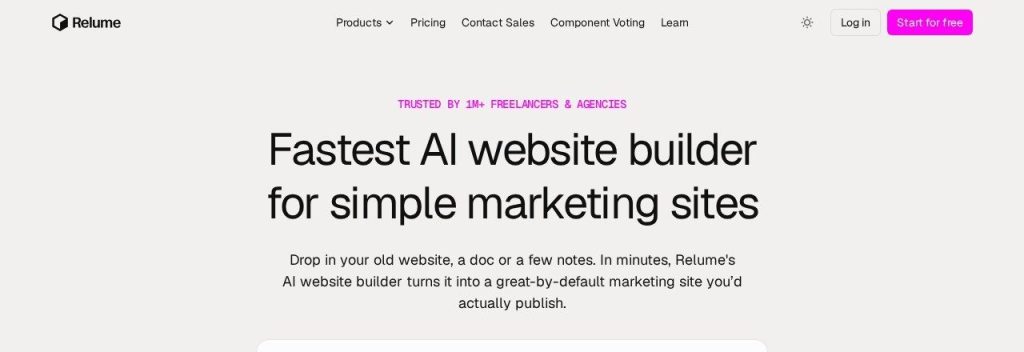
Relume turns a project description into a full sitemap, then into wireframes built from real components with draft copy included. Relume says more than 1 million freelancers and agencies use it, and its component system sits behind 2 million websites.
A 2-person agency could paste a discovery call summary into Relume, show the client a sitemap the same afternoon, then export the approved wireframes straight to Figma or Webflow. Relume has also launched its own AI site builder with hosting, aimed at simple marketing sites.
Key Capabilities
- AI sitemap builder: Generates page structure and sections from a prompt, which you can rearrange before designing anything.
- Wireframes from 1,000+ components: Each section maps to a real Figma, Webflow or React component, so the handoff is not a redraw.
- Export to Figma, Webflow and React: Figma with auto layout and variables, Webflow with Client-First classes, React with Tailwind and shadcn/ui.
Pros
- Saves hours on the planning phase
- Huge component library that keeps growing monthly
- Free plan is enough to try a full site
Cons
- Two different “Pro” plans make pricing confusing
- Free plan exports only 30 Webflow/React components
- AI usage limits are not published as numbers
Plans & Pricing
- Free: $0. Enough AI usage for one full website, 1,000+ Figma components, 30 Webflow/React components.
- Site Builder Starter: from $18/month. 1,000+ Webflow and React components for export.
- Site Builder Pro: from $40/month. 300 stored components and more export room.
- Team: from $36/month per user, minimum 3 users.
- Pro AI workspace: from $24/month per account with unlimited editors and a 7-day free trial. Launch hosting is $12/month per site billed yearly ($16 monthly).
Bottom line: Pick Relume if planning and wireframing eat your first week on every project. Skip it if you design everything from scratch in your own style and never use component libraries.
UX Pilot
Best for: Designers who want quick wireframes and high-fidelity screen options to show clients, then refine them in Figma
UX Pilot generates wireframes, full UI screens and clickable prototypes from a text prompt, then exports them to Figma or as HTML, CSS and React code. It was founded in 2023 and released UX Pilot 2.0 in July 2026.
The Pro plan includes about 125 screens a month. A freelancer pitching a booking site to a yoga studio could generate three different homepage directions in 10 minutes and walk into the call with options instead of a blank canvas.
Key Capabilities
- Wireframes and hi-fi screens: Switch between low-fidelity structure and polished UI from the same prompt.
- Figma and code export: Send screens to Figma as editable layers or export HTML, CSS and React on paid plans.
- Custom design systems: Pro lets you load your own colors, type and components so outputs match a client brand.
Pros
- Very fast way to produce multiple design directions
- Exports to both Figma and code
- Free daily credits for testing
Cons
- Free plan has no Figma or code export
- About 125 screens a month on Pro
- Monthly billing costs about 50% more than annual
Plans & Pricing
- Free: $0. 80 credits a day (about 13 screens), 1 project, no export.
- Pro: $19/month billed annually ($29 monthly). 750 credits a month (about 125 screens), unlimited projects, Figma and code export.
- Teams: $31/user/month billed annually ($39 monthly). 2 to 15 seats with a shared credit pool.
- Enterprise: Custom pricing (contact sales).
Bottom line: Pick UX Pilot if you want several design directions fast and plan to polish them in Figma. Skip it if you only need structure, where Relume covers the planning side better.
Design and Prototype With AI
Once the structure is approved, these tools speed up the visual design itself, from first screens to brand graphics.
Figma
Best for: Designers and agencies already working in Figma who want AI prototyping and generation without switching tools

Figma is where most web design work already happens, and its paid plans now include monthly AI credits. A Professional Full seat comes with 3,000 AI credits a month, which power Figma Make (prompt to working prototype or app) and AI features inside Design.
A small agency could turn an approved homepage design into a clickable, coded prototype with Figma Make for client testing, then paste the result back into the design file as layers. Figma Sites and Dev Mode are also part of the Professional plan.
Key Capabilities
- Figma Make: Turn a prompt or a design into a working prototype or simple app you can publish and share.
- AI credits on every paid seat: Full seats get 3,000 credits a month on Professional, while Dev and Collab seats get 500.
- One subscription, many tools: Professional includes Design, Make, FigJam, Slides, Sites and Dev Mode.
Pros
- No new tool to learn for most designers
- AI included with Full seats
- Great for client collaboration and handoff
Cons
- Only Full seats get complete Figma Make access
- AI credits reset monthly and do not roll over
- Organization seats cost far more ($55 per Full seat)
Plans & Pricing
- Starter: $0. Up to 500 AI credits a month (150 a day), limited projects.
- Professional: Full seat $16/month (3,000 AI credits), Dev seat $12/month, Collab seat $3/month (500 credits each). Monthly billing may cost more.
- Organization: Full seat $55/month billed annually (3,500 AI credits).
- Enterprise: Full seat $90/month billed annually (4,250 AI credits).
- Extra credits: 5,000 credits for $120/month on subscription.
Bottom line: Pick Figma if you already design there and want AI where you work. Skip the upgrade if you mainly need wireframes, since a cheaper tool like UX Pilot may cover it.
Google Stitch
Best for: Freelancers who want to explore UI ideas for free and paste the results into Figma

Google Stitch is a free Google Labs experiment that generates web and mobile UI from text, sketches, screenshots or images. Google launched it at Google I/O on 20 May 2025 and added an infinite canvas, a design agent and interactive prototypes in March 2026.
Because it costs nothing, it is a low-risk way to try AI design. A designer could upload a client’s rough napkin sketch, get a clean UI draft, then paste it into Figma to finish properly.
Key Capabilities
- Prompt, sketch or screenshot to UI: Start from whatever the client gives you, even a photo of a whiteboard.
- Design system from a URL: Pull colors and type from an existing website so new screens match the brand.
- Export to Figma and code: Paste designs into Figma or export front-end HTML and CSS.
Pros
- Completely free right now
- Accepts sketches and screenshots as input
- Exports to Figma and code
Cons
- Beta experiment that could change or gain paid tiers
- Daily generation limits apply
- No team billing, admin controls or support
Plans & Pricing
- Free: $0 while in Google Labs beta. Daily credit limits apply, and there is no paid plan to buy more.
Bottom line: Pick Google Stitch if you want to try AI UI design without paying anything. Skip it for client-critical workflows, because it is an experiment without support or guarantees.
Recraft
Best for: Designers who need custom icons, illustrations and hero graphics that match a client brand, as editable SVG
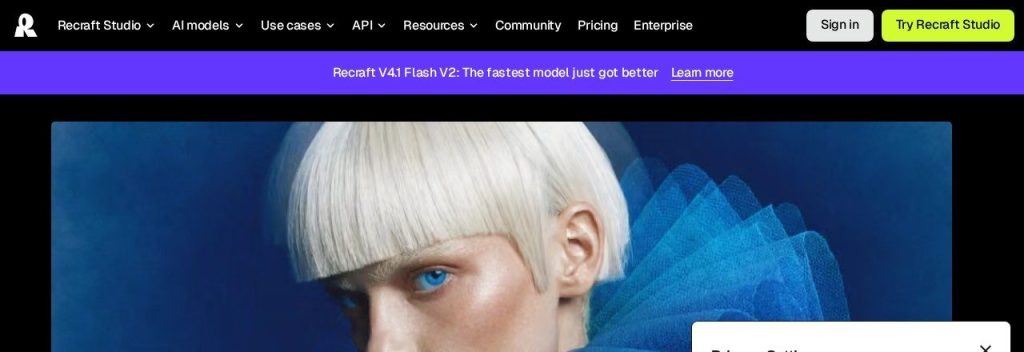
Recraft generates images and, unusually, editable vector graphics (SVG) for icons, illustrations, logos and mockups. Recraft says it has more than 3 million users in 200 countries.
Custom brand styles keep every graphic consistent. A designer building a site for an accounting firm could create a matching set of 12 service icons and a hero illustration in one sitting, then drop the SVGs straight into Figma or Framer with Recraft’s plugins.
Key Capabilities
- Editable SVG output: Vector files you can recolor and resize, not just flat images.
- Custom brand styles: Save a client’s look so every new icon and illustration matches.
- Figma and Framer plugins: Generate graphics without leaving your design or build tool.
Pros
- Rare true vector output
- Consistent styles across a whole icon set
- Affordable paid plans with commercial rights
Cons
- Free plan images are public with no commercial rights
- Monthly credits do not roll over
- Main pricing page is hard to read; details sit in the docs
Plans & Pricing
- Free: $0. Daily generations, images are public and not licensed for commercial use.
- Basic: $10/month billed annually ($12 monthly). 1,000 credits, private images, commercial rights.
- Pro: from $16/month billed annually ($20 monthly) for 2,000 credits, up to 16,000 credits.
- Teams: from $18/month billed annually ($22 monthly), adds shared styles and central management.
Money saver
Use Recraft’s free plan only for mood boards and internal ideas. Anything that goes on a client site should be made on a paid plan, because free images come with no commercial rights.
Bottom line: Pick Recraft if you regularly need custom icons and illustrations for client sites. Skip it if stock graphics are good enough for your projects.
Build and Launch Client Sites Faster
These two tools take you from design to a live site. One suits polished marketing sites; the other suits sites that need app-like features.
Framer
Best for: Designers who want to design and publish client marketing sites in one tool, with hosting and CMS included
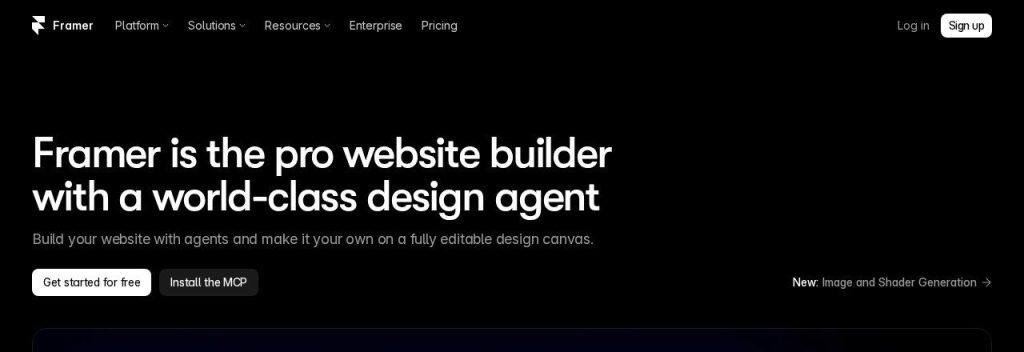
Framer is a visual website builder with hosting, CMS and built-in AI agents that can design pages, write copy and translate sites. Even the free plan includes 500 AI credits a month.
Pricing is per site, which suits agencies that bill hosting to each client. A freelancer could build a 10-page site for a local restaurant on Basic at $10 a month, add the owner as a $10 content editor to update menus, and pass the cost on.
Key Capabilities
- AI agents: Generate layouts, write and rewrite copy, and make pages responsive using monthly AI credits.
- Built-in CMS and hosting: Blogs, case studies and listings with fast global hosting, no plugins needed.
- AI translation: Add translated versions of a site at $20 per locale, up to 20 languages.
Pros
- Designer-friendly canvas with real publishing
- Free plan to build and show clients
- Per-site pricing is easy to pass on to clients
Cons
- Extra editors cost $20/month each
- Hard caps on pages, CMS items and bandwidth
- No clean code export, so sites stay on Framer
Plans & Pricing
- Free: $0. 500 AI credits a month, framer.website domain, 1 GB bandwidth.
- Basic: $10/month per site billed yearly. 1,000 AI credits, 30 pages, 1,000 CMS items, custom domain, 50 GB bandwidth.
- Pro: $30/month per site billed yearly. 3,000 AI credits, 150 pages, 2,500 CMS items, staging, 100 GB bandwidth.
- Enterprise: Custom pricing (contact sales).
- Seats: extra editors $20/month, content editors $10/month, viewers free.
Bottom line: Pick Framer if you design marketing sites and want to publish them without a developer. Skip it if clients need to own and move the code, since Framer sites stay on Framer.
Lovable
Best for: Agencies that want to offer client portals, booking tools or small web apps without hiring a developer
Lovable builds full web apps and sites from plain-language prompts, including the database, logins and hosting. It launched in November 2024, and its homepage says more than 60 million projects have been built with it.
Pricing is per workspace with unlimited users, not per seat. A small agency could build a simple client portal where a landscaping company’s customers log in to see quotes, a project that would normally need a developer.
Key Capabilities
- Prompt to working app: Describe the site or tool and Lovable writes the code, front end and back end.
- Git sync and code download: Sync to GitHub and, on Pro, download and edit the code so clients are not locked in.
- Unlimited collaborators: One workspace price covers your whole team.
Pros
- Builds real functionality, not just pages
- Code ownership through GitHub and download
- Unlimited users on every plan
Cons
- Credit use per edit is hard to predict
- Free plan is tight (30 credits a month)
- Cloud and AI usage can add costs on top
Plans & Pricing
- Free: $0. 5 credits a day (up to 30 a month), lovable.app domains, no code download.
- Pro: $21/month billed annually ($25 monthly) for 100 credits a month, custom domains, code download. Higher credit tiers available.
- Business: $42/month billed annually ($50 monthly) for 100 credits, adds SSO, roles and team workspace.
- Enterprise: Custom pricing (contact sales).
Bottom line: Pick Lovable if clients ask for logins, dashboards or booking flows you cannot build in a site builder. Skip it for simple brochure sites, where Framer is quicker and cheaper.
Test Designs Before You Ship
Clients often push back on layouts based on gut feel. Data, even predicted data, ends those debates faster.
Attention Insight
Best for: Designers who want quick evidence that the key message and call to action get noticed, before a site goes live

Attention Insight uses AI trained on eye-tracking data to predict attention heatmaps for a design, without recruiting real testers. The company says its heatmaps are up to 96% accurate and that more than 674,000 designs have been tested.
It works as a Figma plugin and Chrome extension. A designer could run a homepage mockup through it, show the client that the “Book a call” button gets almost no attention, and get approval for a bolder version in one round instead of three.
Key Capabilities
- Predictive heatmaps: See where attention lands in seconds, from a screenshot, live page or Figma frame.
- Clarity and focus scores: Simple scores that show whether a page feels cluttered or clear.
- Figma plugin and Chrome extension: Test designs where you already work, plus Photoshop, Sketch and Adobe Express add-ons.
Pros
- Results in seconds, no test participants needed
- Great for winning layout debates with clients
- 14-day trial with no card
Cons
- Predictions, not real visitor data
- Basic plan adds a watermark and has only 40 credits
- Big jump from Basic to Pro
Plans & Pricing
- Free trial: 14 days, no credit card.
- Basic: $24/month billed annually ($31 monthly). 1 seat, 40 credits, watermark.
- Pro: $98/month billed annually ($129 monthly). 2 seats, 200 credits, no watermark, API.
- Hero: $271/month billed annually ($324 monthly). Unlimited credits (fair use) and expert design feedback.
- Enterprise: Custom pricing (contact sales).
Bottom line: Pick Attention Insight if clients often question your layouts and you want quick evidence. Skip it if you already run real user tests or heatmaps on live traffic.
What to Look For in AI Tools for Web Design
Not every AI design tool is worth adding to your stack. These are the questions that matter for client work.
- Does it fit your build tool? Export matters more than generation. Relume exports to Figma, Webflow and React, while UX Pilot and Google Stitch export to Figma and code.
- Commercial rights: Anything on a client site needs a clear license. Recraft’s free images have no commercial rights, while its paid plans do.
- How AI credits work: Most tools now run on credits that reset monthly. Figma, Framer and Recraft credits do not roll over, while Lovable rolls unused credits over for a short time.
- Per seat, per site or per workspace: Framer charges per site, Figma per seat and Lovable per workspace with unlimited users. Pick the model that matches how you bill clients.
- Code ownership: If clients may move their site later, check exports. Lovable lets you download the code on Pro; Framer does not offer full code export.
- Free plans for testing: Relume, UX Pilot, Figma, Stitch, Recraft, Framer and Lovable all have free plans, so test with a real project before paying.
Which AI Tool Should a Web Designer Start With?
- If planning eats your first week on every project, start with Relume.
- If you already design in Figma, use the AI credits that come with a Professional Full seat before buying anything else.
- If you want to try AI design for free, start with Google Stitch.
- If you want to publish client sites without a developer, pick Framer.
- If clients ask for logins, portals or booking tools, pick Lovable.
- If clients keep second-guessing your layouts, add Attention Insight.
Time saver
Build a reusable starting kit: one Relume sitemap template, one Figma component set and one Recraft brand style per industry you serve. The second restaurant or law firm site then starts with most of the groundwork done.
Which AI tool for web design are you going to use?
Pick one and see what other small business owners chose.
FAQs
What is the best AI tool for web designers?
It depends on the job. In November 2026, Relume is the strongest pick for sitemaps and wireframes, Figma for AI inside your design work, and Framer for building and hosting client sites.
Will AI replace web designers?
Not for client work. These tools speed up planning, layout and production, but clients still need someone to understand their business, make design decisions and manage the project.
Are there free AI tools for web design?
Yes. Google Stitch is free while in Google Labs beta, and Relume, UX Pilot, Figma, Recraft, Framer and Lovable all have free plans with limits.
Can I use AI-generated designs and images for client websites?
Usually yes on paid plans, but check each tool’s license. For example, Recraft gives commercial rights on paid plans, while images made on its free plan are public and not licensed for commercial use.
How much do AI web design tools cost?
Most start between $10 and $25 a month as of November 2026. Framer starts at $10 per site, Figma at $16 per Full seat, UX Pilot at $19 and Relume’s AI workspace at $24, with annual billing.
Final Thoughts
You do not need all 8 tools. Most freelancers and small agencies get the biggest win from one planning tool and one build tool, for example Relume plus Framer, both of which you can start on free plans.
Try them on your next real project, time the planning and build phases, and keep only what saves you hours.
Building sites for small businesses? See our list of the best AI website builders, and if you run a full-service shop, our guide to AI tools for small marketing agencies.