

Prices checked: November 2026
A customer hears about you from a friend, searches your name, and finds an old Facebook page with no prices, no booking link and a phone number that rings out. They book the next business on the list instead.
For years the fix was a web designer, a $3,000 quote and a six week wait. Today an AI website builder can draft your pages, write the copy and pick images from a few sentences about your business, often in under an hour.
The hard part is choosing. Some builders are cheap only for the first term, some lock bookings or payments behind pricier plans, and a few are really design tools that expect you to know what a CMS is.
We checked the official website and pricing page of every builder below in November 2026, so you can compare real plan limits, not homepage promises.
Here are the 8 best picks, and who each one suits.
Quick answer
- Best overall: Wix (free plan, paid plans from $17/month)
- Best on a tight budget: Hostinger Website Builder ($1.99/month intro price on a 48 month term)
- Best for local service businesses: Durable (site, CRM and bookings in one)
- Best for design-focused brands: Squarespace
- Best for growing marketing teams: Webflow
What’s the Best AI Website Builder?
| Tool | Best for | Free plan | Starting price |
|---|---|---|---|
| Wix | Best overall, most features | Yes | $17/mo |
| Hostinger Website Builder | Lowest cost, hosting and email included | 14-day free trial | $1.99/mo (intro, 48 months) |
| Durable | Local service businesses (site + CRM + bookings) | Yes | $22/mo |
| Squarespace | Design-focused brands and creatives | 14-day free trial | $19/mo |
| GoDaddy Airo | Non-technical owners who want 24/7 phone help | Yes | $9.99/mo |
| 10Web | An AI-built site on WordPress | 3-day free trial | $10/mo |
| Framer | Standout design for startups and studios | Yes | $10/mo |
| Webflow | Growing marketing teams | Yes | $15/mo |
Prices checked November 2026. Starting prices use annual billing unless noted. Hostinger’s price is an introductory rate that renews higher.
1. Wix
Best for: Small businesses that want one builder that can grow from a simple site into bookings, an online store and email marketing
Wix is the biggest name on this list for a reason. Its AI website builder works like a chat: you describe your business, it generates a full site, and then you can switch to the classic drag-and-drop editor to move anything you like. Wix says more than 300 million sites have been built on it, and it offers 2,000+ templates.
The real strength is what sits around the site. A 3-person salon could launch with the free plan to test the design, then move to Core at $29 a month to take bookings and payments online without adding a separate scheduling app.
Key Capabilities
- Chat-based AI builder: Generates a complete site from a short conversation, then lets you edit by hand, so you are never stuck with what the AI picked.
- Aria AI agent: Wix describes Aria as a personal AI agent that works alongside you on your site and business.
- AI SEO help: Writes meta titles and descriptions and gives an SEO checklist, which saves a busy owner an afternoon per page.
- Built-in business apps: Scheduling, ecommerce and marketing tools live inside the same dashboard, so you pay for fewer separate tools.
- Huge template library: 2,000+ designs if you would rather start from a template than a prompt.
Selling Online
Online store, bookings and payments from the Core plan up. Wix adds no extra commission; Wix Payments in the US charges 2.9% + $0.30 per card payment.
Pros
- Real free plan to build and test before paying
- Grows with you: bookings, store and marketing in one place
- AI builder plus full manual control
- 14-day money-back guarantee on the first upgrade
Cons
- The free plan shows Wix ads and uses a wixsite.com address
- Light ($17) cannot accept payments at all
- Prices vary by country and monthly billing is only shown at checkout
- So many features that the dashboard can feel busy
Plans & Pricing
- Free: $0. Wix branding and ads, wixsite.com subdomain, 500 MB storage, no store or payments.
- Light: $17/month (billed yearly). 2 GB storage, 2 collaborators, basic marketing, no payments.
- Core: $29/month (billed yearly). 50 GB storage, 5 collaborators, accept payments, basic ecommerce and scheduling.
- Business: $39/month (billed yearly). 100 GB storage, 10 collaborators, standard ecommerce.
- Business Elite: $159/month (billed yearly). Unlimited storage, 100 collaborators, advanced ecommerce.
- Extras: Yearly plans include a free domain voucher for the first year. Monthly billing is available at checkout.
Bottom line: Pick Wix if you want the safest all-round choice that will still fit when you add bookings or a store. Skip it if you only need a one-page site and want the lowest possible bill.
2. Hostinger Website Builder
Best for: First-time site owners who want a decent AI-built site, a domain and business email for the lowest upfront monthly cost
Hostinger Website Builder bundles the builder, hosting, a free domain for the first year and business mailboxes into one cheap plan. Its AI Builder now has a manual mode and an agentic mode, where the AI does more of the setup for you. Hostinger says 10M+ websites have been created with it.
The catch is the billing term. The headline price of $1.99 a month needs a 48 month plan paid upfront ($95.52 in total during the current Black Friday sale), and renews at $10.99 a month. For a plumber who just needs a clean five-page site with a contact form, that is still very hard to beat.
Key Capabilities
- AI Builder (manual or agentic): Creates your site from a short description, then lets you drag and drop sections to adjust it.
- AI Writer and AI Logo Maker: Drafts page copy and a simple logo, handy if you are starting from zero.
- AI SEO Assistant: Suggests titles, descriptions and keywords for each page.
- AI product pages: Generates product titles, descriptions and images for small online stores.
- Hostinger Reach: AI email campaigns, with up to 100 subscribers free for a year on the Unlimited plan.
Selling Online
Online store with 0% transaction fees from Hostinger and 100+ payment methods. Ecommerce is free for the first year on the Unlimited plan.
Pros
- Lowest starting price on this list
- Domain and business email bundled in
- 0% transaction fees on store sales
- 30-day money-back guarantee
Cons
- Intro prices need a long upfront term (up to 48 months)
- Renewal prices are about five times the intro rate
- Fewer advanced design and app options than Wix or Webflow
- No free plan, only a 14-day trial
Plans & Pricing
- Free trial: 14 days with templates, the editor, AI tools, ecommerce and SEO tools.
- Premium: $1.99/month intro on a 48 month term ($95.52 upfront), renews at $10.99/month. Up to 3 websites, 2 mailboxes per site, free domain for 1 year.
- Unlimited: $2.79/month intro on a 48 month term ($133.92 upfront), renews at $16.99/month. Unlimited sites, free domain and ecommerce for 1 year, priority support.
- Cloud Startup: $7.99/month intro on a 48 month term ($383.52 upfront), renews at $25.99/month. Unlimited features on cloud hosting.
- Note: These are Black Friday prices as of November 2026. Shorter terms cost more per month.
Money saver
Hostinger’s lowest price only applies if you pay for the full 48 month term upfront. If you are testing a new business idea, start the 14-day free trial first, and only lock in the long term once you know the site works for you.
Bottom line: Pick Hostinger if cost matters most and you are happy to pay upfront for a long term. Skip it if you hate long commitments or need advanced design control.
3. Durable
Best for: Local service businesses (cleaners, trades, coaches, pet groomers) that want a site, bookings and a simple CRM without stitching tools together

Durable calls itself an AI business builder, and that is fair. It generates a website in about 30 seconds, then adds a CRM, online bookings synced to your calendar, review management and payments in the same app. Durable says more than 3 million businesses have been built on it.
A mobile dog groomer could build the site on the free plan, then move to Launch to connect a custom domain and take unlimited bookings online. Durable is not built for online stores, so product-heavy shops should look at Wix, Squarespace or Hostinger instead.
Key Capabilities
- 30-second AI site: Answers a few questions and builds pages, copy and images for your type of business.
- Built-in CRM: Keeps leads and customers in one list, so form fills and bookings do not get lost in your inbox.
- Online bookings: Unlimited bookings synced to your calendar on paid plans.
- AI business assistant and agents: Writes copy and social posts, and AI agents handle routine tasks on the Launch and Grow plans.
- SEO and Google Business Profile: Connects your Google Business Profile and helps with local SEO and AI search visibility.
Selling Online
Built-in payments for services and bookings. Durable says it is not designed specifically for ecommerce.
Pros
- Fastest way to get a basic site live
- CRM and bookings included, not paid add-ons
- Free plan to test before paying
- Unlimited team members on Grow
Cons
- Not designed for online stores
- Less design freedom than Wix, Framer or Webflow
- Free plan has no custom domain or bookings
- Refunds only in special cases, not automatic
Plans & Pricing
- Free: $0. durable.site subdomain, 300 AI credits, up to 10 CRM customers, Durable branding.
- Launch: $22/month (billed yearly; $25 monthly). 1,000 AI credits a month, free custom domain (up to $20), unlimited customers and bookings, AI agents.
- Grow: $41/month (billed yearly; $49 monthly). 5,000 AI credits a month, unlimited team members, up to $40 domain credit, site translation, onboarding call.
Bottom line: Pick Durable if you run a local service business and want the website, bookings and customer list handled in one cheap app. Skip it if you sell products online or care about pixel-level design.
4. Squarespace
Best for: Service businesses, creatives and small shops where looking polished matters as much as the features

Squarespace is known for templates that look expensive without any design skill. Its Blueprint AI builder asks a few questions about your business, then generates a site with layout, copy and images that you refine. Squarespace says it has served 14M+ entrepreneurs.
It has also added an AI Visibility tool that shows how your brand appears in AI search answers. A wedding photographer or interior designer could launch a strong portfolio on Basic, then move to Core once they start selling packages and want 0% store fees.
Key Capabilities
- Blueprint AI builder: Generates a styled site from your answers, with layout, copy and images matched to your business.
- AI writer: Drafts headlines, product descriptions, SEO tags, blog posts, emails and image alt text.
- AI Visibility: Tracks how your brand shows up in AI search results (English accounts, credit based).
- Design Intelligence: An AI design partner that helps with layouts, images and content as you edit.
- Unlimited bandwidth: Every plan includes unlimited bandwidth and SSL, so traffic spikes do not cost extra.
Selling Online
Online store on every plan. Basic adds a 2% fee on store sales; Core and higher plans have 0% store fees. Card processing starts at 2.9% + 30 cents.
Pros
- Best-looking templates on this list
- Strong AI writing tools built in
- Unlimited bandwidth on all plans
- Free domain for the first year on annual plans
Cons
- No free plan, only a 14-day trial
- Basic plan takes 2% of store sales
- AI features run on limited monthly credits
- Monthly billing costs up to about 40% more
Plans & Pricing
- Free trial: 14 days, no credit card.
- Basic: $19/month (billed annually; $25 monthly). 2 contributors, 30 minutes of video, 2% fee on store sales.
- Core: $29/month (billed annually; $39 monthly). Unlimited contributors, 0% store fees, free Google Workspace for 1 year.
- Plus: $49/month (billed annually; $65 monthly). Lower card rates, 1% fee on digital products and memberships.
- Advanced: $99/month (billed annually; $139 monthly). Lowest card rates, 0% on all sales, unlimited video.
Bottom line: Pick Squarespace if your site needs to look premium on day one. Skip it if you want a free plan or plan to sell lots of products on the cheapest tier.
5. GoDaddy Airo
Best for: Non-technical owners who want their domain, website, payments and phone support all from one company
GoDaddy Airo AI Builder is GoDaddy’s new conversational builder. You describe what you need, and it builds pages, starter copy and images, and can even build simple web apps with a database and user logins. GoDaddy says it serves 20M+ customers.
Its biggest advantage for busy owners is support: every paid plan includes 24/7 phone and chat help. A local accountant who already has a GoDaddy domain could build on the free plan, then move to Professional to add appointment booking and online payments.
Key Capabilities
- Conversational builder: Guided prompts turn your answers into pages, sections, copy and images.
- Simple web apps: Builds simple tools with a built-in database and user logins, not just static pages.
- AI design tools: Creates logos, banners and social posts that match your brand.
- Booking and payments: The Professional plan adds appointment booking, a product catalog and online payments with deposits.
- Code download: Paid plans let you download your code, so you are not fully locked in.
Selling Online
Payment links and QR codes on Starter. Online payments, deposits, a product catalog, automatic sales tax and shipping rates on Professional and up.
Pros
- Free plan with 50 AI credits a month
- 24/7 phone and chat support on paid plans
- Domain, site and payments under one account
- Can build simple apps, not just pages
Cons
- Monthly billing costs double the annual price
- AI credits do not roll over
- Refunds are void once you use included AI credits
- Booking and full payments need the $24.99 plan
Plans & Pricing
- Free: $0. 50 AI credits a month, unlimited preview sites and apps.
- Starter: $9.99/month (billed annually; $19.99 monthly). 150 AI credits, 1 published site, free domain for the first year on annual billing, payment links.
- Professional: $24.99/month (billed annually; $49.99 monthly). 300 AI credits, up to 10 sites, booking, product catalog, online payments.
- Ultimate: $99.99/month (billed annually; $199.99 monthly). 750 AI credits, up to 50 sites, team collaboration, priority expert help.
Bottom line: Pick GoDaddy Airo if you want someone to call when something breaks. Skip it if you prefer monthly billing, since the monthly price is twice the annual one.
6. 10Web
Best for: Owners who want the speed of an AI builder but the freedom of WordPress and its plugins
10Web builds websites, online stores and simple web apps from a prompt or from what you already have: a Google Business Profile, an old site, social profiles, files, even Etsy or Amazon listings. Under the hood it runs on WordPress, with hosting, SSL and Stripe payments included. 10Web says 2M+ websites have been built since 2017.
That WordPress base matters. A bakery could generate a site from its Google Business Profile in minutes, then later add a booking or loyalty plugin from the 60,000+ WordPress plugins without moving to a new platform.
Key Capabilities
- Build from what you have: Turns a URL, Google Business Profile, Figma file or marketplace listing into a site.
- AI editor agents: Edit pages by chat: add features, rewrite text, create images or redesign a section.
- WordPress underneath: Access to 60,000+ plugins, so you are not limited to one company’s app store.
- Speed tuning: Built-in PageSpeed optimization helps pages load fast on phones.
Selling Online
Ecommerce dashboard (products, orders, checkout, tax) on all plans, with Stripe payments built in.
Pros
- WordPress flexibility with AI speed
- Can import from a Google Business Profile or old site
- Ecommerce included on every plan
- 30-day money-back guarantee
Cons
- Free trial is only 3 days
- AI credits are tight on Starter (100 a month)
- Visitor caps start at 10,000 a month
- Regular prices are double the yearly deal
Plans & Pricing
- Free trial: 3 days with 5 AI credits, no credit card.
- AI Starter: $10/month (billed yearly; regular price $20/month). 1 website, 100 AI credits, 10 GB storage, 10,000 visitors a month.
- AI Premium: $15/month (billed yearly; regular price $30/month). 2 websites, 200 AI credits, 15 GB, 20,000 visitors.
- AI Ultimate: $22.50/month (billed yearly; regular price $45/month). 4 websites, 300 AI credits, 25 GB, 50,000 visitors.
- Agency plans: From $42.50/month (billed yearly) for 10 websites.
Bottom line: Pick 10Web if you want an AI head start but still want to own a WordPress site you can grow with plugins. Skip it if you want the simplest possible setup with no WordPress at all.
7. Framer
Best for: Startups, agencies and design-led small businesses that want a site that looks custom-built
Framer is a design-first website builder with a powerful AI design agent. You can ask it to build a page, set up your blog or CMS, or create custom animations, and it handles hosting, SEO and analytics for you. The free plan includes 500 AI credits a month.
Framer suits a small agency or SaaS startup that wants a site people remember. Framer’s own guide says a full landing page uses about 300 AI credits, so the 1,000 credits on Basic go further than they sound.
Key Capabilities
- AI design agent: Builds and edits pages from a prompt, including layouts and custom effects.
- CMS agent: Sets up blog and content collections for you, so adding case studies or posts is simple.
- AEO scanner: Checks how ready your pages are for AI answer engines like ChatGPT.
- AI translation: Translates your site into up to 20 languages ($20 per extra locale).
Selling Online
No built-in store on the pricing page. Most owners link to an outside checkout like Stripe or Shopify buttons.
Pros
- Best-looking results if you care about design
- Generous free plan with 500 AI credits
- Built-in analytics, SEO and AEO tools
- Owner seat is free on paid plans
Cons
- No built-in ecommerce
- Steeper learning curve than Wix or Durable
- Extra editors cost $20 a month each
- Basic caps you at 30 pages
Plans & Pricing
- Free: $0. framer.website subdomain, 1 GB bandwidth, 500 AI credits a month.
- Basic: $10/month (billed yearly). Custom domain, 30 pages, 2 CMS collections (1,000 items), 50 GB bandwidth, 1,000 AI credits.
- Pro: $30/month (billed yearly). 150 pages, 10 CMS collections (2,500 items), 100 GB bandwidth, 3,000 AI credits, 90 days of analytics.
- Enterprise: Custom pricing (contact sales).
Bottom line: Pick Framer if your website is part of your brand and you want it to stand out. Skip it if you need a store or want the easiest possible editor.
8. Webflow
Best for: Growing businesses with a marketing person (or agency) who will run a content-heavy site long term
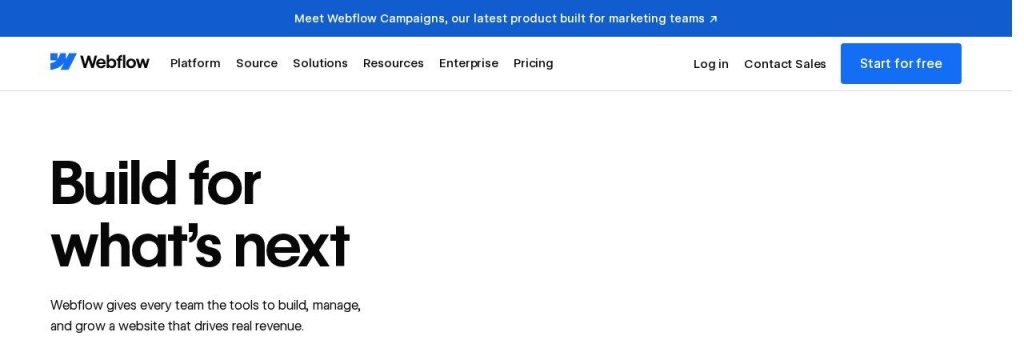
Webflow is the most professional tool here. Webflow AI can turn a prompt into a production-ready site, and AEO agents help improve how you show up in AI search. Webflow says it is trusted by over 300,000 teams.
In May 2026 Webflow simplified its plans, and the new Premium plan replaces the old CMS and Business plans. A 10-person B2B firm with a marketer could run its blog, case studies and landing pages on Premium for $25 a month (billed yearly).
Key Capabilities
- Build a site with AI: Turns a prompt into a customizable site, then lets you fine-tune every detail visually.
- AEO agents: Find and apply changes that improve your visibility in AI search, at scale.
- AI content and CMS: Generates copy and CMS items, useful for blogs and location pages.
- Optimize and Analyze: AI A/B testing and analytics that include traffic from AI assistants (add-ons).
Selling Online
Separate ecommerce plans from $29/month (billed yearly). Standard takes a 2% transaction fee; Plus and Advanced have none.
Pros
- Most control and scale of any tool here
- Strong CMS (20,000 items on Premium)
- AEO and AI search tools built in
- 14-day refund on new purchases
Cons
- Steep learning curve for beginners
- Workspace seats are billed separately from site plans
- Basic plan has no CMS
- Ecommerce Standard takes 2% of sales
Plans & Pricing
- Starter: $0. webflow.io subdomain, 2 pages, 50 CMS items, 1 GB bandwidth.
- Basic: $15/month (billed yearly; $25 monthly). Custom domain, up to 300 static pages, 10 GB bandwidth, no CMS.
- Premium: $25/month (billed yearly; $39 monthly). CMS with 20,000 items, 50 GB bandwidth, site search.
- Ecommerce Standard: $29/month (billed yearly). 500 products, 2% transaction fee.
- Workspace: Free Starter Workspace with 1 seat; paid Workspaces from $19/month (billed yearly) for staging and more seats.
Bottom line: Pick Webflow if you have someone who will own the website and you plan to publish a lot of content. Skip it if you want to set up a site once and forget about it.
What to Look For in an AI Website Builder
Most builders promise a site in minutes. These details decide whether it still fits your business a year from now:
- Renewal price, not just the intro price: Hostinger starts at $1.99 a month on a 48 month term but renews at $10.99. Always check what year two costs.
- Bookings and payments on the plan you can afford: Wix needs Core ($29) to take payments, and GoDaddy Airo needs Professional ($24.99) for booking.
- Store fees: Squarespace Basic and Webflow Ecommerce Standard both take 2% of sales on top of card fees. Higher plans drop that to 0%.
- AI credits: Most builders now meter AI with credits. 10Web Starter gives 100 a month while Framer Basic gives 1,000, so heavy AI editing costs more on some tools.
- How much control you want: Durable and GoDaddy Airo keep things simple; Framer and Webflow give you full design control but take longer to learn.
- Room to grow: If you might add a store, a blog or bookings later, pick a builder that already has them (Wix, Squarespace, 10Web) so you never have to move.
- Your own domain: Free plans use a subdomain like yourname.wixsite.com. Budget for a paid plan once real customers start visiting.
Which AI Website Builder Should You Choose?
- If you want one builder that does everything well, pick Wix.
- If you want the lowest cost and can pay upfront, pick Hostinger Website Builder.
- If you run a local service business and need bookings plus a customer list, pick Durable.
- If your brand lives on looks (photographers, designers, boutiques), pick Squarespace.
- If you want to call someone when you get stuck, pick GoDaddy Airo.
- If you have a marketer and plan to publish lots of content, pick Webflow, or Framer if design is the priority.
Time saver
Before you open any builder, write three things in a note: what you do, who you serve and the one action you want visitors to take (call, book or buy). Paste that into the AI builder’s first prompt. You will get a much better first draft and spend less time fixing it.
FAQs
What is the best AI website builder for a small business?
For most small businesses, Wix is the best all-round AI website builder in November 2026, with a free plan and paid plans from $17 a month billed yearly. Durable is the best fit for local service businesses, and Hostinger is the cheapest.
Is there a free AI website builder?
Yes. Wix, Durable, GoDaddy Airo, Framer and Webflow all have free plans as of November 2026. Free plans use a subdomain and limit features, so most businesses upgrade once the site goes live.
How much does an AI website builder cost?
Most small business plans cost $10 to $40 a month billed yearly. Hostinger’s intro price is $1.99 a month on a 48 month term, while Squarespace starts at $19 and Wix at $17.
Can AI build my whole website?
AI can build a solid first draft with pages, copy and images in minutes. You should still check your prices, services, contact details and photos yourself before you publish.
Are AI-built websites good for SEO?
They can be. Most builders here write meta titles and descriptions for you, and Squarespace, Framer and Webflow now include tools for AI search visibility. Your content and Google Business Profile still matter most.
Which AI website builder is best for an online store?
Wix and Squarespace are the strongest all-round choices for small stores. Hostinger charges 0% transaction fees, and 10Web includes ecommerce on every plan.
Final Thoughts
You do not need a perfect website. You need a clear one that shows what you do, what it costs and how to reach you, live this week.
The easiest next step: open Wix’s free plan (or Durable’s, if you run a local service business), give the AI a three-line description of your business, and publish the first draft once your details are right.
Once your site is live, help people find it with these AI SEO tools, add one of the best AI chatbots to answer visitors 24/7, and follow our guide on getting your business mentioned in ChatGPT.