

You hit the AI button in Grammarly to fix a client email, and a box tells you you’ve used up this month’s prompts. The free plan gives you 100 AI prompts a month. After that, it’s time to pay.
Grammarly Pro costs $12 per member a month on annual billing, but $30 a month if you pay monthly, as of November 2026. Add a few teammates and a simple spell checker turns into a real line on your bill. Some owners also don’t like sending client text to the cloud, or want help in languages other than English.
To be fair, Grammarly is popular for good reasons. It works in more than a million apps and sites, it’s very easy to use, and Grammarly says more than 40 million people trust it. In late 2025 the company renamed itself Superhuman, but the Grammarly product keeps its name.
A good alternative fixes one of those pain points: a lower price, a bigger free plan, better long-form editing or more languages. Here are the 7 best Grammarly alternatives, and who each one suits.
Quick answer
- Best all-round free alternative: LanguageTool (30+ languages, Premium from about €4.99/month)
- Best for rewriting and paraphrasing on a budget: QuillBot (from $8.33/month)
- Best for long blog posts, guides and books: ProWritingAid (from $10/month)
- Best for writing in German, French or Spanish too: DeepL Write (free, Write Pro add-on €6.99/user/month)
- Best for support and sales teams: Sapling (from $12/month)
What’s the Best Grammarly Alternative?
| Tool | Best for | Free plan | Starting price |
|---|---|---|---|
| LanguageTool | Grammar checks in 30+ languages | Yes | €4.99/mo |
| QuillBot | Paraphrasing and an all-in-one writing kit | Yes | $8.33/mo |
| ProWritingAid | Long-form writing and style reports | Yes | $10/mo |
| Wordtune | Rewriting sentences in one click | Yes | $4.89/mo |
| DeepL Write | Multilingual teams that care about privacy | Yes | €6.99/user/mo add-on |
| Hemingway Editor | Clear, simple website and sales copy | Yes | $8.33/mo |
| Sapling | Customer support and sales teams | Yes | $12/mo |
Prices checked November 2026. Starting prices use annual billing unless noted. LanguageTool and DeepL show euro prices to many regions, so your local price may differ.
1. LanguageTool
Best for: Owners who want a Grammarly-style checker for less, especially if they write in more than one language
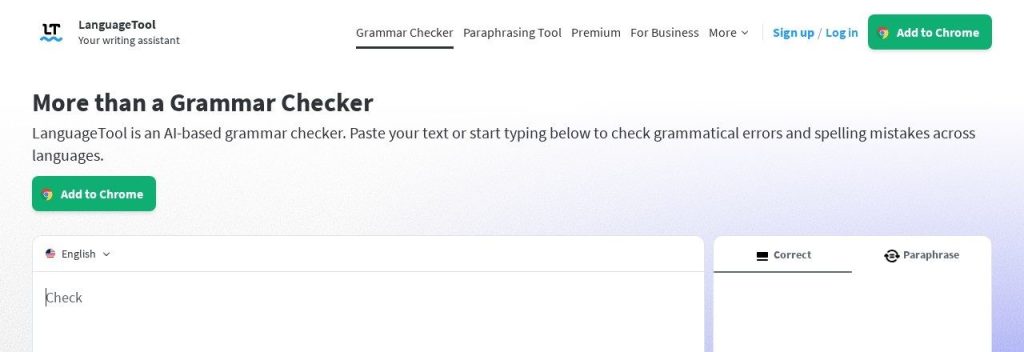
LanguageTool is a grammar, spelling and style checker from a company based in Germany. It checks text in more than 30 languages, and its Premium plan costs €59.89 a year (about €4.99 a month), according to LanguageTool’s help center in November 2026. That is well under half of Grammarly Pro’s $144 a year.
It feels the closest to Grammarly of any tool here: a browser add-on that underlines mistakes in Gmail, Google Docs and Word, plus AI paraphrasing. A 2-person import business could write to suppliers in English and German and to customers in Spanish, all with one checker.
Key Capabilities
- 30+ languages: Extra checks for English, German, French, Spanish, Dutch, Polish and Portuguese on Premium.
- AI paraphrasing: Rewrites a sentence to sound more formal, shorter or simpler (3 a day free, unlimited on Premium).
- Picky Mode: Adds style and wording tips on top of plain grammar fixes.
- Personal dictionary import: Upload a CSV of up to 1,000 words, so you can bring over brand names and terms you saved elsewhere.
- Team style guide: The Teams plan adds a shared dictionary and style rules for everyone.
Where It Works
Chrome, Edge, Firefox, Opera and Safari, plus Gmail, Outlook (beta), Google Docs, Microsoft Word, Apple Pages and LibreOffice. There are desktop apps for Windows and Mac and an iOS app.
Pros
- Much cheaper than Grammarly Pro on annual billing
- Best language coverage on this list
- Works in almost every app Grammarly does
- 14-day money-back guarantee on Premium
Cons
- Free plan only checks short texts (2,000 characters per field)
- AI writing features are lighter than Grammarly’s
- Monthly billing (€19.90) costs far more than annual
- Pricing page can show euros even outside Europe
Plans & Pricing
- Free: $0. Grammar and spelling checks up to 2,000 characters per text field, 3 AI paraphrases a day.
- Premium: €59.89/year (about €4.99/month, billed annually; €19.90 monthly, €39.90 quarterly, €99.90 for 2 years). Checks up to 150,000 characters at once, unlimited paraphrasing, Picky Mode.
- Teams: €56.90 per user/year. Shared dictionary, style guide and user management.
- Deals: a limited-time 20% off Premium was showing in November 2026.
Bottom line: Pick LanguageTool if you want the nearest thing to Grammarly at a much lower annual price, or if you write in several languages. Skip it if you lean on heavy AI rewriting every day, where QuillBot or Wordtune do more.
2. QuillBot
Best for: Owners who rewrite a lot of text (product descriptions, posts, emails) and want a full writing toolkit for one low price
QuillBot started as a paraphrasing tool and now bundles a grammar checker, summarizer, AI detector, plagiarism checker, citation tool and translator. QuillBot Premium costs $8.33 a month billed annually as of November 2026, about a third less than Grammarly Pro’s $12.
Where Grammarly fixes your words, QuillBot helps you say the same thing in a new way. A small online shop could turn one supplier product description into a fresh version for its own store in a few clicks, then run a grammar check before publishing.
Key Capabilities
- Paraphraser: 9 rewrite modes plus custom modes on Premium, in 23 languages.
- Grammar checker: Advanced grammar fixes in 6 languages on Premium.
- Summarizer: Turns long reports or articles into key points (up to 6,000 words on Premium).
- Plagiarism and AI detection: 25,000 words of plagiarism checks a month and unlimited AI detection on Premium.
- Tone insights: Shows how your text comes across before you send it.
Where It Works
Chrome and Edge extensions, a Mac app, a Microsoft Word add-in, and iOS and Android apps with a keyboard. Premium covers up to 10 devices.
Pros
- Lots of tools in one subscription
- Generous free paraphraser to try it out
- Cheaper than Grammarly Pro on annual billing
- Works on phones through its keyboard
Cons
- Grammar checking is less thorough than Grammarly’s
- Free paraphraser stops at 125 words
- Team prices are not published
- Only a 3-day money-back window
Plans & Pricing
- Free: $0. Paraphrase up to 125 words in 2 modes, summarize up to 1,200 words, basic grammar fixes.
- Premium: $8.33/month billed annually. Unlimited paraphrasing, plagiarism checks, advanced grammar, AI humanizer. Monthly and quarterly billing are offered at checkout for a higher price.
- Team: Discounts and one invoice for 5 or more members (contact sales).
Bottom line: Pick QuillBot if rewriting and summarizing matter more to you than catching every comma. Skip it if you mainly want a polished, always-on grammar checker, where LanguageTool is the better fit.
3. ProWritingAid
Best for: Owners who write long blog posts, guides, ebooks or newsletters and want deeper style feedback than Grammarly gives
ProWritingAid is a grammar checker with in-depth style and readability reports, built for people who write long pieces. Its Premium plan costs $120 a year (about $10 a month), and it also sells a one-time lifetime plan for $399, which Grammarly does not offer.
Grammarly is great for short emails. ProWritingAid shines when you paste in a 2,000-word article and want to know where it drags, which words you repeat and which sentences are too long. A consultant writing a weekly newsletter could use it to tighten each issue before it goes out.
Key Capabilities
- Style reports: Flags overused words, repeated phrases, sticky sentences and pacing problems.
- Unlimited AI rephrasing: On every paid plan, with extra AI feedback tools on Premium Pro.
- Lifetime option: Pay once and keep using it, handy if you hate subscriptions.
- Works inside your editor: Checks text in Google Docs, Microsoft Word and its own desktop editor.
- English variants: US, UK, Australian and Canadian English.
Where It Works
Google Docs, Microsoft Office, browser extensions, a desktop editor and a desktop app that works across programs. A mobile app is in beta. English only.
Pros
- Deepest style and readability feedback here
- Lifetime plan saves money over a few years
- Black Friday pricing cut yearly plans in half in November 2026
- Free plan lets you test the reports
Cons
- Free plan checks only 500 words at a time
- English only
- No team plan for businesses
- No refunds on monthly plans
Plans & Pricing
- Free: $0. Suggestions on 500 words at a time, limited reports and AI tools.
- Premium: $10/month billed annually ($120/year; $30 monthly). Unlimited words and AI rephrasing. Black Friday price $60/year until November 29, 2026.
- Premium Pro: $12/month billed annually ($144/year; $36 monthly). More AI critiques and feedback. Black Friday price $72/year until November 29, 2026.
- Lifetime: $399 one-time for Premium or $699 for Premium Pro (half price during the Black Friday sale).
Bottom line: Pick ProWritingAid if most of your writing is long content and you want to improve your style, not just fix typos. Skip it if your team needs shared accounts and admin controls.
4. Wordtune
Best for: Owners who know what they want to say but need help saying it better, in English
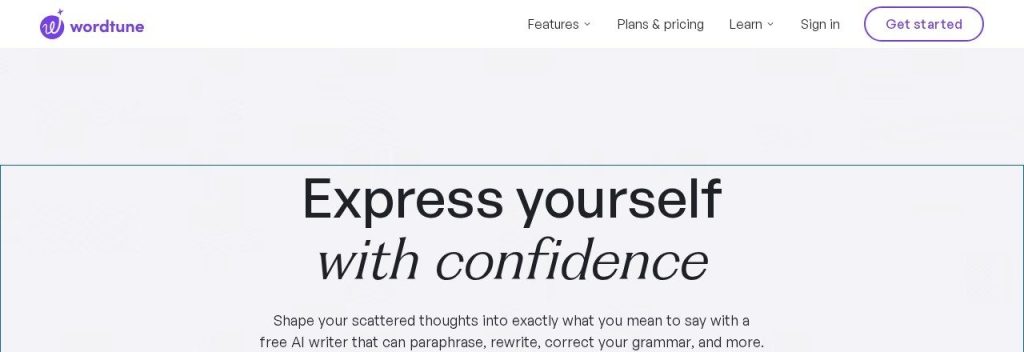
Wordtune, made by AI21 Labs, is an AI rewriting tool. You highlight a sentence and it offers several better versions, more casual, more formal, shorter or longer. Its Advanced plan costs $4.89 a month billed annually as of November 2026, the lowest paid price on this list.
It is less about catching mistakes and more about sounding right. A freelancer could use it to turn a blunt reply to a late-paying client into something firm but friendly in a few seconds.
Key Capabilities
- One-click rewrites: Several alternative versions of any sentence, with a casual or formal switch.
- Summaries: Summarizes long articles and videos into short notes.
- Free grammar checks: Unlimited spelling and grammar checks even on the free plan.
- Smart Translate: Write in one of 10 languages, such as Spanish or Hindi, and get natural English back.
Where It Works
Chrome and Edge extensions and an iOS app. It writes in English only, but translates into English from 10 languages.
Pros
- Lowest paid price on this list
- Rewrites sound natural, not robotic
- Unlimited grammar checks on the free plan
- Very easy to learn
Cons
- English only for writing
- Free plan allows just 10 rewrites a day
- No team or business plan with prices
- No refunds, and the trial needs a card
Plans & Pricing
- Free: $0. 10 rewrites a day, 3 summaries a month, unlimited grammar checks.
- Free trial: 3 days on paid plans (card required).
- Advanced: $4.89/month billed annually. 30 rewrites a day, 15 summaries a month.
- Unlimited: $6.99/month billed annually. Unlimited rewrites and summaries. Monthly billing costs more.
Bottom line: Pick Wordtune if you want cheap, natural-sounding rewrites for emails and posts. Skip it if you write in other languages or need a full team setup.
5. DeepL Write
Best for: Businesses that write in English plus German, French, Spanish, Italian or Portuguese, and care about where their text goes
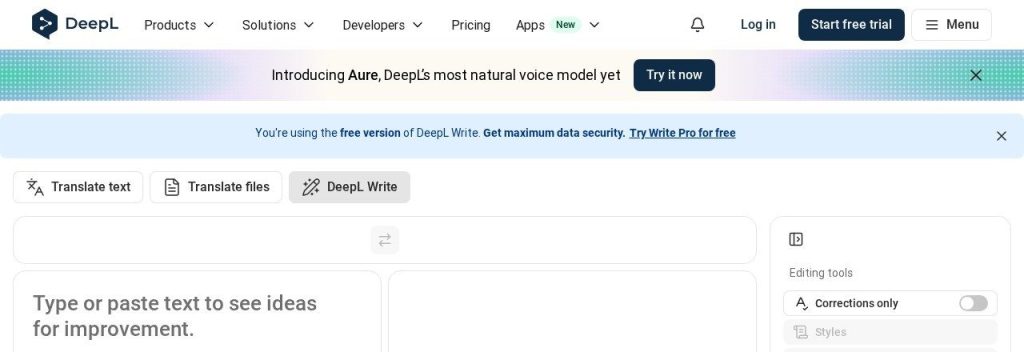
DeepL Write comes from DeepL, the translation company. It fixes spelling, grammar and punctuation, suggests better word choices, and changes tone (friendly, enthusiastic, diplomatic and more). The basic web tool is free, and Write Pro costs €6.99 per user a month billed annually as an add-on to a DeepL Pro plan, as of November 2026.
DeepL says it does not train its AI on paid customers’ text, which matters if you write contracts or client reports. A small agency serving clients in France and Germany could polish emails in all three languages with one tool, then translate documents in the same account.
Key Capabilities
- Tone and style switch: Rewrites text in a different tone or writing style with one click.
- Word and sentence alternatives: Click any word or sentence to see better options.
- Privacy on paid plans: No training on customer data for Pro users.
- Translation in the same place: Pair Write with DeepL Translator for documents and emails.
- Style rules on Pro: Set house rules so the whole team writes the same way.
Where It Works
Web, Windows and Mac apps, Chrome, Firefox and Edge extensions, a Word add-in, Outlook, Google Workspace, and Android and iOS apps. Write supports English (UK and US), German, French, Italian, Spanish and Portuguese (European and Brazilian).
Pros
- Free web version is good for quick fixes
- Strong in European languages
- Clear privacy promise on paid plans
- 30-day free trial of DeepL Pro
Cons
- Write Pro is an add-on, so you also pay for a DeepL Pro plan
- Fewer languages than LanguageTool
- Prices shown in euros to many regions
- Less suited to long-form style feedback
Plans & Pricing
- Free: $0. DeepL Write web tool for quick corrections and rewrites.
- Free trial: 30 days on DeepL Pro Individual and Team.
- Write Pro add-on: €6.99 per user/month billed annually, added to a DeepL Pro plan (Individual from €7.49/month billed annually).
- Business: €49.99 per user/month billed annually. Write Pro included, plus unlimited translation (fair use).
Bottom line: Pick DeepL Write if your business writes in European languages and wants privacy on paid plans. Skip it if you only write in English and want the cheapest option, where Wordtune or LanguageTool cost less.
6. Hemingway Editor
Best for: Owners writing website pages, sales emails and blog posts who want short, plain sentences customers actually read
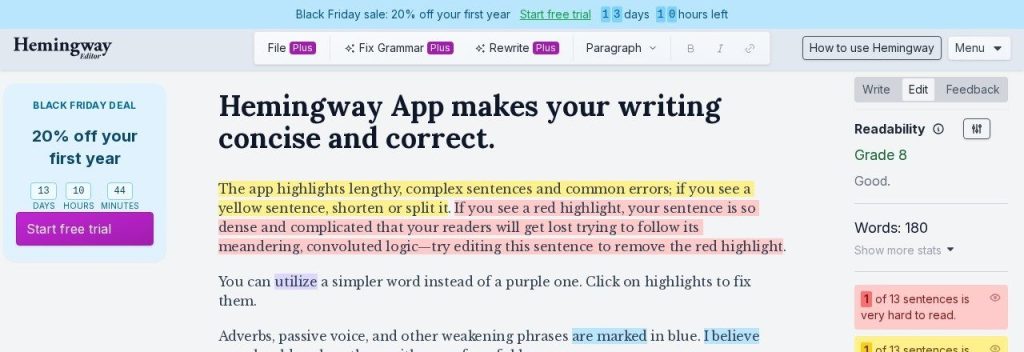
Hemingway Editor highlights long, hard-to-read sentences, adverbs and passive voice, and shows a readability grade for your text. The web editor is free, Hemingway Editor Plus adds AI fixes and grammar checks from $8.33 a month billed annually, and the desktop app costs $19.99 one time.
Grammarly tells you what is wrong. Hemingway tells you what is hard to read. A local plumber rewriting their services page could use it to cut a wall of text down to clear, short lines a stressed homeowner can scan on a phone.
Key Capabilities
- Readability highlights: Colors very hard sentences, weak words and passive voice so you can fix them fast.
- AI fixes on Plus: One-click rewrites for the problems it highlights, plus grammar and tone checks.
- Style guides: Custom style rules and a brand dictionary on Plus.
- Desktop app: Works offline and can publish straight to WordPress or export to Word, HTML, Markdown and PDF.
Where It Works
Web app plus a Mac and Windows desktop app. It imports and exports Word, HTML and Markdown files. There is no browser extension or mobile app, and it works in English only.
Pros
- Free editor is excellent for tightening copy
- One-time $19.99 desktop app
- 2-week Plus trial with no card
- Team plan for up to 50 users
Cons
- Does not check text inside Gmail or other apps
- English only
- Desktop app does not get the new AI features
- AI sentences are capped each month
Plans & Pricing
- Free: $0. Web editor with readability highlights.
- Free trial: 2 weeks of Plus, no card required.
- Plus Individual 5K: $8.33/month billed annually ($100/year; $10 monthly). 5,000 AI sentences a month.
- Plus Individual 10K: $12.50/month billed annually ($150/year). 10,000 AI sentences a month.
- Plus Team 10K: $12.50 per user/month billed annually. Up to 50 users with admin controls. Desktop app: $19.99 one time.
Bottom line: Pick Hemingway if you want punchier website and sales copy and like to write in one place. Skip it if you need a checker that follows you into email and chat, like LanguageTool or Sapling.
7. Sapling
Best for: Small customer support and sales teams who type the same kinds of replies all day
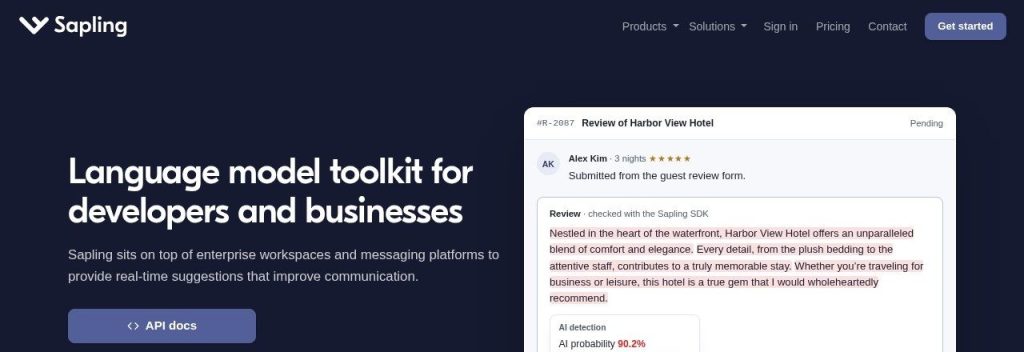
Sapling is an AI writing assistant made for customer-facing teams. Besides grammar checks, it autocompletes sentences as you type and stores snippets for common replies. Sapling Pro costs $12 a month billed annually or $25 monthly as of November 2026, and Pro comes with a 1-month free trial with no card.
Grammarly Pro also has snippets, but Sapling’s autocomplete is built for speed in help desks and CRMs. A 3-person support team could answer “where is my order?” messages in half the keystrokes, with consistent wording every time.
Key Capabilities
- Autocomplete everywhere: Suggests the rest of your sentence as you type (Pro).
- Snippets: Saved replies you insert with a shortcut, 20 on Free and unlimited on Pro.
- Rephrase: Rewrites a sentence to be clearer or friendlier (Pro).
- AI detector: Checks whether text looks AI-written, up to 100,000 characters per check on Pro.
- Enterprise controls: SSO, team analytics and even self-hosting on Enterprise.
Where It Works
Chrome and Edge, Google Docs, Outlook and Microsoft Word, plus a desktop app. Spelling and grammar suggestions cover 11 languages, with spell check in 18 more.
Pros
- Autocomplete saves real typing time
- Long 1-month free trial with no card
- Built for support and sales tools
- Clear, public Enterprise starting price
Cons
- Monthly billing ($25) is double the annual price
- Less useful for long-form writing
- Enterprise needs at least 10 seats
- Free plan skips autocomplete and rephrase
Plans & Pricing
- Free: $0. Basic suggestions, 20 snippets, AI detector up to 5,000 characters per check.
- Pro: $12/month billed annually ($25 monthly). Autocomplete, rephrase, unlimited snippets. 1-month free trial.
- Enterprise: From $15 per seat/month with a 10-seat minimum. SSO, analytics, self-hosting option.
Bottom line: Pick Sapling if your team spends the day answering customers and wants faster, consistent replies. Skip it if you mostly write blog posts or reports, where ProWritingAid or Hemingway help more.
What to Look For in a Grammarly Alternative
Most of these tools catch typos. These details are what really separate them.
- Price on monthly vs annual billing: Grammarly Pro jumps from $12 to $30 a month if you pay monthly. Check both prices; Sapling and LanguageTool also charge much more month to month.
- Languages: If you write to customers in other languages, LanguageTool (30+) and DeepL Write cover far more than English-only tools like Wordtune and Hemingway.
- Where it works: A checker only helps if it runs where you write. LanguageTool and QuillBot work in browsers, Word and on phones, while Hemingway works only in its own editor.
- Short emails or long content: For quick emails pick a fast rewriter like Wordtune. For long posts and guides, ProWritingAid gives far deeper feedback.
- Privacy: If you handle client documents, look for a clear policy. DeepL says it does not train on paid customers’ text.
- Switching cost: Grammarly does not offer an easy dictionary export, so plan to re-add brand names. LanguageTool lets you upload up to 1,000 words from a CSV file.
- Team features: Need shared style rules? LanguageTool Teams, Hemingway Team and Sapling Enterprise all offer them.
Which Grammarly Alternative Should You Choose?
- If you want the closest swap for less money, pick LanguageTool.
- If you rewrite product descriptions and posts all the time, pick QuillBot, or Wordtune for the lowest price.
- If you write long blog posts, guides or a book, pick ProWritingAid.
- If you write in English plus another European language, pick DeepL Write or LanguageTool.
- If your team answers customers all day, pick Sapling.
- If you use Grammarly in dozens of apps and its AI prompts are enough, staying on Grammarly Pro at $12 a month (annual) is still a fair deal.
Money saver
Before you pay, use a free plan for a full week of normal work. LanguageTool, QuillBot, Wordtune and Hemingway all have free versions, and many owners find the free tier covers their everyday emails.
Which Grammarly alternative are you going to use?
Pick one and see what other small business owners chose.
FAQs
What is the best free Grammarly alternative?
LanguageTool is the best free Grammarly alternative for most small businesses in November 2026. Its free browser add-on checks grammar and spelling in more than 30 languages, though it only checks up to 2,000 characters per text field.
Is there a cheaper alternative to Grammarly?
Yes. Wordtune starts at $4.89 a month and LanguageTool Premium at about €4.99 a month on annual billing, compared with $12 a month for Grammarly Pro billed annually or $30 billed monthly.
Can I move my data from Grammarly to another tool?
There is not much to move. Grammarly does not document a personal dictionary export, so you add brand names and terms again; LanguageTool lets you upload up to 1,000 words from a CSV file.
Is LanguageTool better than Grammarly?
LanguageTool is better if you write in several languages or want a lower annual price. Grammarly has stronger AI writing features and works in more apps, so it suits heavy English writers who use its AI often.
Which Grammarly alternative is best for long articles?
ProWritingAid is the best choice for long articles, guides and books. Its style reports flag repeated words, long sentences and pacing, and its Premium plan costs $10 a month billed annually.
Is Grammarly still called Grammarly?
The product is. In October 2025 the company behind it renamed itself Superhuman, and Grammarly is now part of its Superhuman suite alongside Superhuman Mail, Docs and the Go assistant.
Final Thoughts
Most small businesses should start with LanguageTool’s free add-on and only upgrade if it keeps hitting the character limit. If your writing is mostly long content, try ProWritingAid’s free plan on your next blog post instead.
Give any tool a week of real emails before you cancel Grammarly, and re-add your brand names to its dictionary on day one.
Want more writing help? See our list of the best AI writing tools for small businesses, and check our best free AI tools for more ways to spend less.