Prices checked: November 2026
You signed up for Zendesk’s $19 Support Team plan. Then customers started asking for live chat, and you found out chat, messaging and phone only come with Suite Team, at $55 per agent a month on annual billing or $69 on monthly billing.
For a 5-person support team paying monthly, that is $345 a month before any add-ons. Copilot costs another $50 per agent, and each AI resolution beyond the small included amount costs $1.50 to $2.00.
Zendesk is popular for good reasons: it handles every channel, it scales to hundreds of agents, and its marketplace has an app for almost anything. But many small teams pay for power they never use and still find the setup heavy.
A good alternative gives you chat and email in one plan, AI that does not cost a fortune, or a simpler tool your team learns in a day. We checked the plans, limits and AI pricing of 8 help desks on their own websites in November 2026.
Here are the 8 best Zendesk alternatives, and who each one suits.
Quick answer
- Best overall: Freshdesk (AI agent on every plan, from $19)
- Best budget pick: Zoho Desk (free for 3 users, then $7)
- Best for personal, email-style support: Help Scout
- Best for AI-first support: Intercom (Fin also works on top of Zendesk)
- Best for Shopify stores: Gorgias
What’s the Best Zendesk Alternative?
| Tool | Best for | Free plan | Starting price |
|---|---|---|---|
| Freshdesk | Email-first teams that want AI included | No (14-day trial) | $19/agent/mo |
| Zoho Desk | The lowest price with many channels | Yes (3 users) | $7/user/mo |
| Help Scout | Friendly support that feels like email | Yes (5 users, 100 contacts/mo) | $25/user/mo |
| HubSpot Service Hub | Teams already using HubSpot CRM | Yes (2 users) | $7/seat/mo (new customers) |
| Intercom | Teams that want AI to answer most chats | No (14-day trial) | $29/seat/mo |
| Gorgias | Shopify and other online stores | No (7-day trial) | $10/mo (50 tickets, monthly) |
| LiveAgent | Phone, chat and social on a budget | No (30-day trial) | $15/agent/mo |
| Hiver | Teams that want to stay in Gmail or Outlook | No (7-day trial) | $25/user/mo |
Prices checked November 2026. Starting prices use annual billing unless noted. HubSpot’s Starter price is a new-customer offer; Gorgias charges by ticket volume, not per agent.
1. Freshdesk
Best for: Small teams that want a Zendesk-style help desk with an AI agent included on the cheapest plan
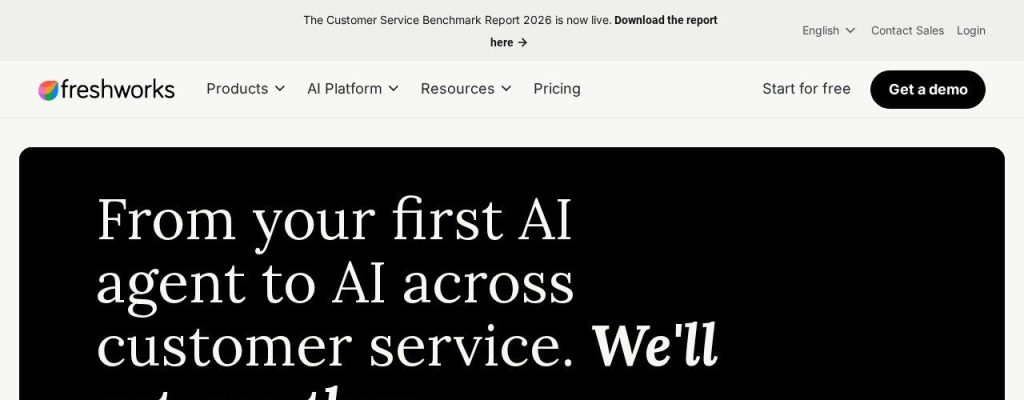
Freshdesk is the closest like-for-like swap for Zendesk, at a similar starting price but with more included. Freshdesk Growth costs $19 per agent a month on annual billing ($23 monthly) as of November 2026, and it comes with the Freddy AI Agent and 500 AI sessions. Zendesk’s $19 plan includes only 5 automated resolutions per agent.
Freshdesk also has an official Zendesk import tool that moves contacts, companies, agents, tickets and your knowledge base. A 3-person online course business could move over on a Friday and let Freddy answer the repeat login and refund questions from Monday.
Key Capabilities
- Freddy AI Agent on every plan: Answers common questions from your help articles, with 500 sessions included and extra sessions at $49 per 100.
- Freddy AI Copilot: Drafts replies, summarizes long threads and adjusts tone, for $29 per agent a month on Pro and Enterprise.
- Zendesk import: An official migration tool brings over tickets, contacts, agents and help center articles.
- Day passes: Give seasonal helpers access for $2 a day on Growth instead of paying for a full seat.
- Routing and SLAs: Pro adds smart routing and multiple SLA policies so urgent tickets reach the right person.
Channels Supported
Email, web forms and a help center on the standard plans. Chat, WhatsApp and social messaging need Freshdesk Omni (from $29 per agent a month, billed annually), and phone is a paid add-on.
Pros
- AI agent with 500 sessions even on the $19 plan
- Official Zendesk import tool
- Clean interface that new hires pick up quickly
- Monthly billing only about 20% higher than annual
Cons
- Big jump from Growth ($19) to Pro ($55)
- Chat and social need Freshdesk Omni
- No free plan
- Extra AI sessions add up at $49 per 100
Plans & Pricing
- Free trial: 14 days with Enterprise features.
- Growth: $19/agent/month (billed annually; $23 monthly). Ticketing, shared inbox, help center, Freddy AI Agent with 500 sessions.
- Pro: $55/agent/month (billed annually; $66 monthly). Smart routing, multiple SLAs, custom dashboards.
- Enterprise: $89/agent/month (billed annually; $107 monthly). Skill-based routing, sandbox, audit logs.
- Add-ons: Freddy AI Copilot $29/agent/month (billed annually; $35 monthly). Extra AI sessions $49 per 100.
Bottom line: Switch to Freshdesk if you want the most familiar Zendesk replacement with AI that is included, not metered from the first ticket. Skip it if chat and WhatsApp are your main channels, since Omni costs more.
2. Zoho Desk
Best for: Budget-minded teams that want email, social and WhatsApp support for a fraction of Zendesk Suite pricing
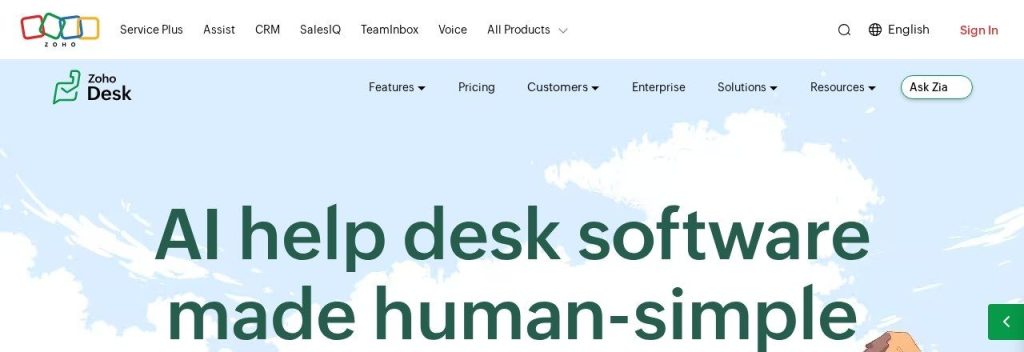
Zoho Desk is the cheapest serious help desk on this list. It is free for 3 users, and the Express plan costs $7 per user a month on annual billing ($9 monthly) as of November 2026. WhatsApp and a chat widget come with Standard at $14, about a quarter of Zendesk Suite Team.
Zoho’s free migration tool, Zwitch, moves tickets with comments and attachments, users, organizations, custom fields and help articles out of Zendesk. A small home services company could run email, Facebook and WhatsApp messages from one screen for less than one Zendesk seat costs.
Key Capabilities
- Zwitch migration: A built-in, free tool that imports tickets, contacts, accounts and knowledge base content from Zendesk.
- Answer Bot: Replies to customers from your knowledge base on your site and messaging channels, from the Standard plan.
- AI agents on paid plans: Use your own AI key or Zoho’s model to build agents, starting on Express.
- Zia insights: Sentiment analysis, auto-tagging and built-in generative replies on Professional and up.
- Blueprints and SLAs: Step-by-step processes and SLA rules keep tickets moving without manual chasing.
Channels Supported
Email, web forms and social (Facebook, Instagram, X) from Express. WhatsApp, Telegram and a chat widget from Standard. Phone from Professional, and live chat through Zoho SalesIQ on Enterprise.
Pros
- Free plan for 3 users with no time limit
- Paid plans start at $7 per user
- Free Zendesk migration with Zwitch
- Works with the rest of the Zoho suite
Cons
- Express is capped at 5 users
- Built-in Zia AI starts at Professional ($23)
- Many settings to learn
- Pricing page may show your local currency, which makes comparing harder
Plans & Pricing
- Free: $0. 3 users, email ticketing, private knowledge base.
- Express: $7/user/month (billed annually; $9 monthly). Up to 5 users, email and social channels.
- Standard: $14/user/month (billed annually; $20 monthly). WhatsApp, chat widget, public help center, Answer Bot.
- Professional: $23/user/month (billed annually; $35 monthly). Phone, Zia AI, blueprints.
- Enterprise: $40/user/month (billed annually; $50 monthly). Live chat, 50 free light agents.
- Free trial: 15 days on paid plans, no credit card.
Money saver
Before you cancel Zendesk, export a month of tickets and count how many came from chat or WhatsApp. If it is a small share, Zoho Desk Standard at $14 covers you, and you avoid paying $55 or more per agent for Suite Team.
Bottom line: Pick Zoho Desk if price is the main reason you are leaving Zendesk. Skip it if you want the simplest possible setup, since Zoho has a lot of settings.
3. Help Scout
Best for: Service businesses and SaaS teams that find Zendesk too ticket-heavy and want replies to feel personal
Help Scout feels like a shared email inbox, so customers never see ticket numbers or robotic forms. If your team finds Zendesk cluttered, Help Scout is the calmest tool on this list.
Standard costs $25 per user a month on annual billing ($30 monthly) as of November 2026, with live chat, WhatsApp and social messaging included. Its AI agent costs $0.75 per resolution with a monthly spending cap, which is half of Zendesk’s lowest extra resolution price. A 4-person design studio could import its Zendesk history and keep the same personal tone with clients.
Key Capabilities
- Zendesk import: Help Scout’s import tool brings over ticket history, customer profiles, tags and custom fields.
- AI agent with a spending cap: Answers chats from your help docs for $0.75 per resolution, and new accounts get 3 months of unlimited resolutions free.
- AI inbox assistant: Drafts, summarizes and polishes replies right in the inbox.
- Beacon widget: One website widget for contact forms, live chat and help articles.
- Docs knowledge base: Build a searchable help center (2 sites on Standard, 3 on Plus).
Channels Supported
Email, live chat, WhatsApp, Instagram and Facebook Messenger (social from Standard). Phone and SMS through integrations such as Aircall.
Pros
- Personal, email-style experience for customers
- Free plan for up to 5 users
- AI priced per resolution, with a cap
- Unlimited contacts on paid plans
Cons
- Free plan allows only 100 contacts a month
- Macros and triggers do not import from Zendesk
- No built-in phone
- Pro needs at least 10 users
Plans & Pricing
- Free: $0. Up to 5 users, 1 inbox, 100 contacts a month.
- Standard: $25/user/month (billed annually; $30 monthly). Up to 25 users, 2 inboxes, chat, WhatsApp and social. 15-day free trial.
- Plus: $45/user/month (billed annually; $54 monthly). Up to 50 users, 5 inboxes, Salesforce, Jira and HubSpot integrations.
- Pro: $75/user/month (billed annually; $90 monthly). Minimum 10 users, SSO, HIPAA option.
- AI resolutions: $0.75 per resolution, with an optional monthly cap.
Bottom line: Choose Help Scout if you want support to feel like a conversation and your team is tired of a complex admin panel. Skip it if phone support is central to your business.
4. HubSpot Service Hub
Best for: Businesses that run sales or marketing in HubSpot and want tickets on the same customer record
HubSpot Service Hub puts your help desk on the same CRM as sales and marketing. Instead of syncing Zendesk with HubSpot, your agents see every deal, email and past ticket on one contact record.
There is a free plan for 2 users, and Starter is $7 per seat a month on annual billing for new customers as of November 2026. HubSpot’s Customer Agent costs $0.50 per resolved conversation, and HubSpot Smart Transfer can pull data from Zendesk. A small agency already on HubSpot CRM could close its Zendesk account and route client requests to the right account manager automatically.
Key Capabilities
- Customer Agent: AI that answers customers on chat, email and forms, at $0.50 (50 credits) per resolved conversation.
- Help desk on your CRM: Tickets, routing and SLAs tied to the same contacts your sales team uses.
- Zendesk transfer: Smart Transfer imports data from Zendesk, and Smart Copy can import up to 400 help articles at a time.
- Knowledge base and portal: Included on Professional, along with customer surveys and health scores.
- Built-in calling: Make and log support calls without a separate phone tool.
Channels Supported
Email, live chat, forms, Facebook Messenger and calling. WhatsApp and the knowledge base start on Professional.
Pros
- Free plan for 2 users
- One customer record across sales, marketing and support
- AI priced per resolved conversation
- Zendesk data transfer built in
Cons
- Professional needs a $1,500 one-time onboarding fee
- Big jump from Starter to Professional ($90+)
- Credits make AI costs harder to predict
- Starter’s $7 price is an offer for new customers
Plans & Pricing
- Free: $0 for up to 2 users. Ticketing, live chat and email with HubSpot branding.
- Starter: From $7/seat/month (billed annually, new-customer price; monthly billing costs more). 500 credits a month.
- Professional: $90/seat/month (billed annually; $100 monthly), plus a required $1,500 one-time onboarding fee. Knowledge base, portal, WhatsApp, 3,000 credits.
- Enterprise: From $150/seat/month (billed annually), plus a $3,500 one-time onboarding fee.
- Customer Agent: $0.50 per resolved conversation (credits cost $0.01 each).
Bottom line: Pick HubSpot Service Hub if your team already lives in HubSpot, since one shared record saves real time. Skip it if you only need a help desk, where Freshdesk or Zoho Desk cost less.
5. Intercom
Best for: Online businesses that want an AI agent to handle most conversations, with a modern chat-first inbox
Intercom is the pick when your main complaint about Zendesk is weak AI, not price. Its Fin AI Agent costs $0.99 per outcome as of November 2026, and Intercom’s FAQ says Fin also works on top of Zendesk, so you can test the AI before you move anything.
The Essential plan costs $29 per seat a month on annual billing ($39 monthly), and new customers currently get a discount. Startups with fewer than 15 employees and under $10M raised can apply for the Early Stage program (up to 93% off in year one). A small SaaS company could let Fin handle setup questions while 2 people take the hard ones.
Key Capabilities
- Fin AI Agent: Answers questions and resolves issues across chat, email and more, billed at $0.99 per outcome.
- Fin on Zendesk: Run Fin on your existing Zendesk help desk first, with no seat fees, then decide whether to switch fully.
- Copilot for agents: Every agent gets 10 free Copilot conversations a month; unlimited use is $29 per agent a month (annual).
- Modern inbox: A fast, chat-first inbox with ticketing, macros and a help center.
- Assisted migration: Intercom’s team helps plan the move, import help center content and rebuild workflows.
Channels Supported
Live chat and messenger, email, WhatsApp, SMS, social channels and phone, with Fin working across most of them.
Pros
- One of the strongest AI agents available
- Fin can run on top of Zendesk while you test
- Clean, modern interface
- Big discounts for early-stage startups
Cons
- Per-outcome AI fees add up at high volume
- Not cheaper than Zendesk for a basic email help desk
- Moving from Zendesk is sales-assisted, not one click
- Advanced plan jumps to $85 per seat
Plans & Pricing
- Free trial: 14 days with all features, including Fin.
- Essential: $29/seat/month (billed annually; $39 monthly). Inbox, ticketing, help center. New customers get a discount.
- Advanced: $85/seat/month (billed annually; $99 monthly). Workflows, multiple help centers, 20 free Lite seats.
- Expert: $132/seat/month (billed annually). SSO, HIPAA support, 50 free Lite seats.
- Fin AI Agent: $0.99 per outcome.
Bottom line: Choose Intercom if you want AI to answer most of your chats and you are happy to pay per result. Skip it if you mainly need a low-cost email help desk.
6. Gorgias
Best for: Shopify and ecommerce stores that answer “where is my order?” all day
Gorgias is a help desk built only for online stores. Agents can see, edit, refund or track an order inside the ticket, which Zendesk needs extra apps to do well.
Gorgias charges by tickets, not by agent. The Basic plan costs $50 a month on annual billing ($60 monthly) for 300 tickets as of November 2026, with as many teammates as you need. Its built-in Zendesk importer brings over up to 2 years of tickets, macros, users and tags, so a 6-person Shopify brand could switch without losing history.
Key Capabilities
- Zendesk importer: Pulls up to 2 years of tickets, macros, users, tags and fields from Zendesk, then keeps syncing during the switch.
- AI Agent: Answers order and shipping questions and can take actions, at $0.90 per interaction on annual plans ($1.00 monthly).
- Order actions in tickets: Refund, cancel or edit Shopify orders without leaving the conversation.
- One inbox for all channels: Email, chat, social comments and DMs land in one queue.
- Ecommerce integrations: Works with Shopify, BigCommerce, Magento and WooCommerce plus returns and review apps.
Channels Supported
Email, chat, Instagram, Facebook and WhatsApp, with Voice and SMS as paid add-ons.
Pros
- Priced by tickets, so extra teammates are free
- Deep order actions inside each ticket
- Self-serve Zendesk importer
- Built for ecommerce from day one
Cons
- Busy seasons cost more ($0.36 to $0.40 per extra ticket)
- AI interactions also count as tickets
- Not a fit for service businesses
- Only a 7-day trial
Plans & Pricing
- Free trial: 7 days, no credit card.
- Starter: $10/month (monthly billing only). 50 tickets, 3 seats.
- Basic: $50/month (billed annually; $60 monthly). 300 tickets, $0.40 per extra ticket.
- Pro: $300/month (billed annually; $360 monthly). 2,000 tickets, $0.36 per extra ticket.
- Advanced: $750/month (billed annually; $900 monthly). 5,000 tickets.
- AI Agent: $0.90 per interaction (annual) or $1.00 (monthly), or an AI bundle from $27/month (annual) for 30 interactions.
Bottom line: Switch to Gorgias if you run an online store and most tickets are about orders. Skip it if you sell services, since you would pay for ecommerce features you never use.
7. LiveAgent
Best for: Small teams that want live chat, a call center and social messages in one affordable tool
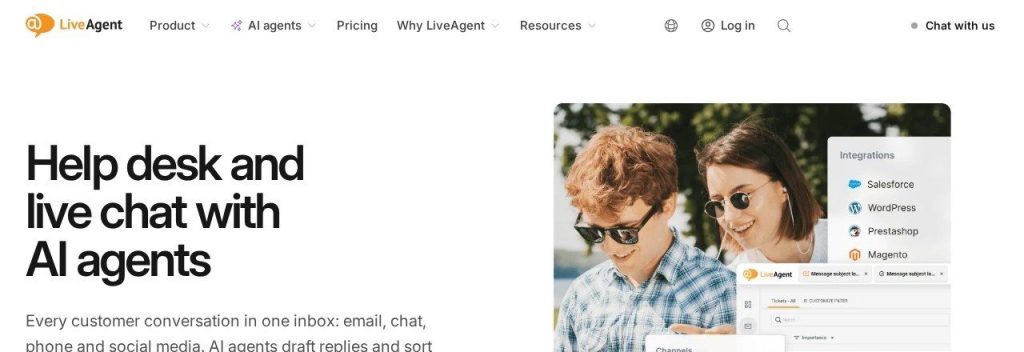
LiveAgent gives you email, live chat and a built-in call center for far less than Zendesk Suite. The Team plan, which adds phone and social channels, costs $29 per agent a month on annual billing at the regular price, about half of Zendesk Suite Team.
AI works on a bring-your-own-key basis: you connect OpenAI, Anthropic or Gemini and pay them directly, and LiveAgent estimates about $0.11 per AI chat. Migration from Zendesk is free on any paid plan. A small travel agency could take calls, chats and WhatsApp messages from one screen.
Key Capabilities
- Free Zendesk migration: Built-in importers move your data from Zendesk (and Freshdesk, Help Scout and others) at no cost on paid plans.
- AI chatbot: Answers chats 24/7 from your knowledge base, then hands off to a person.
- No AI markup: You pay your AI provider directly instead of a per-resolution fee.
- Built-in call center: IVR, call routing and recordings, included from the Team plan.
- 30-day free trial: One of the longest trials here, with no credit card.
Channels Supported
Email, contact forms and live chat on every plan. Phone, Facebook, Instagram, WhatsApp, X, Viber and Telegram from the Team plan.
Pros
- Call center and live chat included
- Free migration from Zendesk
- No per-resolution AI fees
- 30-day trial
Cons
- Starter has no social or phone
- You manage your own AI key
- Phone minutes billed by your carrier
- Interface feels dated next to Help Scout
Plans & Pricing
- Free trial: 30 days, no credit card.
- Starter: $15/agent/month (billed annually; $19 monthly). Up to 5 agents, email and chat.
- Team: $29/agent/month (billed annually; $35 monthly). Up to 15 agents, social, call center.
- Business: $49/agent/month (billed annually; $59 monthly). Any team size.
- Enterprise: $3,199/month for 80 agents (billed annually).
- Promo: LiveAgent lists lower offer prices (from $11 on Starter) until November 22, 2026.
Time saver
Ask any tool on this list to run a test import of your Zendesk data during the trial. Checking 20 old tickets in the new system takes 15 minutes and saves you from surprises after you cancel.
Bottom line: Choose LiveAgent if you need phone, chat and social in one tool at a small business price. Skip it if you want AI that works out of the box with no API keys.
8. Hiver
Best for: Small teams that found Zendesk too much and want help desk features inside the email they already use
Hiver turns a shared inbox like support@ into a help desk without moving your team into a new app. You can work inside Gmail or in Hiver’s web app with Gmail or Outlook.
Growth costs $25 per user a month on annual billing ($35 monthly) as of November 2026, with AI agents and Copilot listed on every plan. Hiver says it helps you migrate your data at no extra cost and can import tickets, contacts and help articles from Zendesk. A 5-person property management office could go back to working in Gmail and still track every tenant request.
Key Capabilities
- Help desk inside Gmail: Assign emails, add notes and see who is replying, all inside your inbox.
- AI agents and Copilot: Listed on all plans to handle routine requests and draft replies.
- Free migration help: Hiver’s team helps move tickets, contacts and help articles from Zendesk at no extra cost.
- Works beyond support: The same tool handles finance, HR and operations inboxes.
- Voice add-on: Add calling for $30 per voice seat a month, with 1,000 pooled minutes per seat.
Channels Supported
Email, live chat, WhatsApp, SMS, Slack, Microsoft Teams and a help center. Voice is a paid add-on.
Pros
- Almost no learning curve for Gmail teams
- Free migration help from Zendesk
- AI agents listed on every plan
- Useful for non-support inboxes too
Cons
- No free plan and only a 7-day trial
- 2-seat minimum
- Growth is capped at 2 shared inboxes and 10 users
- Fewer social channels than Zendesk
Plans & Pricing
- Free trial: 7 days with Elite features, no credit card.
- Growth: $25/user/month (billed annually; $35 monthly). 2 shared inboxes, up to 10 users.
- Pro: $55/user/month (billed annually; $65 monthly). 5 shared inboxes, unlimited users.
- Elite: $85/user/month (billed annually; $95 monthly). Unlimited automations and custom fields.
- Voice add-on: $30/voice seat/month with 1,000 pooled minutes per seat.
Bottom line: Pick Hiver if your team prefers to work in Gmail or Outlook and Zendesk felt like overkill. Skip it if you need a free plan or many social channels.
What to Look For in a Zendesk Alternative
Switching help desks touches every customer conversation, so check these before you commit.
- Switching cost and data migration: Look for a real Zendesk importer. Zoho Desk (Zwitch), Freshdesk, Gorgias and Help Scout have import tools, and LiveAgent and Hiver offer free migration help.
- Which plan includes chat and phone: This is where Zendesk gets expensive. LiveAgent adds phone and social at $29 on the Team plan, and Zoho Desk adds WhatsApp at $14 on Standard.
- How AI is billed: Freshdesk includes 500 AI sessions, Help Scout charges $0.75 per resolution, HubSpot $0.50 and Intercom $0.99. Estimate your monthly volume before you compare.
- Per agent or per ticket pricing: Most tools charge per agent. Gorgias charges per ticket, which suits a big team with low volume but costs more in busy seasons.
- Ease of use: If Zendesk felt heavy, Help Scout and Hiver are the simplest to learn, while Zoho Desk packs in the most settings.
- The next plan up: Routing, SLAs and integrations often sit one tier higher. Freshdesk jumps from $19 to $55, and HubSpot Professional adds a $1,500 onboarding fee.
Which Zendesk Alternative Should You Choose?
- If you want the closest Zendesk replacement with AI included, pick Freshdesk.
- If price is the main reason you are leaving, start on Zoho Desk’s free plan and move to Standard ($14) when you need WhatsApp.
- If you want support to feel personal and simple, pick Help Scout; if your team lives in Gmail, pick Hiver.
- If you run a Shopify store, pick Gorgias; if your sales team already uses HubSpot, pick HubSpot Service Hub.
- If you want AI to answer most chats, test Intercom’s Fin on top of Zendesk first; if you need phone and chat on a budget, pick LiveAgent.
- If you have a large team, many channels and custom workflows already built, staying on Zendesk and trimming unused add-ons may still be the cheaper move.
FAQs
What is the best free Zendesk alternative?
Zoho Desk is free for up to 3 users with no time limit, Help Scout is free for up to 5 users with 100 contacts a month, and HubSpot Service Hub is free for 2 users, as of November 2026. Zendesk itself has no free plan, only a 14-day trial.
Is there a cheaper alternative to Zendesk?
Yes. Zoho Desk Standard costs $14 per user a month and LiveAgent Team costs $29 per agent a month (annual billing), and both include messaging channels that need Zendesk Suite Team at $55 per agent.
Can I move my data from Zendesk?
Yes. Zoho Desk, Freshdesk, Gorgias, Help Scout and HubSpot have tools that import Zendesk tickets, contacts and help articles, and LiveAgent and Hiver offer free migration help. Macros and automations usually need to be rebuilt by hand.
Is Freshdesk better than Zendesk?
For most small teams, Freshdesk is better value: both start at $19 per agent, but Freshdesk includes an AI agent with 500 sessions. Zendesk is stronger if you need every channel in one plan and expect to grow into a large team.
Why is Zendesk so expensive for small businesses?
The $19 Support Team plan covers email only, so chat, messaging and phone push you to Suite Team at $55 per agent (annual) or $69 (monthly). AI Copilot adds $50 per agent, and extra AI resolutions cost $1.50 to $2.00 each.
Final Thoughts
Before your Zendesk renewal, export your tickets, count how many came from each channel, and run a test import into the free plan or trial of one alternative. For most small businesses, Freshdesk is the best first trial; if budget is the deciding factor, start with Zoho Desk.
Want the bigger picture? See our full list of the best AI help desk software and our picks for the best AI chatbots for small business websites.