

Your Squarespace renewal email arrives, and the Core plan you paid $23 a month for now costs $29. That was the July 2026 price increase, which raised three of Squarespace’s four annual plans by up to 26%.
Squarespace earned its fans fairly. The templates look great out of the box, hosting and security are handled for you, and a 14-day free trial needs no credit card.
But owners hit the same walls: a 2% transaction fee on the Basic plan, fewer apps and extensions than bigger platforms, and an export that skips store pages, products and your design. Leaving gets harder the longer you stay.
A good alternative gives you lower fees, more room to grow, or full ownership of your site. Here are the 8 best Squarespace alternatives, and who each one suits.
Quick answer
- Best for full ownership: WordPress (free, self-hosted)
- Best all-round builder: Wix
- Best for online stores: Shopify
- Cheapest to start: Hostinger Website Builder
- Best for design-led sites: Webflow or Framer
- Best if you already use Square POS: Square Online
What’s the Best Squarespace Alternative?
| Tool | Best for | Free plan | Starting price |
|---|---|---|---|
| WordPress | Full ownership and unlimited flexibility | Free software | $0 + hosting |
| Wix | An easy all-in-one builder | Yes | $17.77/mo |
| Shopify | Serious online and in-person selling | 3-day free trial | $29/mo |
| Hostinger Website Builder | The lowest starting price | 14-day free trial | $1.99/mo (48-month term) |
| Webflow | Pixel-perfect design and a strong CMS | Yes (2 pages) | $15/mo |
| Framer | Fast, beautiful marketing sites | Yes | $10/mo |
| Durable | An AI site plus CRM for service businesses | Yes | $22/mo |
| Square Online | Shops and restaurants using Square POS | Yes | $0 (paid from $49/mo) |
Prices checked November 2026. Starting prices use annual billing unless noted.
1. WordPress
Best for: Owners who want to own their site outright, add any feature with plugins and never be locked into one company’s pricing
WordPress is free, open-source software that runs 38.4% of all websites, according to W3Techs data from November 2026. That is about 16 times Squarespace’s 2.4% share. The current version is WordPress 7.1.5, and the official directory lists more than 80,000 free plugins.
It is also the easiest move away from Squarespace, because Squarespace’s only full-site export is a WordPress-compatible XML file. You pay for hosting and a domain instead of a builder subscription, and you can change hosts any time. Growific itself runs on self-hosted WordPress. A 4-person bakery could add online ordering with the free WooCommerce plugin and keep every order record on its own server.
Key Capabilities
- Squarespace import: Squarespace exports your pages and blog as a WordPress XML file, and WordPress imports it with its standard importer (WordPress.com also has a step-by-step Squarespace guide).
- 80,000+ free plugins: Add booking, forms, SEO, memberships or courses without switching platforms.
- Free ecommerce: WooCommerce is a free plugin with more than 7 million active installs.
- AI tools your way: Pick AI writing, image and SEO plugins, or use the AI features many hosts now bundle.
Selling Online
WooCommerce turns WordPress into a full store with physical and digital products, subscriptions (via extensions) and any major payment gateway.
Pros
- You own your site, content and data
- Largest choice of themes and plugins anywhere
- Easiest migration path from Squarespace
Cons
- You handle updates, backups and security (or pay a managed host)
- More to learn than a drag-and-drop builder
- Premium plugins and themes can add up
Plans & Pricing
- WordPress software: $0. Free forever; you pay for hosting and a domain.
- WordPress.com Personal: $4 per month (billed yearly; $9 monthly). Hosted for you, 8% fee on store sales.
- WordPress.com Premium: $8 per month (billed yearly; $18 monthly). 4% fee on store sales.
- WordPress.com Business: $25 per month (billed yearly; $40 monthly). Install any plugin or theme.
- WordPress.com Commerce: $45 per month (billed yearly; $70 monthly). 0% transaction fee.
Time saver
Before you cancel Squarespace, export the WordPress XML file, download your products and customers as CSV files, and save copies of any images you care about. Store pages and products are not in the XML export, so do this first.
Bottom line: Switch to WordPress if you want full control, low running costs and no lock-in. Skip it if you never want to think about updates or hosting.
2. Wix
Best for: Non-technical owners who want drag-and-drop freedom, lots of templates and built-in business tools
Wix is one of the most popular hosted website builders, running 4.2% of all websites according to W3Techs in November 2026. It offers 800+ templates and an AI website builder that creates a starter site from one prompt.
Compared with Squarespace, Wix gives you more layout freedom (drag anything anywhere) and a larger app market, and it has a free plan to test with. Its Light plan costs $17.77 a month billed yearly, a little under Squarespace Basic at $19. A yoga studio could build its site, take class bookings and send email newsletters without leaving Wix.
Key Capabilities
- AI website builder: Describe your business and get a full site you can then edit by drag and drop.
- 800+ templates: Industry templates for restaurants, salons, consultants and stores.
- Built-in business apps: Bookings, events, email marketing and invoices inside one dashboard.
- App Market: Add extra features from Wix and third-party developers.
Selling Online
Online selling starts on the Core plan, with more advanced ecommerce features on Business and Business Elite.
Pros
- Free plan to build and test
- Very flexible drag-and-drop editor
- Strong built-in tools for bookings and events
Cons
- Wix says you cannot switch templates once your site is live
- Light plan has no ecommerce and only 2 GB storage
- Monthly billing prices are not shown on the plans page
Plans & Pricing
- Free: $0. Wix branding and a Wix subdomain (a custom domain needs a paid plan).
- Light: $17.77 per month (billed yearly). 2 GB storage, 2 collaborators, no store.
- Core: $29.77 per month (billed yearly). 50 GB storage, basic ecommerce, 5 collaborators.
- Business: $39.77 per month (billed yearly). 100 GB storage, standard ecommerce, 10 collaborators.
- Business Elite: $159.77 per month (billed yearly). Unlimited storage, advanced ecommerce, 100 collaborators.
Bottom line: Switch to Wix if you want an easy builder with more freedom and apps than Squarespace. Skip it if a clean exit later matters to you.
3. Shopify
Best for: Product sellers who have outgrown Squarespace Commerce and want better shipping, sales channels and apps

Shopify is an ecommerce platform used by millions of businesses in more than 175 countries. Every plan includes Sidekick, Shopify’s built-in AI assistant that writes product copy, edits photos and answers questions about your sales.
If your Squarespace site is mostly a store, Shopify is the natural upgrade. Its Basic plan costs $29 a month billed yearly, the same as Squarespace Core, with deeper inventory, shipping and point-of-sale tools. A candle maker selling online and at weekend markets could run both from one product catalog.
Key Capabilities
- Sidekick AI: Writes product descriptions, edits images, builds reports and suggests store changes.
- Squarespace migration guide: Shopify’s help center explains how to move products and customers from Squarespace by CSV (blog posts need copying by hand).
- Point of sale: Sell in person with the same inventory, at 2.6% + 10¢ per card payment on Basic.
- Huge app store: Add reviews, subscriptions, upsells and wholesale tools.
Selling Online
Selling is the whole point. Online card rates start at 2.9% + 30¢ on Basic, and using a payment provider other than Shopify Payments adds a 2% fee on that plan.
Pros
- Best ecommerce tools on this list
- Built-in POS for in-person sales
- AI assistant included on every plan
Cons
- Weaker for content-heavy or blog-first sites
- Paid apps add up quickly
- Extra fee if you skip Shopify Payments
Plans & Pricing
- Free trial: 3 days free, then most plans cost $1 a month for the first 3 months.
- Basic: $29 per month (billed yearly; $39 monthly). 2.9% + 30¢ online card rate.
- Grow: $79 per month (billed yearly; $105 monthly). 5 staff accounts, 2.7% + 30¢ online.
- Advanced: $299 per month (billed yearly; $399 monthly). 15 staff accounts, 2.5% + 30¢ online.
- Plus: From $2,300 per month on a 1 or 3-year term. For high-volume brands.
Bottom line: Switch to Shopify if selling products is your main business. Skip it if your site is mostly a portfolio or blog.
4. Hostinger Website Builder
Best for: Budget-minded owners who want a simple, AI-built site with hosting, a domain and email included
Hostinger Website Builder is a drag-and-drop and AI site builder from the web host Hostinger, which says more than 10 million websites have been created with it. Every plan includes a free domain and email for the first year.
Hostinger’s Black Friday price for its Premium plan is $1.99 a month in November 2026, but only when you prepay 48 months, and it renews at $10.99 a month. Even the renewal price is well under Squarespace Basic. A local plumber could clone their current Squarespace site with Hostinger’s AI tool and be live in an afternoon.
Key Capabilities
- AI Website Cloner: Enter your Squarespace site’s public address and Hostinger generates an editable copy (forms, store and SEO settings do not transfer).
- Two ways to build: Classic drag and drop, or an agent that builds pages from your prompts.
- AI extras: Logo maker, AI writer, AI SEO assistant and AI product pages.
- Email marketing: Built-in email campaigns free for a year (up to 100 subscribers) on Unlimited and above.
Selling Online
Unlimited and Cloud Startup include ecommerce free for the first year, with 0% transaction fees and 100+ payment methods.
Pros
- Lowest upfront price on this list
- Domain and email included for a year
- AI cloner speeds up a Squarespace move
Cons
- Lowest price needs a 48-month prepayment
- Renewal prices are 5 to 6 times the intro price
- Fewer design options than Squarespace or Webflow
Plans & Pricing
- Free trial: 14 days, plus a 30-day money-back guarantee.
- Premium: $1.99 per month on a 48-month term ($95.52 upfront, Black Friday price). Renews at $10.99 per month. Up to 3 websites.
- Unlimited: $2.79 per month on a 48-month term ($133.92 upfront). Renews at $16.99 per month. Unlimited sites, ecommerce free for 1 year.
- Cloud Startup: $7.99 per month on a 48-month term ($383.52 upfront). Renews at $25.99 per month. More resources and AI credits.
Money saver
Always compare renewal prices, not just the first-term price. Hostinger’s $1.99 Premium deal renews at $10.99 a month, which is still cheaper than Squarespace Basic, but plan your budget around the renewal number.
Bottom line: Switch to Hostinger if keeping costs low matters most and your site is simple. Skip it if you dislike long prepaid terms.
5. Webflow
Best for: Design-led businesses, agencies and content-heavy marketing sites that want full visual control
Webflow is a visual site builder that gives designers the control of hand-written code without writing it. In May 2026 it simplified its plans: Basic costs $15 a month billed yearly, and Premium adds a CMS with up to 20,000 items for $25.
Squarespace users usually move to Webflow when templates start to feel limiting. You get exact control over spacing, animations and layouts, plus a proper CMS for blogs, case studies or listings. A 3-person agency could build client sites in Webflow and hand clients a simple editor for updates.
Key Capabilities
- Visual design control: Build any layout and animation without code.
- Powerful CMS: Collections for blogs, team pages, listings and more, with CSV import.
- Webflow AI: Generate copy, improve SEO and AEO, and create CMS items with AI (some features need paid plans).
- Localization: Translate your site with AI from $9 a month as an add-on.
Selling Online
Separate Ecommerce plans start at $29 a month billed yearly for 500 products, with a 2% Webflow fee on Standard and 0% on Plus and Advanced.
Pros
- Best design freedom on this list
- Strong CMS for content-heavy sites
- Free plan for learning and testing
Cons
- Steep learning curve for beginners
- No automatic Squarespace import
- Ecommerce costs extra on top of site plans
Plans & Pricing
- Starter: $0. 2 pages, 50 CMS items, webflow.io domain only.
- Basic: $15 per month (billed yearly; $25 monthly). 300 pages, custom domain, no CMS.
- Premium: $25 per month (billed yearly; $39 monthly). 20,000 CMS items, site search, 50 GB bandwidth.
- Ecommerce Standard: $29 per month (billed yearly). 500 products, 2% transaction fee.
- Ecommerce Plus: $74 per month (billed yearly). 5,000 products, 0% transaction fee.
Bottom line: Switch to Webflow if you or your designer want total control and a real CMS. Skip it if you want something you can learn in a day.
6. Framer
Best for: Startups, creators and service businesses that want a striking, fast marketing site without a developer

Framer is a design-first website builder with a CMS, built-in hosting and AI tools. Its free plan includes 1,000 pages, and paid plans start at $10 a month on yearly billing.
Framer feels closer to a design tool than Squarespace does, so sites look more custom with less effort. Its Workshop AI builds working components from a chat description, and AI translation handles multi-language sites. A new consultancy could launch a polished one-page site this week and add case studies later.
Key Capabilities
- Workshop AI: Describe a component, such as a pricing table, and Framer builds it ready to publish.
- AI translation: Add languages with automatic translation ($20 per extra locale).
- CMS: Up to 2,500 items on Pro for blogs, jobs or portfolio pieces.
- Built-in analytics: 30 to 90 days of site analytics depending on plan.
Selling Online
Framer has no built-in checkout, so you would add a third-party store or payment embed to sell products.
Pros
- Beautiful results with little design skill
- Generous free plan for testing
- Low starting price
Cons
- No native ecommerce
- Basic plan limited to 30 pages
- Extra editors cost $20 each
Plans & Pricing
- Free: $0. Framer subdomain, 1 GB bandwidth, 500 AI credits a month, no custom domain.
- Basic: $10 per month (yearly billing; monthly billing costs more). 30 pages, 1,000 CMS items, custom domain, 50 GB bandwidth.
- Pro: $30 per month (yearly billing; monthly billing costs more). 150 pages, 2,500 CMS items, 100 GB bandwidth.
- Enterprise: Custom pricing (contact sales). SSO, unlimited editors, uptime guarantee.
Bottom line: Switch to Framer if you want a modern marketing site that looks custom. Skip it if you need to sell products directly.
7. Durable
Best for: Solo and very small service businesses (cleaners, trades, coaches) that want a site, bookings and a simple CRM in one place

Durable is an AI website builder made for service businesses. It generates a full site from a few answers, and every plan includes unlimited AI-generated pages and unlimited traffic.
Where Squarespace focuses on design, Durable focuses on getting a small service business online fast and handling leads. Its Launch plan adds bookings, an unlimited CRM and AI agents for $22 a month on annual billing. A one-person cleaning company could go from no website to taking bookings in under an hour.
Key Capabilities
- AI site generation: Answer a few questions and get a complete, editable site.
- Built-in CRM: Track leads and customers with unlimited contacts on paid plans.
- Bookings: Let customers book appointments straight from your site.
- AI agents: Automate tasks like replying to leads using monthly AI credits.
Selling Online
Durable is built for booking services rather than selling physical products, so product sellers should look at Shopify or Square Online instead.
Pros
- Fastest way to get a service business online
- CRM and bookings included
- Free plan to try it
Cons
- Less design control than Squarespace
- Not built for product stores
- No Squarespace import
Plans & Pricing
- Free: $0. durable.site subdomain, 300 AI credits in total, 10 CRM contacts.
- Launch: $22 per month (billed annually; $25 monthly). Your own domain, 1,000 AI credits a month, unlimited CRM, bookings.
- Grow: $41 per month (billed annually; $49 monthly). 4,000 AI credits a month, unlimited team members, site translation.
Bottom line: Switch to Durable if you run a service business and want leads and bookings handled for you. Skip it if design or ecommerce is your priority.
8. Square Online
Best for: Retailers, cafes and restaurants that already take payments with Square in person
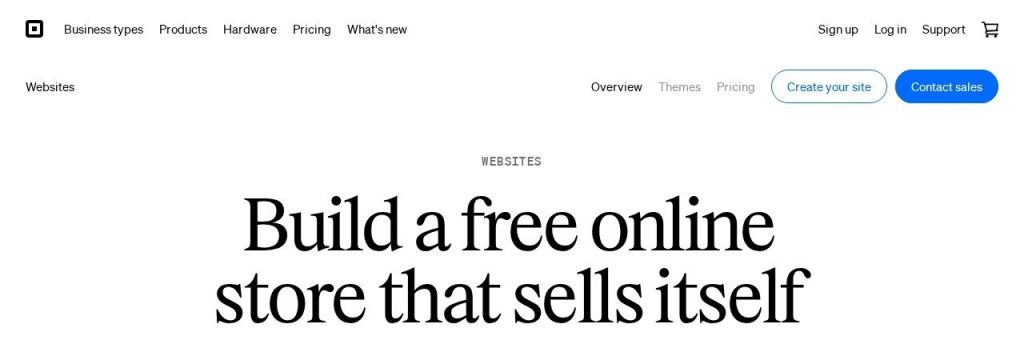
Square Online is Square’s website and online store builder. It syncs orders, items and inventory with Square’s point of sale, and it offers a free plan with no monthly fee.
If you already take payments with Square, running your website on Squarespace means juggling two systems. With Square Online, a cafe could take pickup and delivery orders online and see them land in the same Square account it uses at the counter. Paid features come through Square Plus at $49 a month per location.
Key Capabilities
- POS sync: Online orders, inventory and discounts stay in sync with your Square point of sale.
- Pickup and delivery: Offer pickup, local delivery and shipping on every plan.
- QR ordering: Let diners order and pay from their table (Plus and up).
- AI helpers: Square Assistant and automatic background removal for item photos.
Selling Online
Online card payments cost 3.3% + 30¢ on the free plan and 2.9% + 30¢ on Plus and Premium.
Pros
- Free plan with no monthly fee
- One system for online and in-person sales
- Great for restaurants and pickup orders
Cons
- Higher card fee on the free plan
- Fewer design options than Squarespace
- Paid plans are priced per location
Plans & Pricing
- Free: $0. Website builder, pickup, delivery and shipping. 3.3% + 30¢ per online payment.
- Plus: $49 per month per location. More customization, subscriptions, QR ordering, 2.9% + 30¢ online.
- Premium: $149 per month per location. Real-time shipping rates, advanced reporting, 24/7 phone support.
- Pro: Custom pricing (contact sales). For businesses processing more than $250,000 a year.
Bottom line: Switch to Square Online if you already use Square at the counter. Skip it if your site is mainly about design or content.
What to Look For in a Squarespace Alternative
Every tool here can host a good-looking site. These details decide whether switching actually saves you time and money:
- Switching cost and data migration: Squarespace exports only a WordPress-compatible XML file plus product CSVs, so WordPress is the smoothest move. Hostinger’s AI cloner helps, while Webflow and Framer need a rebuild.
- Total cost after year one: Check renewal prices and fees. Hostinger’s $1.99 deal renews at $10.99, and WordPress.com Personal charges an 8% fee on store sales.
- Transaction fees: Squarespace Basic takes 2% of sales. Self-hosted WordPress and Hostinger take 0%, and Shopify only adds a fee if you skip Shopify Payments.
- Room to grow: If you might add bookings, memberships or a bigger store later, WordPress plugins or the Shopify app store give you the most options.
- Ease of use: Wix, Durable and Hostinger are the easiest to learn; Webflow takes the most time.
- Ownership and exit: Self-hosted WordPress is the only option here where you hold all the files and can move hosts freely.
Which Squarespace Alternative Should You Choose?
- If you want full control and no lock-in, pick WordPress.
- If you want an easy builder with more freedom than Squarespace, pick Wix.
- If you sell products online and want to grow the store, pick Shopify.
- If budget is tight and your site is simple, pick Hostinger Website Builder.
- If design is your edge, pick Webflow for a big CMS site or Framer for a fast marketing site.
- If you love your Squarespace design and rarely change it, staying may still make sense, since moving takes time and the Core plan has no transaction fees.
Which Squarespace alternative are you going to use?
Pick one and see what other small business owners chose.
FAQs
What is the best free Squarespace alternative?
WordPress is the best free alternative: the software costs nothing and you only pay for hosting and a domain. If you want a hosted free plan instead, Wix, Framer and Square Online all have one, though free plans use the builder’s subdomain.
Is there a cheaper alternative to Squarespace?
Yes. As of November 2026, Hostinger Website Builder starts at $1.99 a month on a 48-month term (renewing at $10.99), and WordPress.com Personal costs $4 a month billed yearly. Squarespace Basic costs $19 a month billed annually.
Can I move my website from Squarespace?
Yes, but not everything moves. Squarespace exports pages and one blog as a WordPress XML file, and products as CSV files; store pages, product blocks and your design do not export. WordPress imports the XML directly, and Shopify can import product CSVs.
Is Wix better than Squarespace?
Wix is better if you want more layout freedom, a free plan and more apps. Squarespace is better if you want polished templates with less tinkering. For selling products, Shopify beats both.
Did Squarespace raise its prices?
Yes. In July 2026 Squarespace raised annual prices on Basic (from $16 to $19 a month), Core (from $23 to $29) and Plus (from $39 to $49). The Advanced plan stayed at $99.
Final Thoughts
You do not have to accept higher prices or a site you cannot take with you. Decide what bothers you most about Squarespace (fees, limits or lock-in), then pick the tool that fixes exactly that.
The easiest next step: export your Squarespace content today, then try WordPress or a free trial of Wix or Shopify before your next renewal date.
Want more options? See our full list of the best AI website builders, or compare the two biggest hosted builders in our best Wix alternatives guide.