

Prices checked: November 2026
It is the first Monday of the month. Your account manager is copying numbers from six dashboards into slides, your SEO person is rewriting the same client report for the third time, and nobody has replied to yesterday’s client call follow-ups.
That is where a small agency loses its margin. Clients pay for strategy and results, but a big part of the week goes to reporting, notes, scheduling and status updates.
The right AI tools take most of that work off your plate. Reports build themselves, call notes write themselves, and one person can manage social accounts for a dozen clients.
We checked the official website and pricing page of every tool below in November 2026, so the plans and prices are current.
Here are the 8 AI tools worth adding to a small agency, grouped by the job they do.
Quick answer
- Best for client reporting: AgencyAnalytics (from $20 per client a month)
- Best for SEO client work: SE Ranking (from $103.20/month billed yearly)
- Best for client social media: SocialPilot (from $30/month)
- Best free tool to start with: Fathom (free AI call notes, unlimited recordings)
- Best for on-brand client content: Jasper (from $59/month billed yearly)
AI Tools for Marketing Agencies at a Glance
| Tool | Best for | Free plan | Starting price |
|---|---|---|---|
| AgencyAnalytics | Client reporting dashboards | 14-day trial | $20 per client/mo |
| SE Ranking | SEO research, rank tracking, audits | 14-day trial | $103.20/mo |
| OptimizeCamp | Tracking clients in AI answers | No (money-back guarantee) | $14.92/mo |
| Jasper | On-brand copy and campaigns | 7-day trial | $59/mo |
| Descript | Video and podcast editing | Yes | $16/mo |
| SocialPilot | Client social scheduling | 14-day trial | $30/mo (monthly) |
| Fathom | Client call notes | Yes (unlimited recordings) | $15/user/mo |
| ClickUp | Projects and tasks | Yes | $9/user/mo |
Prices checked November 2026. Starting prices use annual billing unless noted.
Send Client Reports Without the Monthly Scramble
Reporting is the job most agencies hate and no client wants to wait for. Automating it is usually the fastest win.
AgencyAnalytics
Best for: Agencies that report on SEO, ads and social for several clients and want branded dashboards that update on their own
AgencyAnalytics pulls data from 90+ marketing integrations (Google Analytics, Search Console, ad platforms, social networks and more) into white-labeled dashboards and scheduled reports. The company says 7,000 agencies use it. A 4-person agency with 10 retainer clients could stop building monthly slide decks and send every client a live dashboard with their own logo instead.
Key Capabilities
- AI summaries and Ask AI: AgencyAI writes report summaries and answers questions like "why did traffic drop?" from the client’s data, so you are not writing commentary from scratch.
- White-label client portal: Clients log in to a branded portal with your logo, and the Core plan includes unlimited staff and client users.
- MCP access: Connect client data to ChatGPT or Claude to ask deeper questions without exporting spreadsheets.
Pros
- Unlimited users, reports and dashboards on Core
- Strong white-label options for client-facing work
- 14-day free trial with no credit card
Cons
- Price grows with every client (15 clients is about $300 a month)
- Rank tracking and AI visibility tracking are paid add-ons
Plans & Pricing
- Free trial: 14 days, no credit card needed.
- Core: $20 per client per month (billed annually). Unlimited staff, client users, reports and dashboards. The monthly-billing price is not shown on the pricing page.
- 25+ clients: Custom pricing (contact sales).
- Add-ons: Rank Tracker from $41.67/month per 500 keywords and AI Tracker from $20.83/month per 250 credits (both billed annually).
Bottom line: Pick AgencyAnalytics if reporting eats days every month. Very small agencies with one or two clients may find a free Looker Studio dashboard is enough for now.
Win Clients More Search Traffic (on Google and in AI Answers)
SEO is still one of the easiest services to sell on retainer. More clients now also ask whether ChatGPT and Google’s AI Overviews mention their brand, so tracking both is becoming part of the job.
SE Ranking
Best for: Small agencies that need keyword research, rank tracking, site audits and client SEO reports without Semrush-level pricing
SE Ranking is an all-in-one SEO platform that says more than 40,000 agencies trust it. The Core plan covers 10 projects and 2,000 keywords tracked daily, and both plans now include SE Visible, which tracks 25 prompts a day across 5 AI engines. An agency running local SEO for dentists and law firms could track every client’s rankings, run monthly audits and send white-label reports from one login.
Key Capabilities
- Daily rank tracking: Track 2,000 keywords on Core or 5,000 on Growth, plus 1,500 local keywords, so you spot ranking drops before the client does.
- AI visibility tracking: SE Visible shows whether a client’s brand appears in AI answers, with 25 prompts tracked daily on both plans.
- Content Editor and AI Writer: Draft and optimize client articles, with 25 articles a month on Core and 50 on Growth.
Pros
- Much cheaper than the big SEO suites for similar core features
- AI visibility tracking included, not an extra product
- 14-day free trial with no credit card
Cons
- White label needs the Agency Pack (+$69/month, annual billing only)
- Core includes 1 seat and only 6 months of history
Plans & Pricing
- Free trial: 14 days, no credit card (10 projects, 750 tracked keywords).
- Core: $103.20/month billed annually ($129 billed monthly). 10 projects, 1 seat, 2,000 tracked keywords, 250,000 audit pages a month.
- Growth: $223.20/month billed annually ($279 billed monthly). 30 projects, 3 seats, 5,000 tracked keywords, all-time history.
- Agency Pack add-on: +$69/month (annual only). White label, 30 client seats, scheduled reports with AI summaries.
- Enterprise: Custom pricing (contact sales).
Bottom line: SE Ranking is the best-value SEO suite for a small agency. If you need deep backlink data for link building campaigns, compare it with Ahrefs or Semrush first.
OptimizeCamp
Best for: Agencies that want to sell AI search visibility (GEO) as a service and show clients a clear score over time
OptimizeCamp tracks how often a brand is mentioned and cited in ChatGPT, Google AI Overviews, Perplexity and Claude, and gives each project a 0 to 100 Visibility Score. It is built by DotCamp, the company behind Growific, so weigh our view with that in mind. An agency could add an "AI visibility" line to its SEO retainers and send clients a white-label report showing which prompts they win and which competitors show up instead.
Key Capabilities
- Visibility Score per engine: See a client’s score for each of the 4 AI engines, with the exact answers, citations and competitor share of voice.
- Content gaps and audits: Finds the prompts a client is losing and suggests what to fix, with content audits included on every plan.
- White-label reports: The Agency plan adds branded PDF reports, read-only client links and 10 projects.
Pros
- Focused on AI answers, with verbatim responses and citations
- Pricing per workspace, not per seat
- Entry plan costs less than $20 a month
Cons
- No free plan or trial (14-day money-back guarantee instead)
- Covers 4 AI engines today, with Gemini and Copilot not yet tracked
- White label only on the $499 Agency plan
Plans & Pricing
- Solo: $19/month, or $179/year (about $14.92/month). 1 project, 10 prompts, weekly runs.
- Starter: $79/month, or $699/year. 1 project, 25 prompts, 3 competitors.
- Pro: $199/month, or $1,799/year. 3 projects, 100 prompts, Slack alerts, API access.
- Agency: $499/month, or $4,799/year. 10 projects, 300 prompts, white-label reports and client share links.
Bottom line: Pick OptimizeCamp if AI search reporting is a service you want to sell. If you only need a quick check now and then, the AI visibility tracking inside SE Ranking may be enough.
Create Client Content in Half the Time
Content is where AI saves an agency the most hours, as long as the output still sounds like the client.
Jasper
Best for: Agencies writing blog posts, emails, ads and social copy for clients who each have their own brand voice
Jasper is an AI content platform built for marketing teams. You save each client’s tone and facts as Brand Voices and Knowledge, then use Jasper’s agents for SEO articles, campaigns, emails and social posts. A copywriter covering five clients could draft a month of newsletters in an afternoon and spend the saved time on editing and strategy.
Key Capabilities
- Brand Voices and Knowledge: Store each client’s style and product facts so drafts start closer to final (Pro includes 2 Brand Voices and 5 Knowledge assets).
- Marketing agents: Ready-made agents for SEO and GEO content, campaigns, email, social and research.
- Canvas workspace: Plan, write and edit campaigns in one place with Jasper Chat beside the draft.
Pros
- Built for marketing work, not general chat
- Brand Voices keep client copy consistent
- 7-day free trial on Pro
Cons
- Pro covers 1 seat and only 2 Brand Voices, tight for multi-client agencies
- Unlimited voices, API and translation need the custom-priced Business plan
Plans & Pricing
- Free trial: 7 days on Pro.
- Pro: $59/seat/month billed annually ($69 billed monthly). 1 seat, 2 Brand Voices, 5 Knowledge assets, 3 Audiences.
- Business: Custom pricing (contact sales). Unlimited users and Brand Voices, custom agents, API, 12-month commitment.
Bottom line: Jasper fits agencies where content is a core service. If you only write occasional copy, a ChatGPT or Claude subscription costs far less.
Descript
Best for: Agencies turning client webinars, interviews and podcasts into edited videos and short social clips
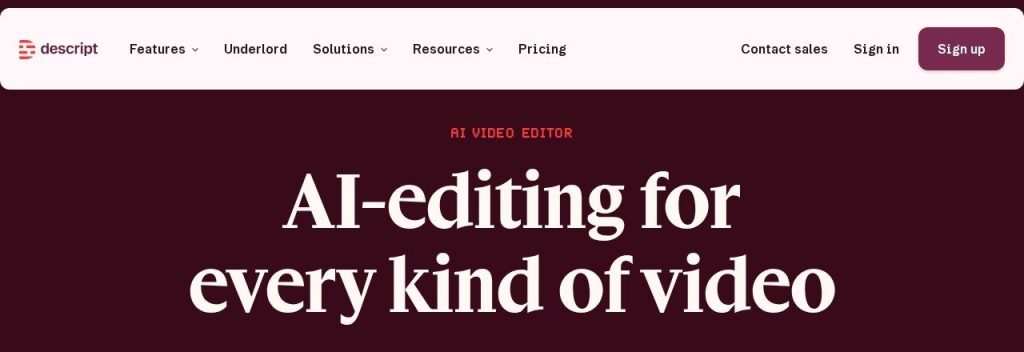
Descript lets you edit video and audio by editing the transcript, like a document. Its AI co-editor, Underlord, can turn a raw recording into a rough cut, remove filler words and cut short clips for social media. One recorded client webinar could become a polished replay plus ten vertical clips for the week’s posts.
Key Capabilities
- Text-based editing: Delete a sentence in the transcript and it disappears from the video, so non-editors can make cuts.
- Underlord AI co-editor: Builds rough cuts, removes filler words and retakes, and suggests clips.
- Studio Sound and captions: Cleans up noisy audio and adds captions, with 4K export on Creator and Business.
Pros
- Free plan to test it (1 media hour a month)
- Very easy for non-editors
- Team plans include several seats
Cons
- Media hours and AI credits run out quickly on cheaper plans
- Free exports are 720p with a watermark
Plans & Pricing
- Free: $0. 1 media hour a month, 100 AI credits (one-time), 720p with watermark.
- Hobbyist: $16/month billed annually ($24 monthly). 1 person, 10 media hours, 400 AI credits, 1080p.
- Creator: $24/month billed annually ($35 monthly). Up to 3 seats, 30 media hours, 800 AI credits, 4K.
- Business: $50/month billed annually ($65 monthly). Up to 5 seats, 40 media hours, 1,500 AI credits.
- Enterprise: Custom pricing (contact sales).
Bottom line: Descript is the easiest way for a small agency to add video without hiring an editor. Agencies doing heavy multicam production will still want a traditional editor.
Run Social Media for Many Clients From One Place
Managing 10 clients’ social accounts in 10 browser tabs is how posts get missed. A scheduler built for agencies keeps clients, approvals and reports apart.
SocialPilot
Best for: Agencies that schedule posts for many clients and need approvals and white-label reports at a fair price
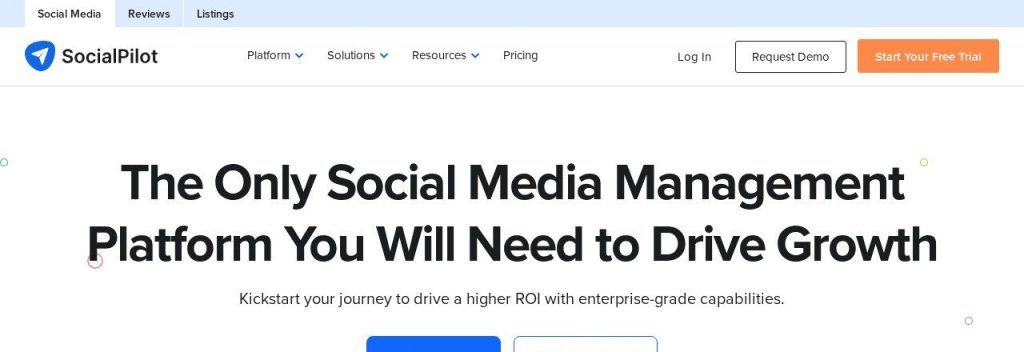
SocialPilot publishes to 10 networks, including Facebook, Instagram, TikTok, LinkedIn, X, Threads, Bluesky, YouTube, Pinterest and Google Business Profile. You can bulk schedule 500+ posts at once, and its AI Pilot drafts captions and replies. An agency handling 8 local businesses could load a month of posts for each client in one sitting and send every client an approval link.
Key Capabilities
- Client approvals: Clients review and approve posts before they go live (Premium and Ultimate plans).
- AI Pilot and AI Scheduler: Drafts post copy and suggests posting times, with 500 to 5,000 AI credits a month depending on plan.
- White-label reports: Send branded PDF reports to clients automatically by email.
Pros
- 10 networks, including Google Business Profile
- Clear per-account limits and cheap extra accounts ($4/month each)
- 14-day free trial, no credit card
Cons
- Client approvals and white label start at Premium ($100/month regular price)
- AI features are lighter than AI-first writing tools
Plans & Pricing
- Free trial: 14 days, no credit card.
- Essentials: $30/month (regular monthly price). 7 social accounts, 1 user.
- Standard: $50/month. 15 accounts, 3 users.
- Premium: $100/month. 25 accounts, 6 users, client management and white-label reports.
- Ultimate: $200/month. 50 accounts, unlimited users, advanced white label.
- Enterprise: Custom pricing. A Black Friday discount for new customers was running when we checked, so check the plans page for current offers.
Bottom line: SocialPilot is a strong value pick for agencies with many small clients. If you mostly manage one or two big brands, a single-brand tool may be simpler.
Keep Client Calls and Projects on Track
Missed follow-ups and "where are we on this?" emails cost client trust. These two tools cover the calls and the work that follows them.
Fathom
Best for: Account managers who spend their day on client calls and want notes, action items and follow-ups written for them
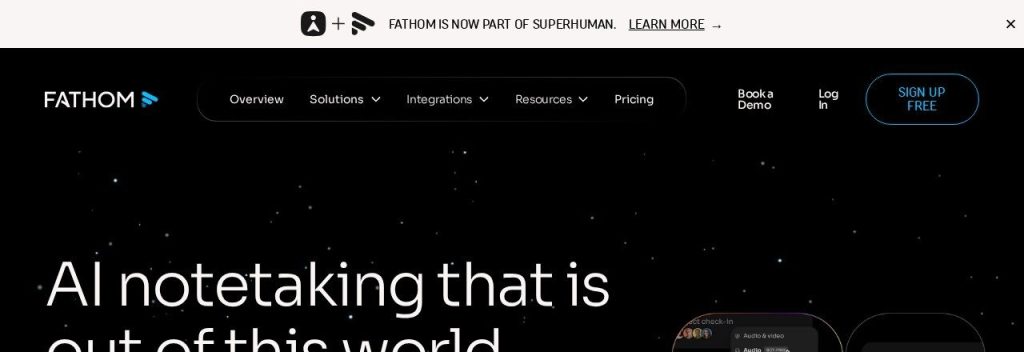
Fathom records, transcribes and summarizes calls on Zoom, Google Meet and Microsoft Teams. The free plan includes unlimited recordings, and Fathom says it is used by more than 500,000 companies. After a client kickoff, your account manager gets a summary and action list to paste into the follow-up email and the project board.
Key Capabilities
- Unlimited free recordings: Record and transcribe every client call at no cost, with instant AI summaries.
- Ask Fathom: Ask questions across past calls, like "what did the client say about the budget?"
- 20 integrations: Sends notes to HubSpot, Salesforce, Slack, Asana, Notion and more.
Pros
- Very generous free plan
- Clean summaries that are ready to share
- Team plan is cheap per user
Cons
- Team and Business plans need at least 2 users
- Some AI features are marked "limited use" without clear limits
Plans & Pricing
- Free: $0. Unlimited recordings and basic AI summaries.
- Premium: $16/month billed annually ($20 monthly). Advanced summaries and AI action items for one person.
- Team: $15/user/month billed annually ($19 monthly), minimum 2 users. Shared workspace and team search.
- Business: $25/user/month billed annually ($34 monthly), minimum 2 users. CRM sync and coaching metrics.
- Enterprise: Annual billing only (contact sales). SSO and custom retention.
Bottom line: Every agency should start with Fathom’s free plan. Upgrade only when you want shared team search or CRM sync.
ClickUp
Best for: Agencies that want client projects, tasks, docs and time tracking in one workspace with AI built in
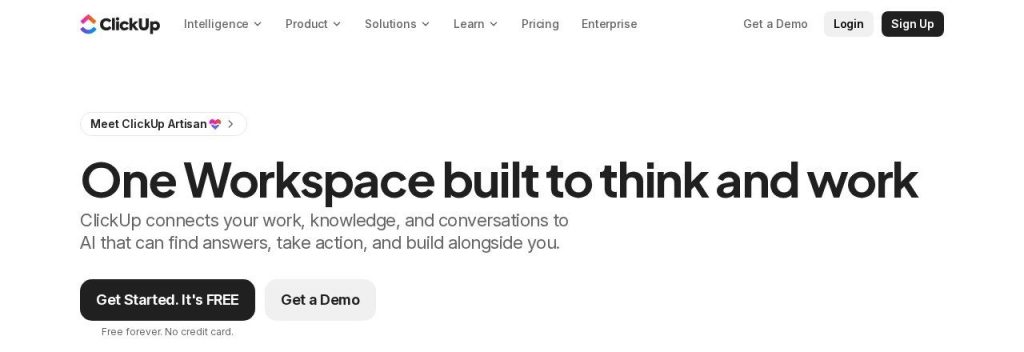
ClickUp combines tasks, docs, whiteboards, time tracking and automations in one workspace, and every plan now includes AI credits for ClickUp Brain. An agency can give each client a Space with its own boards, use templates for repeat work like monthly SEO reports, and let AI write task updates and summarize long threads.
Key Capabilities
- ClickUp Brain AI: Summarizes tasks and docs, writes updates and answers questions about your work, with 1,000 to 1,500 AI credits per user each month on paid plans.
- Automations: Move tasks, assign people and post updates automatically (1,000 actions a month on Core, 10,000 on Business).
- Time tracking and docs: Track hours per client and keep briefs, SOPs and meeting notes next to the work.
Pros
- Free plan with unlimited members and tasks
- Replaces several tools (tasks, docs, time tracking)
- AI credits included on every plan
Cons
- Learning curve is steep for small teams
- Free plan has only 60 MB of storage
- Pricing changes often, and monthly-billing prices are not shown on the pricing page
Plans & Pricing
- Free Forever: $0. Unlimited members and tasks, 5 Spaces, 60 MB storage, 500 AI credits per workspace.
- Core: $9/user/month billed annually. Unlimited storage, 1,000 AI credits per user.
- Business: $17/user/month billed annually. 10,000 automations, 1,500 AI credits per user.
- Max: $100/user/month billed annually. 10,000 AI credits per user.
- Enterprise: Custom pricing (contact sales). Extra AI credits cost $10 per 10,000.
Money saver
A lean starter stack for a 3-person agency with 5 clients: AgencyAnalytics Core (5 clients, $100), SocialPilot Standard ($50), ClickUp Core for 3 users ($27) and Fathom Free ($0). That is about $177 a month on annual pricing where available, and it covers reporting, social, projects and call notes.
Bottom line: ClickUp suits agencies that want one place for everything. If your team only needs simple boards, a lighter tool will be quicker to set up.
What to Look For in AI Tools for Marketing Agencies
Agency tools have different needs from tools for a single business. Check these before you buy:
- Multi-client setup: Each client should have its own space, data and logins. AgencyAnalytics and SocialPilot are built around this.
- White label: Reports and portals with your logo make you look bigger and keep clients from shopping for the tool themselves. Check which plan includes it, as SE Ranking charges $69/month extra.
- Pricing that scales fairly: Per-client, per-seat and per-workspace pricing add up very differently. OptimizeCamp prices per workspace, while AgencyAnalytics charges per client.
- Client approvals: Approval links save rounds of email. SocialPilot includes them from the Premium plan.
- AI that uses client data: Generic AI writes generic copy. Look for tools that learn each client’s voice or data, like Jasper’s Brand Voices or AgencyAnalytics’ Ask AI.
- Free plan or trial: Test with a real client before you commit. Fathom, Descript and ClickUp have free plans.
Which AI Tools Should Your Agency Start With?
- If you are a solo marketer or freelancer, start with Fathom Free, ClickUp Free and Descript Free, then add SE Ranking or SocialPilot once you have retainers.
- If reporting takes days every month, pick AgencyAnalytics first. It usually pays for itself in saved hours fastest.
- If SEO is your main service, pick SE Ranking, and add OptimizeCamp when clients start asking about ChatGPT and AI Overviews.
- If you sell social media management, pick SocialPilot, and use Descript to turn client videos into clips.
- If content writing is your core service, pick Jasper for client brand voices.
FAQs
What AI tools do marketing agencies use?
Most small agencies use AI for client reporting (AgencyAnalytics), SEO (SE Ranking), content (Jasper or ChatGPT), video editing (Descript), social scheduling (SocialPilot), call notes (Fathom) and project management (ClickUp).
How much does an AI tool stack cost for a small agency?
A lean stack for a 3-person agency with 5 clients costs about $177 a month in November 2026 (AgencyAnalytics, SocialPilot, ClickUp Core and Fathom Free). Adding SEO with SE Ranking Core adds $103.20 a month on annual billing.
Can AI replace staff at a small agency?
Not fully. AI handles first drafts, reports, notes and scheduling well, but clients still pay for strategy, judgment and relationships. Most agencies use AI so each person can handle more clients.
Which agency tools offer white-label reports?
AgencyAnalytics includes a white-label portal on its Core plan, SocialPilot from Premium, SE Ranking through its $69/month Agency Pack, and OptimizeCamp on its Agency plan.
Are there free AI tools for agencies?
Yes. Fathom has a free plan with unlimited call recordings, ClickUp’s Free Forever plan includes unlimited members and 500 AI credits, and Descript has a free plan with 1 media hour a month.
Final Thoughts
A small agency grows by giving each person more time for client work, not by adding more tabs. Automate reporting and call notes first, because those save hours every week from day one.
The easiest next step: install Fathom’s free plan before your next client call, then start a 14-day AgencyAnalytics trial and rebuild one client’s monthly report.
For deeper picks in each area, see our guides to the best AI SEO tools, the best AI social media schedulers and how to get a business mentioned in ChatGPT.