

You only need one customer survey this month. Then you see the price: SurveyMonkey’s Standard Monthly plan costs $149 a month for 1,000 responses.
The cheaper route is Advantage Annual at $39 a month, but you pay $468 up front. Go over your limit on a paid plan and each extra response costs $0.15.
SurveyMonkey earned its popularity, to be fair. It offers 500+ expert templates, strong analysis and a name people recognize. But its free plan stops at 10 questions per survey and limits how many responses you can view.
A good alternative fixes at least one of those problems: a bigger free plan, a flat price for your whole team, or a simple way to bring your old surveys with you.
We checked the official pricing page of every tool below in November 2026. Here are the 8 best SurveyMonkey alternatives, and who each one suits.
Quick answer
- Best free plan: Tally (unlimited forms and submissions)
- Easiest switch: Jotform (copies your SurveyMonkey forms)
- Best for teams: Fillout (unlimited seats from $15/month)
- Cheapest paid survey tool: Zoho Survey (from $7.42/month billed yearly)
- Best looking surveys: Typeform (from $28/month)
- Best for research: QuestionPro (imports surveys and responses)
What’s the Best SurveyMonkey Alternative?
| Tool | Best for | Free plan | Starting price |
|---|---|---|---|
| Tally | Unlimited free forms and responses | Yes (fair use) | $24/mo |
| Google Forms | Quick, simple surveys at no cost | Yes | $0 ($7/user/mo with Workspace) |
| Jotform | Moving your surveys over quickly | Yes (5 forms) | $34/mo |
| Fillout | Whole teams on one flat price | Yes (1,000 responses/mo) | $15/mo |
| Typeform | Polished, one-question-at-a-time surveys | Yes (10 responses/mo) | $28/mo |
| Zoho Survey | The lowest paid price for a true survey tool | Yes (100 responses per survey) | $7.42/mo |
| QuestionPro | Serious research, with responses imported | Yes (200 responses per survey) | $99/user/mo |
| Survicate | Feedback inside your website or app | No (10-day trial) | $56/mo |
Prices checked November 2026. Starting prices use annual billing unless noted. SurveyMonkey Advantage Annual costs $39 a month, and Standard Monthly costs $149 a month.
1. Tally
Best for: Owners who want to stop paying for surveys altogether
Tally gives you unlimited forms and unlimited submissions for free, within its fair use guidelines. SurveyMonkey’s free Basic plan stops at 10 questions per survey and limits the responses you can view, so the gap is huge for a small business.
Building a form feels like typing in a document. A freelance designer could send a 5-question feedback form after every project, with conditional logic and file uploads, and pay nothing. Tally says more than 2,500,000 teams use it.
Key Capabilities
- Unlimited free submissions: No monthly response cap on the free plan, as long as you stay within fair use.
- Tally AI: Describe the survey you need and Tally drafts it for you.
- Logic and calculations: Conditional logic, calculations and answer piping are all free.
- Payments and signatures: Collect both inside a form without upgrading.
- Drop-off analytics (Pro): Shows where people quit so you can shorten the survey.
Channels Supported
Shareable link and website embeds. Free integrations with Google Sheets, Notion, Airtable, Zapier, Make and webhooks.
Pros
- Unlimited forms and submissions for $0
- Very fast to build, like writing a doc
- Pro includes unlimited team members
Cons
- No built-in tool for emailing surveys to a list
- Fewer survey reports than SurveyMonkey
- Tally branding stays on free forms
- Free file uploads are capped at 10 MB each
Plans & Pricing
- Free: $0. Unlimited forms and submissions (fair use), logic, payments, signatures, integrations.
- Pro: $24/month (billed annually; $29 monthly). Remove branding, custom domains, unlimited team members, partial submissions, drop-off analytics.
- Business: $74/month (billed annually; $89 monthly). Data retention controls, email verification, 90-day version history.
Money saver
SurveyMonkey Advantage Annual costs $468 a year. If you run a few customer surveys and share them by link, Tally’s free plan can take that bill to $0.
Bottom line: Switch to Tally if you share surveys by link and want the bill gone. Skip it if you need to email invitations and read detailed reports in one place.
2. Google Forms
Best for: Teams that already live in Gmail and Google Sheets
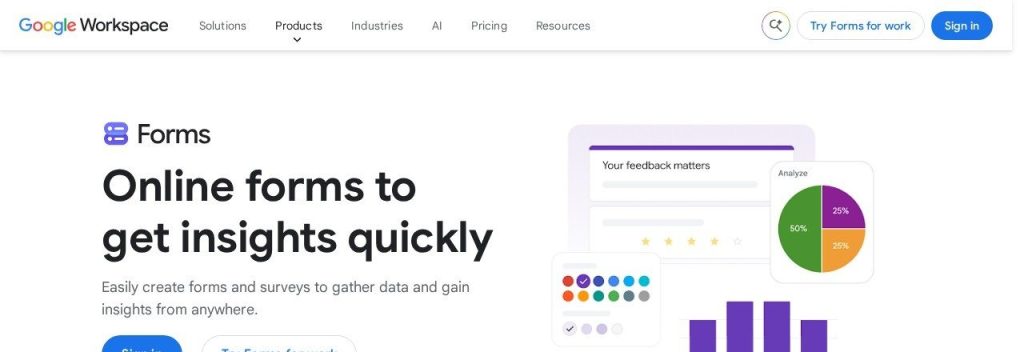
Google Forms is free with a Google account, and Google does not charge you per response. Answers show up as live charts and can flow straight into Google Sheets.
It does far less than SurveyMonkey, and that is often fine. A local bakery could ask 200 customers to vote on a new menu, then sort the results in a spreadsheet the owner already knows how to use.
Key Capabilities
- Automatic charts: Results turn into charts in real time as answers arrive.
- Google Sheets link: Send responses to a spreadsheet for sorting and formulas.
- Section branching: Send people to a different section based on their answer.
- Gemini form creation: “Help me create a form” drafts a survey, but needs an eligible Google Workspace or Google AI plan.
Channels Supported
Shareable link, email and website embed. Works on any device.
Pros
- Free, with no per-response fee
- Almost nobody needs training
- Connects directly to Google Sheets
Cons
- Plain design with few branding options
- Logic is limited to jumping between sections
- No dedicated NPS question or deep survey analysis
- File upload questions require a Google sign-in
Plans & Pricing
- Free: $0 with a Google account.
- Workspace Business Starter: $7/user/month (1-year commitment). Custom business email, 30 GB pooled storage per person, Gemini AI assistant.
- Workspace Business Standard: $14/user/month (1-year commitment). 2 TB pooled storage per person.
- Workspace Business Plus: $22/user/month (1-year commitment). Enhanced security and management controls.
Bottom line: Pick Google Forms for quick polls and simple feedback. Skip it if your survey needs real branding, advanced logic or proper reports.
3. Jotform
Best for: Businesses that want to bring their SurveyMonkey surveys with them
Jotform has a migration tool that copies your SurveyMonkey forms, so you do not have to rebuild them question by question. Its free Starter plan includes all features, with 5 forms and 100 submissions a month.
It also handles far more than surveys. A home cleaning company could keep its booking form, signed service agreement and post-visit feedback survey in one account.
Key Capabilities
- SurveyMonkey migration tool: Copies your existing SurveyMonkey forms into Jotform.
- AI Form Builder: Creates a form or survey from a short prompt.
- AI Agents: Build agents for support, intake, booking and onboarding.
- Payments and signatures: Take payments and collect signed documents inside your forms.
- Claude and ChatGPT apps: Draft replies, summarize responses and generate follow-ups.
Channels Supported
Shareable link, website embeds and mobile forms. More than 200 integrations, including Microsoft Excel, Google Sheets and Slack.
Pros
- Built-in way to move from SurveyMonkey
- Free plan includes all features
- Covers forms, payments and e-signatures
- HIPAA-enabled features on Gold
Cons
- Bronze, Silver and Gold cap your number of forms
- Listed plans include only 1 user
- Busier interface than a pure survey tool
Plans & Pricing
- Starter: $0. 5 forms, 100 monthly submissions, 10,000 monthly form views, 100 MB space.
- Bronze: $34/month (billed annually; $39 monthly). 25 forms, 1,000 monthly submissions, 1 GB space.
- Silver: $39/month (billed annually; $49 monthly). 50 forms, 2,500 monthly submissions, 10 GB space.
- Gold: $99/month (billed annually; $129 monthly). 100 forms, 10,000 monthly submissions, HIPAA-enabled features.
- Enterprise: Custom pricing (contact sales). Multiple users and teams.
Bottom line: Choose Jotform if you want an easy move and run lots of forms beyond surveys. Skip it if several teammates need their own logins on a small budget.
4. Fillout
Best for: Small teams tired of paying for every seat

Fillout charges one flat fee with unlimited seats on every plan, including free. The free plan also gives you 1,000 responses a month, which matches what SurveyMonkey’s $149 Standard Monthly plan includes.
The savings grow with your team. A 6-person agency on SurveyMonkey Team Advantage would pay $180 a month at $30 per user, billed annually. On Fillout Starter, the same six people share one plan at $15 a month on annual billing.
Key Capabilities
- Unlimited seats: Invite the whole company at no extra cost.
- AI Survey Maker: Describe what you need and get a working survey to edit.
- Calculations and scoring: Useful for NPS and quiz-style surveys.
- Fillout Workflows: Trigger actions automatically when a response arrives.
- Payments and scheduling: Both are available on the free plan.
Channels Supported
Shareable link, website embeds and login forms. Integrations include Airtable, Google Sheets, Notion, HubSpot and webhooks.
Pros
- 1,000 free responses a month
- Unlimited seats on every plan
- Lowest entry price among the form builders here
Cons
- Removing all branding needs Pro ($40/month)
- Form analytics need Business ($75/month)
- Fewer survey-specific reports than SurveyMonkey
Plans & Pricing
- Free: $0. Unlimited forms and seats, 1,000 responses a month, payments, logic, scheduling.
- Starter: $15/month (billed annually; $19 monthly). 2,000 responses a month, all question types, custom endings.
- Pro: $40/month (billed annually; $49 monthly). 5,000 responses a month, no branding, custom CSS.
- Business: $75/month (billed annually; $89 monthly). Unlimited responses, form analytics, custom domain, partial submissions.
Bottom line: Pick Fillout if several people need access and you hate per-seat pricing. Skip it if survey analysis matters more to you than form building.
5. Typeform
Best for: Brands that care how their survey feels

Typeform shows one question at a time in a clean, full-screen layout, so a survey feels more like a conversation than a form. If SurveyMonkey’s look feels dated for your brand, this is the clearest upgrade.
Watch the response limits. Basic costs $28 a month on annual billing but includes only 100 responses a month, so a boutique fitness studio sending a branded post-class survey would likely need Plus at $56 a month.
Key Capabilities
- AI-powered form creation: Generates a draft form from a short prompt.
- Logic and scoring: Branching, scores and calculations are included even on the free plan.
- MCP connection: Connect Claude, ChatGPT or another MCP-ready assistant to your account.
- Drop-off rates (Business): See where people leave and track conversions.
Channels Supported
Shareable link and website embeds on every plan. Email and SMS follow-ups on Growth Flow.
Pros
- Most polished experience on this list
- Logic and calculations even on free
- Plus and Business include several users
Cons
- Free plan allows only 10 responses a month
- Basic includes just 100 responses a month
- Removing branding needs Plus ($56/month)
Plans & Pricing
- Free: $0. Unlimited forms, 10 responses a month, logic, Typeform AI for building forms.
- Basic: $28/month (billed annually; $39 monthly). 100 responses a month, 1 user.
- Plus: $56/month (billed annually; $79 monthly). 1,000 responses a month, 3 users, no Typeform branding.
- Business: $91/month (billed annually; $129 monthly). 10,000 responses a month, 5 users, drop-off rates.
- Growth Flow: $266/month (billed annually; $379 monthly). 14-day free trial with a card. 10,000 responses a month, 5 users, Smart Insights.
- Enterprise: Custom pricing (contact sales).
Bottom line: Choose Typeform when the look of your survey affects your brand. Skip it if you need lots of responses on a small budget.
6. Zoho Survey
Best for: Owners who want a real survey tool at a tiny price
Zoho Survey looks and works much more like SurveyMonkey than the form builders above. Its Basic plan costs $7.42 a month on yearly billing, with unlimited surveys and questions.
That is about $379 a year less than SurveyMonkey Advantage Annual. A small accounting firm could run its yearly client satisfaction survey on Basic, then step up to Plus only if it needs skip logic.
Key Capabilities
- AI Survey Creator: Describe what you need and get a survey ready to edit.
- Built-in email distribution: Send invitations without a separate email tool.
- 250+ templates: Start from research-backed surveys, or import an existing survey.
- Skip logic (Plus and up): Show, skip or redirect questions based on answers.
- Zoho connections: A natural fit if you already use other Zoho apps.
Channels Supported
Email invitations and web links from the same account.
Pros
- Lowest paid price on this list
- Unlimited surveys on every plan
- Unlimited responses per survey on yearly Plus and above
Cons
- Free plan allows only 10 questions and 100 responses per survey
- Skip logic needs Plus ($25/month)
- Basic is sold on yearly billing only
Plans & Pricing
- Free: $0. Unlimited surveys, 10 questions and 100 responses per survey.
- Basic: $7.42/month (billed annually only). Unlimited questions, 12,000 responses per survey, add your logo.
- Plus: $25/month (billed annually; $35 monthly). Skip logic, unlimited responses per survey on yearly billing (3,000 on monthly).
- Pro: $35/month (billed annually; $49 monthly). Unlimited responses per survey on yearly billing (5,000 on monthly).
- Enterprise: $75/month (billed annually; $109 monthly). Unlimited responses per survey on yearly billing (7,000 on monthly). 7-day free trial.
Bottom line: Pick Zoho Survey if you want classic surveys at the lowest price. Skip it if you want the free plan to carry you, since 10 questions runs out fast.
7. QuestionPro
Best for: Businesses doing regular market research

QuestionPro is the closest match here for people who use SurveyMonkey’s deeper research features. Its SurveyMonkey Import Tool, currently in beta, can bring over your surveys along with all responses, completed responses or none.
This is not the cheap option. Advanced costs $99 per user a month on annual billing, more than double SurveyMonkey Advantage Annual. A market research consultant might still choose it for 25,000 yearly responses and 24/7 phone support.
Key Capabilities
- SurveyMonkey Import Tool: Moves selected surveys and their responses (beta).
- QuestionPro AI: Included from the Advanced plan upward.
- NPS and multilingual surveys: Both are included from Advanced upward.
- Skip logic on every plan: Even the free Essentials plan includes branching.
- 24/7 support: Chat and email on every survey plan, with phone support from Advanced.
Channels Supported
Web links and email distribution, plus a mobile app on Advanced and up.
Pros
- 200 free responses per survey
- Imports past responses, not only questions
- 24/7 chat and email support, even on free
Cons
- Advanced costs far more than SurveyMonkey Advantage
- Team Edition needs at least 5 users
- The import tool is still labeled beta
- More than a simple customer survey needs
Plans & Pricing
- Essentials: $0. 1 user, 200 responses per survey, 30 question types.
- Advanced: $99/user/month (billed annually). 1 user, 25,000 responses a year, 38 question types. 10-day free trial.
- Team Edition: $83/user/month (billed annually). 5+ users, 100,000 responses a year, 46 question types, dedicated account manager.
- Research Suite: Custom pricing (contact sales). 10+ users, 52 question types.
Bottom line: Choose QuestionPro if research is core to your work and you want your past data with you. Skip it if your main goal is a lower bill.
8. Survicate
Best for: Online stores and software companies

Survicate catches customers where they already are: inside your app, on your website or in their inbox. SurveyMonkey is stronger for standalone surveys, while Survicate is built for ongoing feedback.
A small software company could show a one-question survey right after someone uses a new feature, then let AI group the answers into themes. Growth starts at $56 a month on annual billing with 10 user seats.
Key Capabilities
- Research Hub: AI groups surveys, reviews, tickets and transcripts into themes.
- Targeting: Show surveys based on customer attributes and events.
- AI agent and MCP: Turn Claude or ChatGPT into your feedback analyst.
- Built-in email sending: Send email surveys without a separate tool.
Channels Supported
In-app, mobile, website and email surveys from one account, with 28 integrations on Growth.
Pros
- Reaches people inside your site or app
- AI analysis across many feedback sources
- 10 user seats on the entry plan
- 10-day trial with no card
Cons
- No free plan after the trial
- Growth includes just 100 responses a month
- Pro jumps to $349 a month
Plans & Pricing
- Free trial: 10 days, no card, up to 25 survey responses.
- Growth: From $56/month (billed annually; from $89 monthly). 100 responses and 500 data points a month, 10 seats, 2 teams.
- Pro: From $349/month. Custom yearly response pool, advanced logic, 10 dashboards.
- Enterprise: From $569/month. Custom seats and dashboards, SAML SSO.
Bottom line: Pick Survicate if you want feedback from inside your website or product. Skip it if you just send an occasional survey by link.
What to Look For in a SurveyMonkey Alternative
Every tool here can collect answers. These details decide whether switching really saves you money and time:
- How responses are counted: Limits can apply per month, per year or per survey. Fillout counts monthly, QuestionPro Advanced counts yearly, and Zoho Survey counts per survey.
- Who pays for seats: SurveyMonkey team plans charge per user with a 3-user minimum. Fillout includes unlimited seats, and Tally Pro includes unlimited team members.
- Switching cost and data migration: Jotform can copy your SurveyMonkey forms, and QuestionPro can import surveys with responses. Elsewhere, export your results first and rebuild your best surveys by hand.
- How you reach people: Sharing a link is easy everywhere. If you email invitations, look at Zoho Survey or Survicate instead of Tally.
- Analysis depth: Google Forms gives you simple charts. QuestionPro and Survicate go much further if you need to study results closely.
- Overage rules: SurveyMonkey bills $0.15 per extra response on paid plans, and Survicate lists overage fees too. Check this before a big campaign.
Which SurveyMonkey Alternative Should You Choose?
- If you want to pay nothing, pick Tally, or Google Forms for very simple surveys.
- If you want the easiest move, pick Jotform.
- If your whole team needs access, pick Fillout.
- If you want a classic survey tool for less, pick Zoho Survey.
- If your survey represents your brand, pick Typeform.
- If you need feedback inside your site or app, pick Survicate.
- If you rely on its research panel and advanced analysis, staying on SurveyMonkey can still make sense.
FAQs
What is the best free SurveyMonkey alternative?
Tally is the best free SurveyMonkey alternative in November 2026. Its free plan includes unlimited forms and submissions under fair use, plus logic, payments and file uploads. Fillout is a strong second, with 1,000 free responses a month and unlimited seats.
Is there a cheaper alternative to SurveyMonkey?
Yes. Zoho Survey Basic costs $7.42 a month on yearly billing, Fillout Starter costs $15 and Tally Pro costs $24. SurveyMonkey Advantage Annual costs $39 a month, billed as $468 a year.
Can I move my surveys from SurveyMonkey?
Yes. Jotform has a migration tool that copies SurveyMonkey forms, and QuestionPro has a beta import tool that can also bring responses. With other tools, export your data from SurveyMonkey and rebuild the surveys you still need.
Is Google Forms a good replacement for SurveyMonkey?
For simple surveys, yes. Google Forms is free and sends answers to Google Sheets, but it has basic design options, section-based logic and simple charts. Choose a dedicated survey tool if you need deeper analysis.
How much does SurveyMonkey cost?
SurveyMonkey Basic is free. Standard Monthly costs $149 a month, Advantage Annual costs $39 a month billed as $468 a year, and Premier Annual costs $139 a month billed as $1,668 a year. Team plans start at $30 per user a month with a 3-user minimum.
Final Thoughts
Most small businesses leave SurveyMonkey because of the price or the tight free plan. Both are easy to fix, often in a single afternoon.
The easiest next step: rebuild your most-used survey in Tally’s free plan and send it to your next 10 customers. If you have many surveys to move, start with Jotform’s migration tool instead.
For the full picture, see our guide to the best AI survey and customer feedback tools, then act on what customers tell you with one of the best AI help desk tools.