

Your Shopify bill says $39 a month. Then you add a reviews app, a bundles app and an upsell app at $5 to $15 a month each, and the bill keeps climbing before you sell a thing.
That is the most common reason owners start looking around. Shopify is popular for good reasons: it is fast to launch, its checkout is fast and trusted, and its app store covers almost any need.
But the extras add up. Shopify charges a 2% fee on the Basic plan if you use a payment provider other than Shopify Payments, paid themes cost $100 to $500, and the Grow plan is $105 a month on monthly billing.
A good alternative fixes one of those pains: lower monthly cost, no platform fee, full ownership of your store, or a simpler tool for a small catalog. We checked every platform’s official website and pricing page in November 2026.
Here are the 8 best Shopify alternatives, and who each one suits.
Quick answer
- Best for full ownership: WordPress + WooCommerce (free software, no platform transaction fee)
- Best for beginners: Wix
- Best free plan for local shops: Square Online
- Best for adding a store to a site you already have: Ecwid
- Best budget AI store builder: Hostinger Website Builder
- Best for digital products: Payhip
What’s the Best Shopify Alternative?
| Tool | Best for | Free plan | Starting price |
|---|---|---|---|
| WordPress + WooCommerce | Owning your store and avoiding platform fees | Yes (free software, hosting extra) | $0 + hosting |
| Wix | Beginners who want drag-and-drop design | Yes (cannot sell) | $29/mo |
| Squarespace | Design-led brands with a small catalog | No (14-day trial) | $19/mo |
| BigCommerce | Growing stores that want built-in commerce depth | No (15-day trial) | $39/mo (monthly billing) |
| Square Online | Shops, cafes and stalls that also sell in person | Yes | Free (Plus $49/mo) |
| Ecwid | Adding a store to a site you already have | No | $5/mo |
| Hostinger Website Builder | The lowest upfront cost with AI | No (30-day refund) | $2.79/mo intro (renews $16.99) |
| Payhip | Selling ebooks, courses and memberships | Yes (5% fee) | Free (paid from $29/mo) |
Prices checked November 2026. Starting prices use annual billing unless noted. Shopify itself starts at $29 a month (Basic, billed yearly).
1. WordPress + WooCommerce
Best for: Owners who want to own their store, their data and their design, and never pay a platform cut on sales
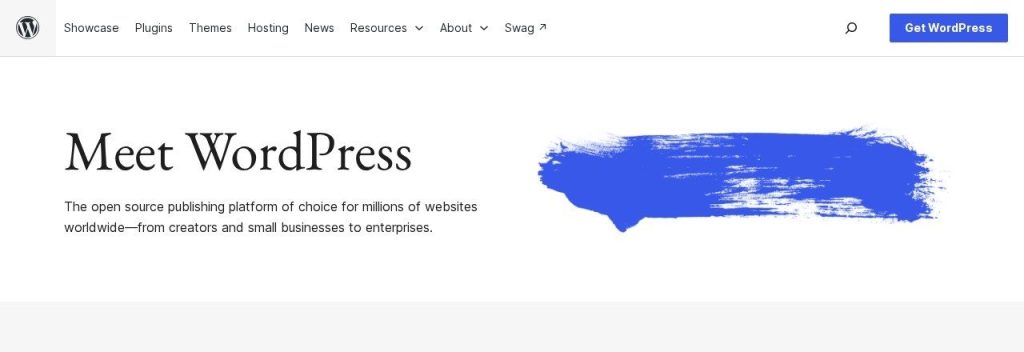
WordPress is free, open source software, and WooCommerce is the free plugin that turns it into a full online store. WordPress runs 38.4% of all websites, according to W3Techs in November 2026, and WooCommerce has more than 7 million active installations on WordPress.org.
Unlike Shopify, you host the store yourself, so you can move hosts, change anything and keep every file. A small coffee roaster could run its blog, wholesale page and shop in one place, then add subscriptions or bookings with a plugin instead of paying for another app. Growific itself runs on self-hosted WordPress.
Key Capabilities
- Huge plugin library: Over 80,000 free plugins on WordPress.org cover reviews, SEO, memberships, bookings and more.
- Any payment provider: Use WooPayments, Stripe, PayPal or local gateways without a platform penalty.
- AI through plugins: Add AI product descriptions, chat or SEO help with the plugin you prefer, instead of one locked-in tool.
- Moving from Shopify: Export your products from Shopify as a CSV file and bring them in with WooCommerce’s built-in product importer.
Transaction Fees
WooCommerce takes no cut of your sales. If you use WooPayments in the US, cards cost 2.9% + $0.30 for domestic cards, plus 1.5% for international cards.
Pros
- No platform transaction fee on any setup
- You own the code, the data and the design
- The best blogging and content tools here
Cons
- You handle hosting, updates, backups and security
- Paid plugins and premium themes can add up, much like Shopify apps
- More setup time than an all-in-one builder
Plans & Pricing
- WordPress + WooCommerce (self-hosted): Free software. You pay for hosting, a domain and any paid extensions you choose.
- WordPress.com Business: $25/month (billed annually; $40 monthly). Lets you install plugins, including WooCommerce.
- WordPress.com Commerce: $45/month (billed annually; $70 monthly). The full WooCommerce setup with 0% WordPress.com fees on payments.
Bottom line: Pick WordPress + WooCommerce if you want full control and no platform cut on sales. Skip it if you never want to think about hosting or plugin updates.
2. Wix
Best for: First-time sellers who want a good looking store with AI help and no code
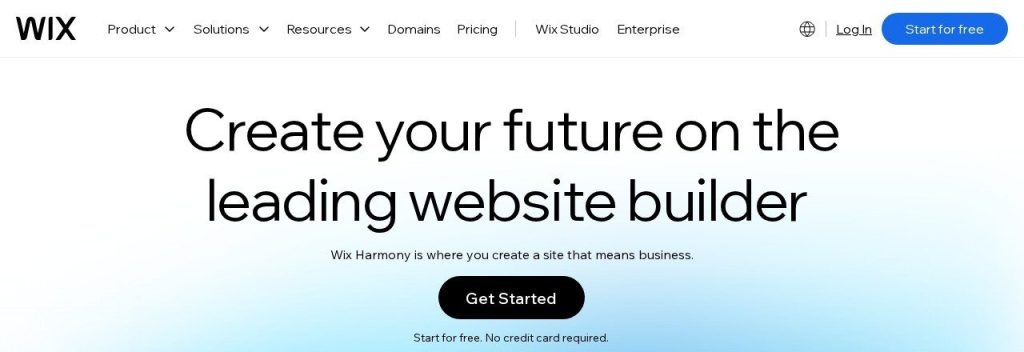
Wix is an all-in-one website builder with online store features on its Core, Business and Business Elite plans. Its free plan lets you build and test a site, but you need Core ($29 a month, billed yearly) to take payments.
Compared with Shopify, Wix gives you more design freedom and adds no Wix transaction fee on top of payment processing. A local candle maker could ask the AI builder for a store, edit the layout by dragging blocks, and list 20 products in an afternoon.
Key Capabilities
- AI site and store builder: Describe your business and Wix drafts the site, then refine it with its AI agent or the visual editor.
- AI product help: Writes product descriptions (3 options at a time) and edits photos with background removal and upscaling.
- Built-in marketing: AI marketing emails plus AI SEO titles and meta descriptions on paid plans.
- Moving from Shopify: Import products by CSV, or use the paid Cart2Cart app that Wix recommends to move products, orders and coupons.
Transaction Fees
Wix adds no transaction fee of its own. Wix Payments in the US charges 2.9% + $0.30 for cards, Apple Pay and Google Pay.
Pros
- Very easy drag-and-drop editor
- Useful AI tools included on every plan
- No extra Wix fee on sales
Cons
- The free plan and Light plan cannot accept payments
- Changing templates later means rebuilding pages
- Shopify migration needs a paid third-party app for orders
Plans & Pricing
- Free: $0. Build and publish a basic site; no online payments.
- Core: $29/month (billed annually). Basic ecommerce, 50 GB storage.
- Business: $39/month (billed annually). Standard ecommerce, 100 GB storage.
- Business Elite: $159/month (billed annually). Advanced ecommerce, unlimited storage.
- Refund: Cancel within 14 days of your first Premium upgrade for a full refund.
Bottom line: Pick Wix if you want the easiest path to a stylish store with AI help. Skip it if you plan to grow into a large catalog with complex shipping rules.
3. Squarespace
Best for: Creative brands, studios and boutiques that care most about how the store looks

Squarespace is known for polished templates, and every plan includes unlimited products, gift cards and abandoned cart recovery. The Core plan costs $29 a month on annual billing and charges 0% transaction fees on store sales.
Next to Shopify, Squarespace is simpler and more design focused, with fewer add-ons to manage. A photographer selling prints and workshops could run portfolio, bookings and shop in one tidy site.
Key Capabilities
- Beautiful templates: Strong typography and layouts that look good without a designer.
- AI tools: An AI website builder plus monthly AI credits on paid plans (20 a month on Core).
- Commerce basics included: Subscriptions, gift cards, Printful print on demand and POS sales through the mobile app.
- AI Visibility: Tracks how your brand shows up in AI search answers, with allowances per plan.
Transaction Fees
The Basic plan charges a 2% transaction fee on store sales. Core, Plus and Advanced charge 0%. Squarespace Payments costs 2.9% + $0.30 per card payment on Basic and Core.
Pros
- Polished templates out of the box
- Unlimited products on every plan
- 0% store transaction fee from Core up
Cons
- No free plan
- Basic plan takes 2% of store sales
- Smaller app ecosystem for advanced needs
Plans & Pricing
- Free trial: 14 days, no card needed.
- Basic: $19/month (billed annually; $25 monthly). 2% store transaction fee.
- Core: $29/month (billed annually; $39 monthly). 0% store transaction fee.
- Plus: $49/month (billed annually; $65 monthly). Lower card rates.
- Advanced: $99/month (billed annually; $139 monthly). High-traffic checkout and 0% fees on digital content.
Bottom line: Pick Squarespace if looks matter most and your catalog is small. Skip the Basic plan if you sell a lot, because the 2% fee eats into margins.
4. BigCommerce
Best for: Stores with a growing catalog that want a Shopify-style hosted platform with more built in
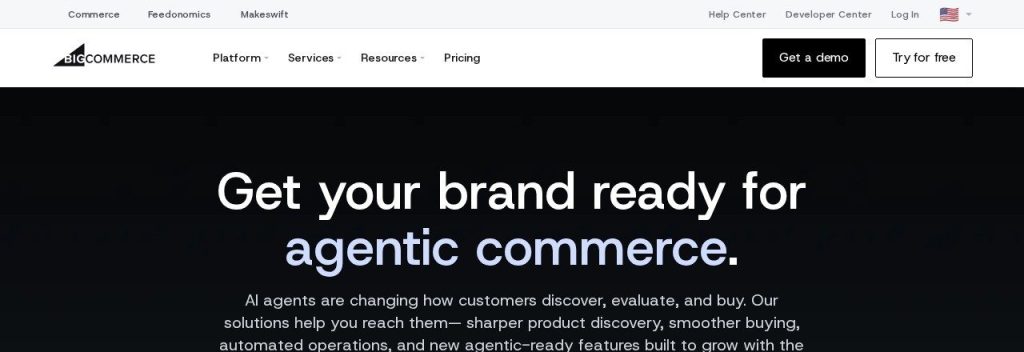
BigCommerce is a hosted ecommerce platform, the closest like-for-like swap for Shopify in this list. Its Core plan costs $39 a month on monthly billing, and new customers who pay yearly get 50% off the first year when they buy by December 31, 2026.
Each plan has a yearly online sales limit (up to $30,000 on Core and $100,000 on Growth), and you move up a plan when you pass it. A shop selling 300 auto parts could use BigCommerce’s catalog tools and its Shopify migration services to switch without rebuilding by hand.
Key Capabilities
- Companion AI assistant: A built-in AI chat assistant that helps you run the store.
- Agentic commerce: Tools that help AI shopping agents find and buy your products, plus an MCP toolkit for developers.
- Staff accounts on all plans: Bring in help without a jump to a pricier tier.
- Moving from Shopify: BigCommerce offers migration from Shopify, WooCommerce and others, plus data migration services.
Transaction Fees
BigCommerce charges zero fees when you use its embedded payment providers. If you bring another provider, it charges 2% on Core, 1% on Growth and 0.6% on Scale, much like Shopify.
Pros
- Hosted and fully managed, like Shopify
- Staff accounts included on every plan
- First-year annual discount through December 31, 2026
Cons
- Sales caps force upgrades as you grow
- Outside payment providers carry a 0.6% to 2% fee
- Growth plan is $105 a month on monthly billing
Plans & Pricing
- Free trial: 15 days, no card needed.
- Core: $39/month billed monthly ($19.50/month on annual billing in the first year with the current 50% promo). Up to $30K in yearly online sales.
- Growth: $105/month billed monthly ($52.50/month first year on annual). Up to $100K in yearly online sales.
- Scale: $399/month billed monthly ($199.50/month first year on annual). Up to $33,333 in monthly online sales (0.9% on sales above the cap).
- Performance: From $1,499/month, billed annually.
Bottom line: Pick BigCommerce if you want a hosted platform like Shopify with staff accounts and migration help. Skip it if your sales will soon pass the plan caps and you hate forced upgrades.
5. Square Online
Best for: Businesses with a physical location that already take payments with Square
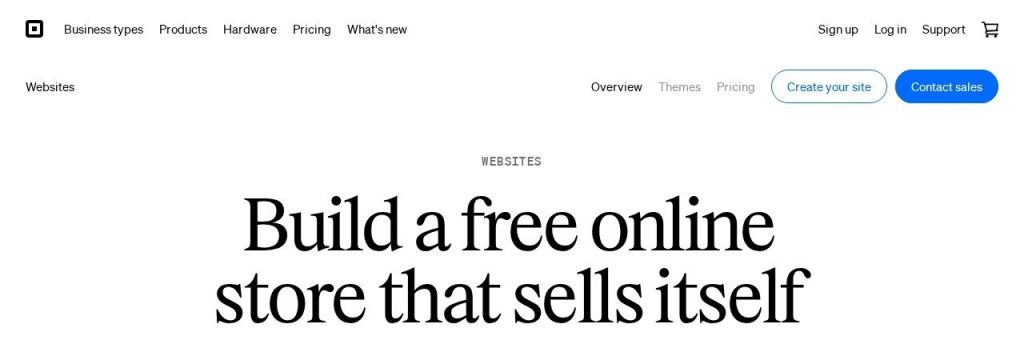
Square Online is the website and online store builder inside Square. The Square Free plan costs $0 a month per location and still lets you sell online with pickup, local delivery and shipping.
Where Shopify charges from the first day, Square lets you start free and pay per sale. A bakery already using Square at the counter could put its menu online, take pickup orders and keep stock in sync with the till.
Key Capabilities
- POS sync: Online and in-person orders, items and inventory sync automatically with Square POS.
- Pickup and local delivery: Built for local businesses, with QR code ordering on Plus.
- Squaremates AI: Square’s built-in AI business partner, plus AI-powered insights.
- Coming from Shopify: Square lists Shopify sync through a partner app called Thrive Inventory.
Transaction Fees
Square adds no subscription fee on the Free plan, but online card payments cost 3.3% + 30¢. On Plus and Premium the online rate drops to 2.9% + 30¢.
Pros
- Free plan with real selling features
- Best in-store and online sync here
- Simple for restaurants and retail
Cons
- Higher online card rate on the Free plan
- Prices are per location, which adds up for chains
- Fewer design options than Wix or Squarespace
Plans & Pricing
- Square Free: $0/month per location. Online card rate 3.3% + 30¢.
- Square Plus: $49/month per location, 30-day free trial. Subscriptions, QR ordering, online rate 2.9% + 30¢.
- Square Premium: $149/month per location, 30-day free trial. Real-time shipping rates and 24/7 phone support.
- Square Pro: Custom pricing (contact sales) for businesses processing over $250K a year.
Bottom line: Pick Square Online if you sell in person and online and want one system. Skip it if you are online-only and want a fully custom design.
6. Ecwid
Best for: Owners who already have a website and just want to add a shopping cart to it
Ecwid by Lightspeed is a store you can drop into any existing website, including WordPress, Wix and Squarespace. Its Starter plan costs $5 a month for up to 10 products, and Ecwid charges no transaction fees on any plan.
Shopify wants to be your whole website. Ecwid only wants to be the cart. A yoga studio with a site it loves could add 10 class packs and gift cards without rebuilding anything.
Key Capabilities
- Add a store anywhere: Drop the store into a WordPress, Wix, Squarespace or any other website.
- Social selling: Sell on Instagram and Facebook from the Venture plan (in supported countries).
- Marketplace sync: Sync your catalog with Amazon, eBay and Walmart on the Business plan.
- Moving from Shopify: Export a product CSV from Shopify and import it into Ecwid (you may need to tidy the columns).
Transaction Fees
Ecwid charges no setup or transaction fees on any plan. You only pay your payment provider’s normal rate.
Pros
- Works with the website you already have
- No transaction fees on any plan
- Cheap entry plan at $5 a month
Cons
- No free plan any more
- Starter is capped at 10 products
- No one-click Shopify importer, only CSV
Plans & Pricing
- Starter: $5/month. Up to 10 products.
- Venture: $29/month (billed annually; $35 monthly). 100 products, digital goods, social selling.
- Business: $49/month (billed annually; $65 monthly). 2,500 products, marketplaces, 2 staff accounts.
- Unlimited: $119/month (billed annually; $149 monthly). Unlimited products, POS and unlimited staff.
Bottom line: Pick Ecwid if you like your current website and only need a cart. Skip it if you want one platform to build the whole site and store.
7. Hostinger Website Builder
Best for: New sellers on a tight budget who want AI to build the first version of the store
Hostinger Website Builder builds a store from a short description and includes hosting and a free domain for the first year. Its store plans have no product limit and Hostinger charges 0% transaction fees.
The catch is renewal: the Unlimited plan is $2.79 a month on a 12-month term in November 2026, then renews at $16.99 a month. Even so, a side hustle selling handmade jewelry could launch for about $34 for the first year, far less than a year of Shopify Basic.
Key Capabilities
- AI store builder: Describe your shop and get a ready store with pages and layout.
- AI product listings from photos: Creates titles and descriptions for up to 10 products at once.
- AI images and copy: Background removal, AI images, blog posts and SEO help.
- Built-in email marketing: Hostinger Reach sends AI emails, including abandoned cart and post-purchase messages.
Transaction Fees
Hostinger takes 0% of your sales. You only pay the payment processor’s fees.
Pros
- Very low first-year price
- No product limit and 0% Hostinger fees
- Strong AI tools for a cheap plan
Cons
- Renewal price is much higher than the intro price
- You pay the full term upfront
- Fewer apps and integrations than Shopify
Plans & Pricing
- Ecommerce Growth: $1.99/month on a 12-month term ($23.88 upfront). Payment links and a quick link store only.
- Unlimited: $2.79/month on a 12-month term ($33.48 upfront). Renews at $16.99/month. Full store, free domain for 1 year.
- Cloud Startup: $7.99/month on a 12-month term ($95.88 upfront). Renews at $25.99/month.
- Guarantee: 30-day money-back guarantee. Prices exclude VAT and are Black Friday deals.
Money saver
Hostinger’s intro prices get cheaper on longer terms, but the renewal price is what you will pay later. Compare the renewal price with Shopify Basic ($29 a month yearly) before you lock in a long term.
Bottom line: Pick Hostinger if you want the cheapest way to launch a real store with AI help. Skip it if you hate surprises at renewal time.
8. Payhip
Best for: Coaches, creators and educators who mostly sell digital products
Payhip is an all-in-one store for digital downloads, online courses, coaching, memberships and physical products. Its Free Forever plan costs $0 a month with a 5% transaction fee, and every plan gets the same features.
Shopify needs apps to sell courses or memberships. Payhip has them built in. A fitness coach could sell a $19 meal plan PDF, a video course and a monthly membership from one simple store.
Key Capabilities
- Digital products built in: Downloads, courses, coaching and memberships with no extra apps.
- Every feature on every plan: Plans differ only by transaction fee.
- Unlimited products and revenue: No caps on what you list or earn.
- Stripe and PayPal checkout: Connect the payment accounts you already use.
Transaction Fees
Payhip charges 5% per sale on the Free plan, 2% on Plus and 0% on Pro. Stripe and PayPal still charge their standard rates.
Pros
- Free plan with every feature
- Courses and memberships without extra apps
- Unlimited products on all plans
Cons
- 5% fee on the free plan is costly at higher sales
- No annual billing discount
- Fewer design options than Shopify
Plans & Pricing
- Free Forever: $0/month. 5% transaction fee.
- Plus: $29/month (billed monthly). 2% transaction fee.
- Pro: $99/month (billed monthly). 0% transaction fee.
Bottom line: Pick Payhip if most of what you sell is digital. Skip it if you run a big physical product store with complex shipping.
What to Look For in a Shopify Alternative
Most store builders look alike in a demo. These details decide what you really pay and how hard it is to switch.
- Total monthly cost: Add the plan, apps, theme and payment fees together. WordPress + WooCommerce and Ecwid can beat Shopify on total cost, while cheap intro prices like Hostinger’s change at renewal.
- Transaction fees: Check whether the platform takes a cut on top of card fees. Squarespace Basic takes 2% and Payhip Free takes 5%, while Wix, Ecwid and Hostinger take 0%.
- Switching cost and data migration: Shopify lets you export products and customers as CSV files. Check how the new tool imports them, as BigCommerce offers migration services while Ecwid relies on CSV import.
- Product and sales limits: Ecwid Starter allows 10 products, Payhip has no product caps, and BigCommerce caps yearly online sales by plan.
- Selling in person: If you have a shop or market stall, Square Online syncs stock with your till automatically.
- Ownership: Hosted tools are easier, but only self-hosted WordPress lets you take the whole store to any host.
Which Shopify Alternative Should You Choose?
- If you want to own everything and avoid platform fees, pick WordPress + WooCommerce.
- If you are new and want the easiest builder with AI, pick Wix.
- If you sell in a physical shop too, pick Square Online and start on the free plan.
- If you already have a website you like, add Ecwid to it.
- If you sell mostly courses, ebooks or memberships, pick Payhip.
- If you rely on Shopify Payments, its checkout and a few key apps, and the bill feels fair, staying on Shopify makes sense.
Time saver
Before you cancel Shopify, export your products, customers and orders as CSV files and save copies of your product photos. Most platforms here import products by CSV, and you will thank yourself later.
Which Shopify alternative are you going to try?
Pick one and see what other small business owners chose.
FAQs
What is the best alternative to Shopify?
For most small businesses, WordPress with WooCommerce is the best Shopify alternative because the software is free and WooCommerce takes no cut of sales. Wix is the easiest choice for beginners, and BigCommerce is the closest hosted match.
What is the best free Shopify alternative?
Square Online has the best free plan for selling physical products, with $0 monthly fees and an online card rate of 3.3% + 30¢ as of November 2026. Payhip’s free plan suits digital products.
Is there a cheaper alternative to Shopify?
Yes. Ecwid starts at $5 a month, Squarespace Basic is $19 a month billed yearly, and Hostinger’s Unlimited store plan is $2.79 a month on a 12-month term before it renews at $16.99. Shopify Basic costs $29 a month billed yearly.
Can I move my store from Shopify?
Yes. Shopify lets you export products, customers and orders as CSV files, and every platform here can import products in some way. BigCommerce offers migration services, Wix recommends the paid Cart2Cart app, and Ecwid and WooCommerce use CSV imports.
Which Shopify alternative has no transaction fees?
WooCommerce, Wix, Ecwid, Hostinger and Squarespace (from the Core plan) add no platform transaction fee. You still pay normal card processing fees to your payment provider.
Final Thoughts
Shopify is a strong platform, but you do not have to pay for apps and fees you do not need. Write down your real monthly Shopify total, then try the one or two tools above that fit how you sell. Most of them have a free plan or trial.
Still building the rest of your setup? See our picks for the AI tools for ecommerce store owners and the best Wix alternatives if you also want to compare website builders.