
Prices checked: October 2026
You have a good offer, but the calendar has gaps. Cold lists go stale, website visitors leave without a word, and following up by hand eats your evenings.
AI lead generation tools take over the slow parts: finding the right people, enriching their details, writing the first message, and capturing visitors who would otherwise disappear.
The catch is that these tools solve different problems. A cold email tool will not help an Instagram-first store, and a $10,000-a-year intent platform makes no sense for a local agency.
We sorted 12 popular tools by the job they do best and checked every pricing page in October 2026.
Here are the 12 best picks, and who each one suits.
Quick answer
- Best for B2B prospecting: Apollo.io
- Best for cold email on a budget: Instantly
- Best for website visitors: Tidio
- Best for managing every lead: HubSpot (free CRM)
- Best for Instagram and WhatsApp leads: Manychat
What’s the Best AI Lead Generation Tool?
| Tool | Best for | Free plan | Starting price |
|---|---|---|---|
| Apollo.io | B2B prospecting and outreach in one tool | Yes (limited credits) | $49/user/mo |
| Clay | Custom AI research and enrichment | Yes (100 data credits/mo) | $167/mo |
| Instantly | Cold email at volume on a budget | No (no card to sign up) | $47/mo |
| Smartlead | High-volume cold email and agencies | Free trial (no card) | $32/mo |
| lemlist | Personal multichannel outreach | 14-day free trial | $55/mo |
| HubSpot | Managing and scoring leads in a CRM | Yes (up to 2 users) | $20/seat/mo |
| Tidio | Website chat lead capture | Yes (50 conversations/mo) | $24.17/mo |
| Intercom | Inbound qualification for SaaS | 14-day free trial | $29/seat/mo |
| Customers.ai | Identifying ecommerce site visitors | 7-day free trial | Custom pricing |
| Warmly | B2B website intent (bigger budgets) | No | $10,000/yr |
| Seamless.AI | Finding B2B emails and phone numbers | Yes (50 credits) | Custom pricing |
| Manychat | Leads from Instagram and WhatsApp DMs | Yes (25 contacts) | $14/mo |
Prices checked October 2026. Starting prices use annual billing unless noted.
How AI helps you get more leads
- Finds better prospects: Search millions of contacts by industry, size and job title instead of copying names from LinkedIn.
- Fills in missing details: Enrichment adds emails, phone numbers and company facts to the leads you already have.
- Writes personal first lines: AI drafts outreach that mentions something real about each prospect.
- Captures website and social leads: Chatbots and DM tools collect contact details while you sleep.
- Follows up for you: Sequences and CRM automations make sure no lead is forgotten.
1. Apollo.io
Best for: B2B founders, agencies and small sales teams that want contact data and email outreach in one place
Apollo.io is a sales intelligence platform that combines a B2B contact database, contact enrichment and email sequences. You search for companies and decision makers, add them to a list, and send outreach without leaving the app.
A 2-person marketing agency could filter for ecommerce brands with 10 to 50 employees, pull the founders’ emails, and start a 3-step email sequence the same afternoon. Most data actions use credits, so the real cost depends on how many contacts you reveal each month.
Key Capabilities
- Big B2B search: Filter people and companies by industry, size, title and location to build a target list fast.
- Contact enrichment: Adds job titles, company details and contact info to leads you already have.
- Email sequences: Send multi-step outreach and follow-ups from the same tool you used to find the leads.
- AI help on Professional: Higher plans add AI features, call recording and deeper CRM integrations for full-time reps.
- Pooled team credits: Credits are shared across your team each billing cycle, so one heavy user does not block the rest.
Works With
Gmail for sending, plus CRM integrations (advanced CRM integrations on Professional).
Pros
- Data and outreach in one tool, so fewer subscriptions
- Free plan lets you test the data before paying
- Fits most B2B small teams without custom setup
Cons
- Credits do not roll over, and heavy users burn through them
- Contact data still needs checking before you send
- Can feel crowded for a complete beginner
Plans & Pricing
- Free: $0. Limited credits for light use; email campaigns only with connected Gmail accounts.
- Basic: $49/user/month (billed annually; $59 monthly). Email sequencing and core integrations.
- Professional: $79/user/month (billed annually). Higher credit limits, AI features, call recording, advanced CRM integrations.
- Custom: Custom pricing (contact sales). SSO, custom volumes and dedicated support.
Bottom line: Pick Apollo.io if you sell B2B and want one tool to find and contact prospects. Skip it if your leads come from your website or social DMs.
2. Clay
Best for: Growth-minded teams that want to research and enrich leads with AI before reaching out
Clay is a spreadsheet-style workspace that pulls data from many providers, runs AI research on each row, and pushes the results into your outreach or CRM. Its AI research agent, Claygent, can visit a prospect’s website and answer questions like “Do they sell on Shopify?”.
A small SaaS team could upload 500 target companies, have Clay find the right contact at each, check whether they are hiring, and write a custom first line for every email. The free plan includes 100 data credits and 500 actions a month with unlimited seats.
Key Capabilities
- Waterfall enrichment: Checks several data providers in a row until it finds an email or phone number, which raises hit rates.
- Claygent AI research: Reads websites and public sources to answer custom questions about each lead.
- Signals and triggers: Watch for events like job changes or hiring and start workflows automatically.
- Personalized copy at scale: Use AI to write a tailored opening line for every contact in a table.
- Unlimited seats: Every plan, including Free, lets your whole team work in the same tables.
Works With
HubSpot, Salesforce, outreach tools such as lemlist, plus webhooks and APIs.
Pros
- Most flexible lead research tool on this list
- Generous free plan with unlimited seats
- Can replace several single-purpose data tools
Cons
- Real learning curve; expect a few hours to build your first workflow
- Paid plans start at $167/month, steep for a solo owner
- Credit math gets complicated as you scale
Plans & Pricing
- Free: $0. 500 actions and 100 data credits a month, unlimited seats and tables (up to 200 rows per table).
- Launch: $167/month (billed annually; $185 monthly). Starts with 15,000 actions and 2,500 data credits a month; higher tiers available.
- Growth: $446/month (billed annually; $495 monthly). Starts with 40,000 actions and 6,000 data credits a month.
- Enterprise: Custom pricing (contact sales).
Time saver
Start Clay with one simple job, like finding the right decision maker for a list of companies you already have. Add AI research columns only after that basic table works.
Bottom line: Pick Clay if you are willing to build workflows to get better data. Skip it if you want a plug-and-play contact list today.
3. Instantly
Best for: Founders and agencies sending cold email who want unlimited sending accounts without per-inbox fees
Instantly is a cold email platform with unlimited email accounts and warmup on every outreach plan, plus an optional database of 450M+ B2B leads. You connect several inboxes, Instantly spreads your sending across them, and warmup protects your sender reputation.
The Outreach Growth plan costs $47 a month and covers 5,000 emails and 1,000 uploaded contacts. A solo consultant could connect three inboxes, upload a list of local businesses, and run a steady 150 emails a day without paying per mailbox.
Key Capabilities
- Unlimited inboxes and warmup: Add as many sending accounts as you like without extra fees.
- 450M+ lead database: Buy credits to find and enrich B2B leads inside the same tool.
- AI writing and research agents: Draft emails and research prospects with built-in AI, or plug in your own LLM API key.
- AI Reply Agent: On higher bundles, AI drafts replies to interested leads from a unified inbox.
- Deliverability tools: Inbox placement tests and warmup help keep emails out of spam.
Works With
Major CRMs and outreach exports, Zapier, webhooks and an API.
Pros
- Strong value for high-volume cold email
- No per-inbox pricing
- Lead data and outreach can be bought together or separately
Cons
- Plans are split into outreach, credits and bundles, which is confusing at first
- Cold email needs proper domain setup to work
- AI emails still need a human review before sending
Plans & Pricing
- Outreach Growth: $47/month. Unlimited email accounts and warmup, 1,000 uploaded contacts, 5,000 emails a month.
- Growth Credits: $47/month. 1,500 lead credits a month for the B2B database and enrichment.
- Starter bundle: $94/month ($85/month billed annually). Outreach plus 1,500 credits and the AI Sales Agent.
- Scale bundle: $194/month ($175/month billed annually). 100,000 emails, 25,000 contacts, 5,000 credits, AI Reply Agent.
Bottom line: Pick Instantly if cold email is your main channel and you want to scale cheaply. Skip it if you have never set up email domains and do not plan to learn.
4. Smartlead
Best for: Agencies and sales teams running high-volume cold email for several clients
Smartlead is a cold email platform built around deliverability: unlimited mailboxes, warmup, inbox rotation and a unified inbox for replies. It also offers client workspaces and white labeling, which is why many lead generation agencies use it.
The Base plan sends 6,000 emails a month to up to 2,000 contacts. An agency handling outreach for three local clients could run each in a separate workspace and manage every reply from one inbox.
Key Capabilities
- Inbox rotation: Spreads sending across many mailboxes to protect deliverability.
- Unified master inbox: See and answer replies from every campaign and client in one place.
- AI personalization: Use AI to research leads and personalize emails at scale.
- Client workspaces: Keep each client’s campaigns and data separate, with white-label options.
- APIs and automation: Connect Smartlead to your CRM or build custom workflows.
Works With
CRMs through native integrations, Zapier and webhooks, plus a full API.
Pros
- Built for volume and multi-client agency work
- Clear plan limits on emails and contacts
- Free trial with no credit card
Cons
- Focused on cold email only
- Needs proper domain and mailbox setup
- Base plan’s 2,000 contacts fill up quickly
Plans & Pricing
- Free trial: Available on every plan, no credit card required.
- Base: $32/month (billed yearly; $39 monthly). 6,000 emails and 2,000 contacts a month.
- Pro: $78/month (billed yearly; $94 monthly). 90,000 emails and 30,000 contacts a month.
- Unlimited Smart: $144/month (billed yearly; $174 monthly). 150,000 emails a month.
- Unlimited Prime: $315/month (billed yearly; $379 monthly). 500,000 emails a month.
Bottom line: Pick Smartlead if you run outreach for clients or at high volume. Skip it if you need a CRM or inbound lead capture.
5. lemlist
Best for: Teams that want outreach to feel personal across email, LinkedIn, calls and SMS
lemlist is an outreach platform that mixes email with LinkedIn steps, calls, SMS and WhatsApp in one sequence. It includes a 650M+ lead database, an email finder and AI agents that research accounts, spot buying signals and draft messages.
The Email plan includes unlimited users and 50,000 emails a month, which makes it good value for a small team sharing one account. A B2B consultant could email a prospect, view their LinkedIn profile two days later, then send a short LinkedIn message as step three.
Key Capabilities
- Multichannel sequences: Combine email, LinkedIn, calls and SMS in one campaign (Multichannel plan).
- lemAgent AI: AI agents handle lead research, enrichment and message drafting.
- 650M+ lead database: Find emails and phone numbers without a separate data tool.
- AI reply detection: Flags interested replies and out-of-office messages automatically.
- Deliverability hub: Warmup and sending checks to keep emails out of spam.
Works With
HubSpot, Salesforce and Pipedrive, plus Zapier, Make, n8n and Clay.
Pros
- Unlimited users on the Email plan
- Strong for LinkedIn plus email outreach
- 14-day free trial with no card
Cons
- Multichannel is priced per user, so teams pay more
- Lead data credits cost extra
- Many features to learn before your first campaign
Plans & Pricing
- Free trial: 14 days, no credit card required.
- Email: $55/month (billed yearly; $69 monthly). Unlimited users and senders, 50,000 emails a month.
- Multichannel: $87/user/month (billed yearly; $109 monthly). Adds LinkedIn, SMS, calls and unlimited emails and messages.
- Enterprise: Custom pricing (contact sales).
- Lead data add-on: $16/month billed yearly ($20 monthly) for 2,000 credits.
Bottom line: Pick lemlist if LinkedIn is part of how you sell. Skip it if you only need a simple, cheap email sender.
6. HubSpot
Best for: Small businesses that want one CRM to capture, track and follow up with every lead
HubSpot is a CRM with marketing, sales and service tools built in. For lead generation, its free tools (forms, live chat and a chatbot builder) capture leads, and its Breeze AI agents can help qualify prospects and book meetings.
A local accounting firm could add a HubSpot form to its website, send every new lead into the free CRM, and trigger a welcome email automatically. Lead scoring, which ranks leads by fit and engagement, starts on Marketing Hub Professional.
Key Capabilities
- Free CRM: Store contacts, deals and conversations for up to 2 users at no cost.
- Lead capture tools: Forms, live chat and a chatbot builder collect leads from your website.
- Breeze AI agents: AI helps research prospects, qualify leads and draft emails.
- Lead scoring: Professional includes up to 5 scores; Enterprise adds AI recommendations.
- Marketing automation: Send follow-up emails and route leads to the right person automatically.
Works With
Gmail, Outlook and hundreds of apps in the HubSpot App Marketplace.
Pros
- The free CRM is useful on day one
- Everything lives in one place as you grow
- Huge library of integrations and guides
Cons
- Big price jump from Starter to Professional
- Professional adds a $3,000 one-time onboarding fee
- Can be more than a solo owner needs
Plans & Pricing
- Free: $0. CRM, forms, live chat and chatbot builder for up to 2 users.
- Marketing Hub Starter: From $20/seat/month (a lower promotional rate was also shown when we checked). 1,000 marketing contacts.
- Marketing Hub Professional: From $800/month with 3 core seats and 2,000 marketing contacts, plus a $3,000 one-time onboarding fee. Includes lead scoring.
- Marketing Hub Enterprise: From $3,600/month with 5 core seats, plus a $7,000 onboarding fee.
Money saver
Start on HubSpot’s free CRM and forms. Most small businesses can capture and follow up with leads there for months before they need a paid plan.
Bottom line: Pick HubSpot if you want one home for every lead. Skip it if you only need a cheap cold email sender or a simple chatbot.
7. Tidio
Best for: Online stores and service businesses that want to turn website visitors into leads with live chat and AI
Tidio combines live chat, a help desk and Lyro, an AI agent that answers visitor questions from your own content. Its Flows feature can pop up at the right moment, ask for an email, or collect a quote request.
Tidio says customers average a 75% resolution rate with Lyro. A small furniture store could have Lyro answer delivery questions at night and collect the visitor’s email when they ask about a custom order.
Key Capabilities
- Lyro AI Agent: Answers common questions automatically and hands off to a human when needed.
- Lead capture Flows: No-code chat paths that collect emails, quote requests and missed conversations.
- Live chat and ticketing: Your team can jump into any chat or follow up later by email.
- Live visitor list: See who is on your site right now and start a conversation.
- Ecommerce friendly: Works well for stores that need quick answers about orders and delivery.
Works With
Shopify, WordPress and most website platforms, plus email and social channels.
Pros
- Real free plan to start with
- Easy setup for non-technical owners
- AI and live chat in one widget
Cons
- Lyro AI is priced separately from the chat plans
- Usage-based limits need watching as traffic grows
- Not a tool for finding new B2B contacts
Plans & Pricing
- Free: $0. 50 billable conversations a month.
- Starter: $24.17/month (billed annually). 100 conversations, 50 one-off Lyro AI conversations, basic analytics.
- Growth: From $49.17/month (billed annually). From 250 conversations, advanced analytics, automatic assignment.
- Plus: From $300/month plus usage. Premium support and discounted usage rates.
- Lyro AI Agent: From $32.50/month for 50 AI conversations. 7-day free trial on paid plans.
Bottom line: Pick Tidio if your website already gets visitors and you want them to leave contact details. Skip it if you need outbound prospecting.
8. Intercom
Best for: SaaS and B2B companies with steady inbound traffic that want AI to qualify visitors
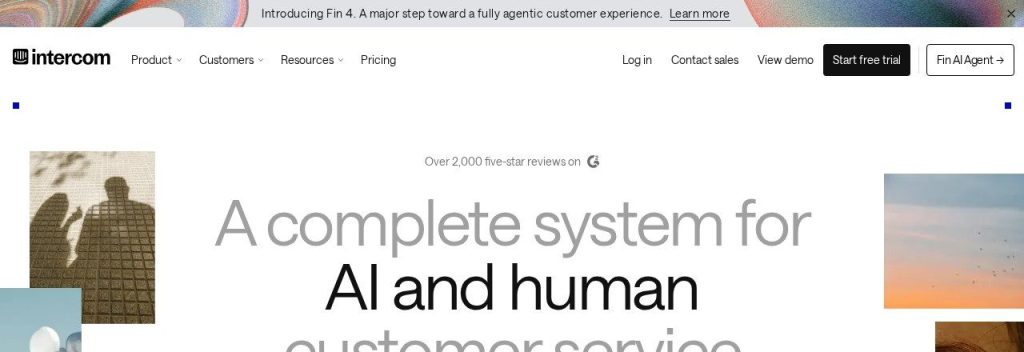
Intercom is a customer service platform with Fin, an AI agent that answers questions and can run inbound sales conversations: asking discovery questions, qualifying leads and booking meetings.
Intercom bills per seat plus $0.99 for each conversation Fin resolves, and you pay nothing if Fin cannot answer. A 5-person SaaS company could let Fin qualify trial sign-ups around the clock and pass hot leads to the founder.
Key Capabilities
- Fin AI Agent: Answers questions and qualifies leads, charged only per successful outcome.
- Messenger live chat: Chat with visitors on your site or inside your app.
- Workflow automation: Route conversations and leads to the right person (Advanced and up).
- Copilot: An AI assistant inside the inbox that helps your team reply faster ($29 per teammate).
- Startup discount: Companies under $10M raised and 15 employees or fewer can apply for 93% off.
Works With
Your CRM and Slack; Fin can also work on top of an existing help desk such as Salesforce, HubSpot or Freshdesk.
Pros
- Pay-per-outcome AI means no charge for failed answers
- Very polished chat and inbox
- Big early-stage startup discount
Cons
- Per-seat plus usage pricing is harder to predict
- Overkill for a small local business
- Many useful add-ons cost extra
Plans & Pricing
- Free trial: 14 days, no credit card required.
- Essential: $29/seat/month (billed annually; new customers were offered $19 when we checked). Live chat, shared inbox, help center.
- Advanced: $85/seat/month (billed annually). Workflow automation, multiple inboxes, 20 free Lite seats.
- Expert: $132/seat/month (billed annually). SSO, SLAs, HIPAA support, 50 free Lite seats.
- Fin AI Agent: $0.99 per outcome on every plan.
Bottom line: Pick Intercom if you run a SaaS or B2B company with real inbound traffic. Skip it if you just need a basic chat widget.
9. Customers.ai
Best for: Online stores on Klaviyo that want to follow up with visitors who leave without signing up
Customers.ai identifies people who visit your store but never fill out a form, then syncs them into Klaviyo and Meta ads so you can follow up. Its X-Ray pixel handles identity resolution, and its Alfred AI agent helps build and clean audiences.
Pricing is based on your total Klaviyo profiles, so a store with a 20,000-profile list pays differently from one with 200,000. A growing DTC brand could recover abandoned visitors into email flows without adding more pop-ups.
Key Capabilities
- X-Ray visitor identification: Matches anonymous visitors to real contacts you can email.
- Alfred AI audience agent: Suppresses dead profiles and reactivates engaged ones automatically.
- Super CAPI: Sends server-side conversion data to Meta ads, which helps when browsers block tracking.
- Inbox placement tools: Helps more of your emails land in the inbox.
- Klaviyo grader: Free analysis of your Klaviyo account against industry benchmarks.
Works With
Klaviyo, Shopify and Meta ads.
Pros
- Built for Klaviyo stores, so setup is focused
- Turns existing traffic into email leads
- 7-day free trial with no card
Cons
- No public price list; you need the calculator or sales
- Only useful once your site has steady traffic
- Best for ecommerce, less so for service businesses
Plans & Pricing
- Free trial: 7 days, no credit card required.
- X-Ray, Alfred and Super CAPI: Custom pricing (contact sales). Price depends on your total Klaviyo profiles and the products you choose.
Bottom line: Pick Customers.ai if you run a Klaviyo store with good traffic. Skip it if your site is new or you do not sell online.
10. Warmly
Best for: Funded B2B teams with real website traffic that want AI to spot and engage buyers
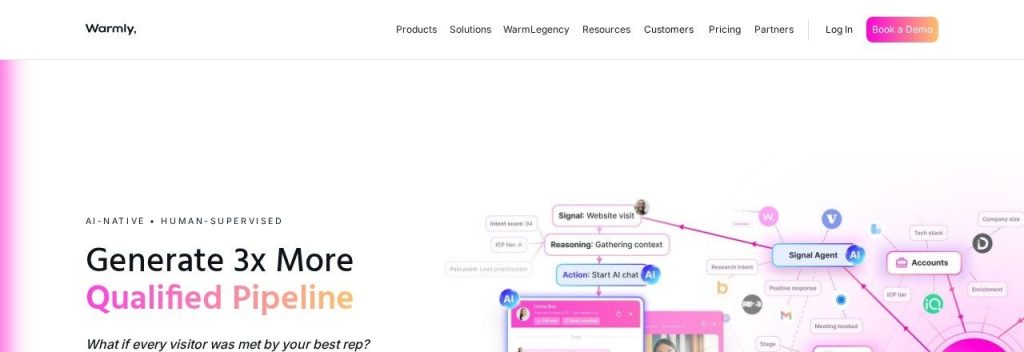
Warmly identifies the companies and people visiting your B2B website, enriches them with intent signals, and engages them through AI chat and email. It draws on 220M+ people profiles and 40M+ company profiles.
Pricing starts at $10,000 a year, so it is not for most small businesses. A 20-person B2B software company with a few thousand monthly visitors could use it to alert sales on Slack when a target account visits the pricing page.
Key Capabilities
- AI web de-anonymization: Shows which companies and contacts are on your site.
- Real-time alerts and routing: Sends high-intent visitors to the right rep in Slack or your CRM.
- AI chat agents: Chat with visitors and qualify them automatically (Inbound Chat and up).
- AI Inbound Autopilot: Runs qualification, follow-up emails and mini-demos on its own.
- Buying signals: Tracks hiring, funding and other signals with the GTM Signals add-on.
Works With
Your CRM, Slack, sales engagement platforms and webhooks.
Pros
- Strong all-in-one inbound intent tool
- Clear published starting prices
- Combines identification and engagement
Cons
- Starts at $10,000 a year
- No free plan or self-serve trial
- Needs meaningful B2B traffic to pay off
Plans & Pricing
- AI Web-Deanonymization: From $10,000/year ($4,875/quarter). Visitor identification, alerts, lead routing, CRM sync.
- Inbound Chat: From $20,000/year ($6,500/quarter). Adds an AI chatbot and warm calling.
- AI Inbound Autopilot: From $30,000/year ($9,750/quarter). Unlimited AI agents, auto follow-up and AI qualification.
- Add-ons: GTM Signals Package and Warm Experiences from $10,000/year each.
Bottom line: Pick Warmly if you are a funded B2B team with traffic to spare. Skip it if you are a small business watching every dollar.
11. Seamless.AI
Best for: Outbound sales reps who need phone numbers and emails for B2B decision makers
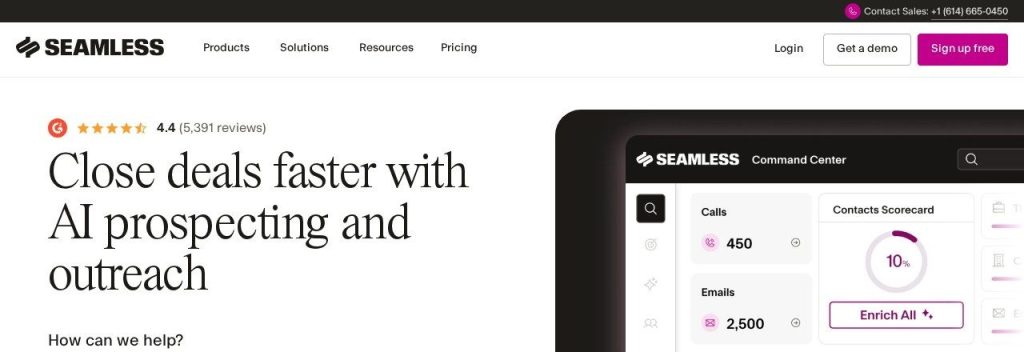
Seamless.AI is a B2B contact search engine that finds emails, phone numbers and company details in real time. You search by name, company or title, and it returns contact data you can export to your CRM.
A small B2B services firm could use the free credits to test data quality on 50 target contacts before deciding whether to pay. Paid plans are quote-based, so compare the quote with Apollo.io’s published prices.
Key Capabilities
- Real-time contact search: Finds emails and direct dials for B2B decision makers.
- Company search: Look up firms by industry, size and location.
- Prospect lists: Save searches and build lists of target contacts for outreach.
- CRM export: Send contacts to your CRM or outreach tool.
Works With
CRM and outreach tools through exports and integrations.
Pros
- Free credits let you test the data
- Phone numbers are useful for call-heavy sales
- Quick for building small lists
Cons
- No public pricing for paid plans
- Read renewal and cancellation terms carefully before signing
- No outreach or website capture built in
Plans & Pricing
- Free: $0 for one user with 50 credits to test the data.
- Pro and Enterprise: Custom pricing (contact sales).
Bottom line: Pick Seamless.AI if you need phone numbers for cold calling. Skip it if you want transparent pricing; Apollo.io publishes its prices.
12. Manychat
Best for: Creators, coaches, local businesses and stores that get leads from Instagram, TikTok or WhatsApp
Manychat automates conversations on Instagram, WhatsApp, Facebook Messenger, TikTok, Telegram, SMS and email. Its most popular use is comment-to-DM: someone comments a keyword on your post and instantly gets a DM with a link or offer.
A fitness coach could post a reel saying “comment PLAN for my free 7-day plan” and let Manychat collect every email automatically. Manychat AI, on the Pro plan, can recognize intent and qualify leads in the chat.
Key Capabilities
- Comment-to-DM flows: Turn post comments into private conversations and email signups.
- Manychat AI: Recognizes intent and writes replies in your brand voice (Pro plan).
- Multichannel inbox: Handle Instagram, WhatsApp, Messenger and more in one place.
- Broadcasts: Send updates and offers to subscribers (Pro plan).
Works With
Instagram, WhatsApp, Facebook Messenger, TikTok, Telegram, SMS and email.
Pros
- Best tool here for social-first businesses
- Low starting price
- Free plan to test basic flows
Cons
- AI, WhatsApp and broadcasts need Pro
- Depends on platform rules that can change
- Not useful for B2B database prospecting
Plans & Pricing
- Free: $0. 25 active contacts a month and 2 channels.
- Essential: $14/month (billed annually). 14-day free trial.
- Pro: $29/month (billed annually). Adds Manychat AI, WhatsApp and broadcasts. 14-day free trial.
Bottom line: Pick Manychat if your customers find you on Instagram, TikTok or WhatsApp. Skip it if your leads come from search or cold email.
What to Look For in an AI Lead Generation Tool
Start with where your customers already are, then check these points:
- Your main lead channel: Cold email (Instantly, Smartlead), website chat (Tidio, Intercom), social DMs (Manychat) or a contact database (Apollo.io). Pick the tool built for your channel.
- Data quality: Test free credits on 50 known contacts before you buy. Apollo.io, Clay and Seamless.AI all let you try the data first.
- How credits work: Many tools charge per contact revealed or enriched. Clay and Apollo.io credits do not carry over, so match the plan to your real monthly volume.
- CRM connection: Leads are only useful if they land somewhere you follow up. HubSpot’s free CRM is a safe default.
- Price per seat: lemlist’s Email plan has unlimited users, while Intercom and HubSpot charge per seat. That matters once you add a second person.
- Setup time: Tidio and Manychat can be live in an afternoon. Clay and Warmly take real setup.
Money saver
Most small businesses only need two tools: one way to find or capture leads and one CRM to follow up. Add a third tool only after the first two pay for themselves.
Which AI Lead Generation Tool Should You Choose?
- If you sell to other businesses and need contacts, pick Apollo.io (or Clay if you want deeper research).
- If cold email is your main channel and budget is tight, pick Instantly; agencies with many clients should look at Smartlead.
- If you also prospect on LinkedIn, pick lemlist.
- If your website gets traffic but few inquiries, pick Tidio; SaaS companies should look at Intercom.
- If you run a Klaviyo store, pick Customers.ai to follow up with anonymous visitors.
- If your leads come from Instagram, TikTok or WhatsApp, pick Manychat.
- If you need one place to track every lead, start with HubSpot’s free CRM.
FAQs
What is the best AI lead generation tool for small businesses?
It depends on your main channel. Apollo.io is the best all-round pick for B2B prospecting, Instantly is the best value for cold email, Tidio is best for website visitors and Manychat is best for social media leads.
Are there free AI lead generation tools?
Yes. As of October 2026, Apollo.io, Clay, HubSpot, Tidio, Seamless.AI and Manychat all offer free plans with limits. HubSpot’s free CRM covers up to 2 users.
Can AI generate leads automatically?
AI can automate most of the work: finding prospects, enriching data, sending follow-ups and answering website or DM questions. You still need a clear offer and a person to close the deal.
Is cold email still worth it for small businesses?
Yes, if you target a narrow list and personalize each message. Tools like Instantly and Smartlead help with warmup and sending limits, but sending generic emails to big lists hurts deliverability.
What is the difference between a lead database and visitor identification?
A lead database (Apollo.io, Seamless.AI) helps you find new people to contact. Visitor identification (Customers.ai, Warmly) tells you who is already visiting your website so you can follow up.
Final Thoughts
Pick one channel and one tool this week. For most small businesses, that means HubSpot’s free CRM plus either Apollo.io’s free plan (B2B), Tidio’s free plan (website) or Manychat (social).
Once leads start calling, make sure you never miss them with an AI receptionist, and keep your social feeds busy with these AI social media scheduler tools.
About the author: Istiak Rayhan is the founder of DotCamp and has spent about 16 years building WordPress products and working in SEO and content marketing. He writes Growific’s guides to help small business owners pick AI tools that fit how they actually win customers.